Pulse Analysis -Blood Pressure is made and published by
RED HISTORY NETWORK TECHNOLOGY LIMITED.
AppBrain is an independent app data site and isn't affiliated with RED HISTORY NETWORK TECHNOLOGY LIMITED.
The app name, icon, screenshots and description belong to RED HISTORY NETWORK TECHNOLOGY LIMITED and are shown as
published on the App Store.
About Pulse Analysis -Blood Pressure
Pulse Analysis -Blood Pressure is a health & fitness app developed by RED HISTORY NETWORK TECHNOLOGY LIMITED.
What is the rating of Pulse Analysis -Blood Pressure?
Pulse Analysis -Blood Pressure is rated 4.33 out of 5 stars, based on 530 ratings.
Is Pulse Analysis -Blood Pressure free?
Pulse Analysis -Blood Pressure is free. The app size is 49.66 MB. The latest version available is 1.2.4. The last update was on May 6, 2026.
What are the requirements for Pulse Analysis -Blood Pressure?
The app has a content rating of Everyone. The app has been available on the App Store since September 2023.
Description by RED HISTORY NETWORK TECHNOLOGY LIMITED(from the App Store)
Pulse Analysis is your one-stop health assistant, designed to help you monitor your heart rate, calculate BMI, track hydration and perform guided breathing exercises. With real-time data and personalized insights, you can take control of your health anytime, anywhere. Whether it's managing weight, improving fitness results, or reducing stress, Pulse Analysis makes it simple and efficient. Download now to start your health journey!
Main features:
Real-time heart rate monitoring, recording blood pressure at all times
BMI calculation and analysis
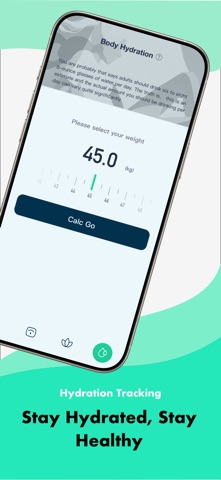
Body hydration tracking
Guided breathing exercises to help you relax
Payment & Subscription Terms Subscription Options Choose from the following subscription plans for unlimited access to all features: - Weekly Subscription - Yearly Subscription Cancellation & Management Cancellation Timing: You may cancel your subscription at any time, but cancellations must be made at least 24 hours before the end of the current billing period (or trial period) to avoid being charged for the next cycle. How to Manage/ Cancel: Subscriptions are managed directly through your Apple account. To turn off auto-renewal or cancel: 1. Open the Settings app on your iPhone. 2. Tap your name (Apple ID) at the top of the screen. 3. Select "Subscriptions" from the menu. Required Policies Privacy Policy: https://auqr.rayiuk.com/privacyPolicy.html Terms of Service: https://auqr.rayiuk.com/termsOfService.html
Each subscription will automatically renew 3 days before the expiration date for
the same time period. Subscriptions can be cancelled at any time before the renewal.