

PVU360 is made and published by Yonggao Yang. AppBrain is an independent app data site and isn't affiliated with Yonggao Yang. The app name, icon, screenshots and description belong to Yonggao Yang and are shown as published on the App Store.
AppBrain's verdict
- Last updated
- October 15, 2021
Rankings
App Store top chartsApp Store Rankings for PVU360
Competitors
Similar apps and more from Yonggao YangAlternatives to PVU360


More from Yonggao Yang



Releases
Updates seen on the App Store- Version
- 3.0
- Launched
- April 2020
No changelog data
User feedback
Ratings and reviews on the App StoreComments on PVU360 for iOS
We don't have enough comments to show example comments. Please check back later.
Technology
Found in the app by AppBrain- Price
- Free
- App size
- 19.4 MB
- Content rating
- Everyone
Technologies used by PVU360
About the app and developer
About PVU360
PVU360 is an education app developed by Yonggao Yang.
User Ratings
The app has no ratings yet.
App Information
PVU360 is freely available from the App Store. The app size is 19.40 MB. The latest version available is 3.0. The last update was on October 15, 2021.
Technical Requirements
The app has a content rating of Everyone. The app has been available on the App Store since April 2020.
Developer information for Yonggao Yang
Address:
Frequently asked questions about PVU360
Is PVU360 free?
Yes. PVU360 is free on the App Store.
Is PVU360 still available?
Yes. PVU360 is on the App Store, and the last update we saw was on October 15, 2021.
How large is PVU360?
PVU360 is 19.40 MB.
Is PVU360 suitable for children?
App Store rates the content of PVU360 as suitable for everyone.
Who made PVU360?
PVU360 was developed by Yonggao Yang. It is listed in the education category on the App Store.
What are the best alternatives to PVU360?
People looking at PVU360 also look at these education apps: 2638 Scout, IAMSWAU.
Store listing
By Yonggao Yang, from the App Store
Description by Yonggao Yang Written by the developer, not by AppBrain. Click to read.
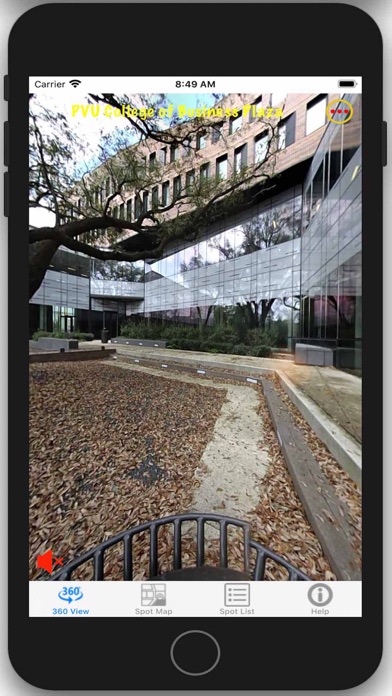
They can virtually experience many hot spots on campus in 360-degree: such as Engineering Plaza, Business Court, Fountain Plaza, MSC Square, University Dorm Districts, Panther Stadium, etc. More spot data will be created and upload to the server and available to users.
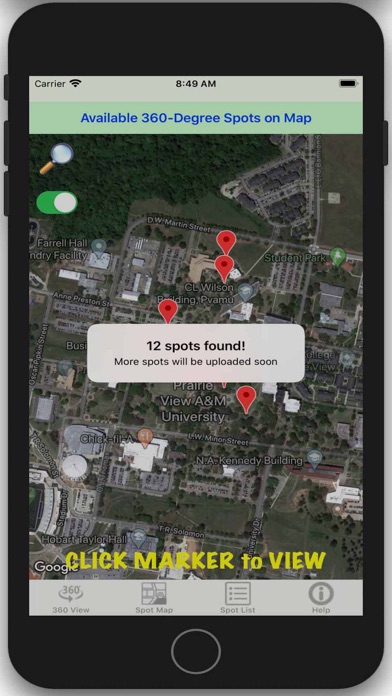
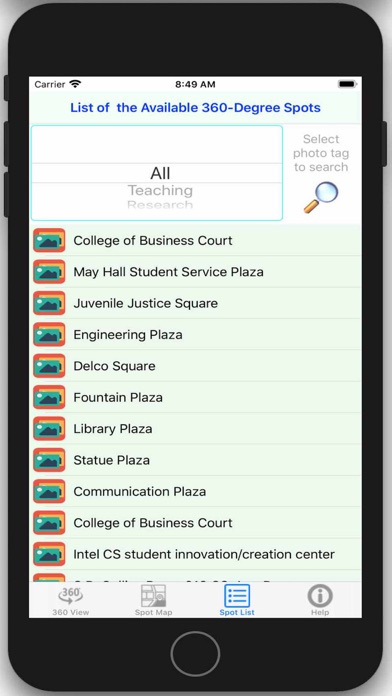
The app shows all the markers of hotspots on the campus map, and the user clicks a marker to view that location in 3D 360-degree. It also allows users to search for and list spots in a table view, and then click to view. Each hot spot is tagged as one of these: teaching, research, Students, Campus, Sports, Events, or Others.
New 3D 360-degree spot data will be continuously added to the system, such as research labs, classrooms, new buildings, gathering, recruiting events, career fairs, and so on.
The search function allows users to specifically navigate the hotspots they are interested in. For instance, if the student is only interested in research, he/she can choose the “Research” tag and all the hot spots in that tag will be marked on the map or listed in a table. Users can then click the spot to have a 360-degree view.
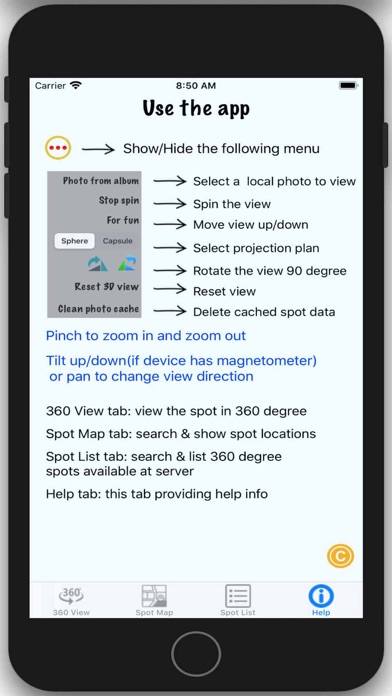
The app currently has four tabs:
VR-360: view the hot spot in the virtual reality of 360-degree. It also shows the title of that spot. Users can config it in their way to view the scene. They can even tilt the device to see from different angles.
Hotspot-Map: based on the user’s search input, the available hot spots will be layout on the campus map with pins. Click the pin to view the spot virtually.
Hotspot-List: list all the available hot spots in a list, where users can choose anyone to view and experience
Help: display the info on how to use the app
This app can be utilized as a supplemental tool for the upcoming Summer School, Summer Bridge Program, and recruiting events/efforts.