

QPrint - Print & Scan is made and published by 法明 王. AppBrain is an independent app data site and isn't affiliated with 法明 王. The app name, icon, screenshots and description belong to 法明 王 and are shown as published on the App Store.
AppBrain's verdict
- Last updated
- February 24, 2026
Rankings
App Store top chartsApp Store Rankings for QPrint - Print & Scan
Competitors
Similar apps and more from 法明 王Alternatives to QPrint - Print & Scan


Releases
Updates seen on the App Store- Version
- 1.1.1
- Launched
- May 2025
No changelog data
User feedback
Ratings and reviews on the App StoreComments on QPrint - Print & Scan for iOS
We don't have enough comments to show example comments. Please check back later.
Technology
Found in the app by AppBrain- Price
- Free
- App size
- 6.68 MB
- Content rating
- Everyone
Technologies used by QPrint - Print & Scan
About the app and developer
About QPrint - Print & Scan
QPrint - Print & Scan is an utilities app developed by 法明 王.
What is the rating of QPrint - Print & Scan?
QPrint - Print & Scan has no ratings yet.
Is QPrint - Print & Scan free?
QPrint - Print & Scan is free. The app size is 6.68 MB. The latest version available is 1.1.1. The last update was on February 24, 2026.
What are the requirements for QPrint - Print & Scan?
The app has a content rating of Everyone. The app has been available on the App Store since May 2025.
Developer information for 法明 王
Address:
Store listing
By 法明 王, from the App Store




Description by 法明 王 Written by the developer, not by AppBrain. Click to read.
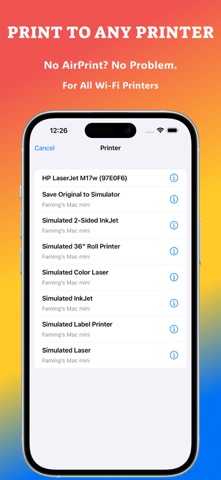
Struggling with "No AirPrint Printers Found"? QPrint shatters those limits, connecting you to virtually ANY network printer. Experience professional-grade printing features with NO subscriptions and NO hidden costs.
With our revolutionary new Template Studio, you can design and print stunning ID photos, custom cards, and creative projects — all from your iPhone and iPad. Your printer. Your rules.
KEY FEATURES:
• NEW! Creative Template Studio
Go beyond documents! Design and print perfect ID, passport, and visa photos. Create custom greeting cards, photo collages, and more with our powerful yet easy-to-use editor.
• True Universal Printing
Finally, print to ALL IPP-enabled printers, not just AirPrint models. If your printer is on your Wi-Fi network, QPrint can find it. Say goodbye to compatibility headaches.
• Scan & Print on the Go
Turn your camera into a powerful scanner. Digitize documents, receipts, or whiteboards and print or share them in seconds with automatic edge detection and perspective correction.
• Unlimited Smart Presets
Save your most-used settings (like 'Black & White, Double-Sided') for true one-tap printing. Create as many personalized presets as you need for your unique workflow.
• Master Duplex Printing
Save paper and create professional documents with support for both automatic and manual double-sided printing, featuring intuitive on-screen instructions.
• Total Print Control
Don't settle for defaults. Adjust paper size, orientation, color, print quality, and more to get the perfect print every time.
• All Your Files Supported
From PDFs and Microsoft Office documents (Word, Excel, PowerPoint) to all types of photos and text files. If you can view it, you can print it.
• Manage Your Queue
Easily view, manage, and cancel print jobs directly from the app.
Download QPrint today and rediscover the freedom and creativity of printing — completely free!
SUPPORT:
• Support URL - https://qprint.wenji.app/support.html
• Privacy Policy - https://qprint.wenji.app/privacy.html
• Terms of Service - https://qprint.wenji.app/terms.html