

QR & Barcode Scanner All Types
QR & Barcode Scanner All Types is made and published by Son Ngo Dinh. AppBrain is an independent app data site and isn't affiliated with Son Ngo Dinh. The app name, icon, screenshots and description belong to Son Ngo Dinh and are shown as published on the App Store.
AppBrain's verdict
- Last updated
- May 10, 2024
Rankings
App Store top chartsApp Store Rankings for QR & Barcode Scanner All Types
Competitors
Similar apps and more from Son Ngo DinhAlternatives to QR & Barcode Scanner All Types






More from Son Ngo Dinh








Releases
Updates seen on the App Store- Version
- 5.0
- Launched
- April 2024
No changelog data
User feedback
Ratings and reviews on the App StoreComments on QR & Barcode Scanner All Types for iOS
We don't have enough comments to show example comments. Please check back later.
Technology
Found in the app by AppBrain- Price
- Free
- App size
- 23.8 MB
- Content rating
- High
Technologies used by QR & Barcode Scanner All Types
About the app and developer
About QR & Barcode Scanner All Types
QR & Barcode Scanner All Types is an utilities app developed by Son Ngo Dinh.
User Ratings
The app has no ratings yet.
App Information
QR & Barcode Scanner All Types is freely available from the App Store. The app size is 23.80 MB. The latest version available is 5.0. The last update was on May 10, 2024.
Technical Requirements
The app has a content rating of High Maturity. The app has been available on the App Store since April 2024.
Developer information for Son Ngo Dinh
Address:
Store listing
By Son Ngo Dinh, from the App Store


Description by Son Ngo Dinh Written by the developer, not by AppBrain. Click to read.
- The QR code scanner app is an essential tool for anyone who needs to scan and decode QR codes. This app provides a reliable and efficient solution for you.
- The QR code reader app is extremely easy to use, simply open the app and point the camera at the code you wish to scan. App will automatically detect, scan, read & decode it.
- The QR code scanner is optimized to quickly detect and decode codes, making it ideal for use in fast-paced environments.
- The QR code reader app can scan and decode all kinds of QR code, such as contacts, products, URL, Wi-Fi, text, books, E-mail, location, calendar and so on. It is also commonly used to scan promotion and coupon codes in shops to get discounts.
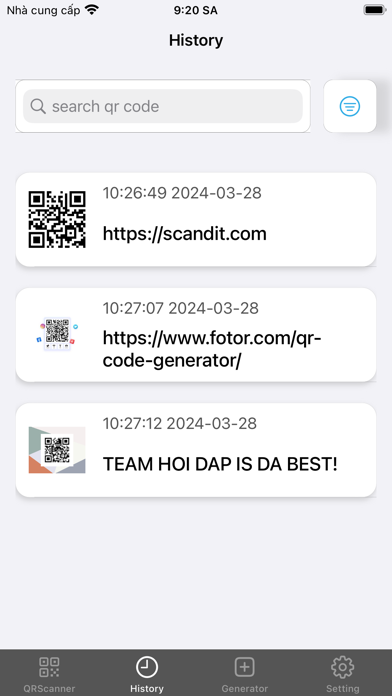
- The QR code scanner app also offers a history feature, which allows you to view previously scanned codes at any time. This feature is useful for keeping track of codes that you have scanned in the past and can be accessed easily in case you need to retrieve them.
- The QR code reader activate the flashlight for reliable scans in dark environments and use pinch-to-zoom to read barcodes even from far distances
- You can also create and share QR codes directly from the app, which is a convenient feature for sharing information with others.
* BARCODER SCANNER
- The Barcode scanner app can scan all common barcode formats: QR, Data Matrix, Aztec, UPC, EAN, Code 39 and many more.
- With Barcode Lookup, you get product information, photos and store pricing for millions of items worldwide
- We leverage the power of our gigantic database of barcodes and product data, sourced from big retailers and e-commerce sites all over the world, to bring you clear, useful info on any product you're interested in
* The QR code and Barcode scanner app has several other impressive features that make it one of the best scanner apps.
- QR & Barcode Scanner allows you to scan multiple codes at once. This feature is particularly useful for businesses and organizations that need to process large numbers of codes quickly and efficiently.
- QR & Barcode Scanner includes an auto-focus feature, which ensures that codes are scanned accurately and quickly, even if they are at an angle or in difficult lighting conditions
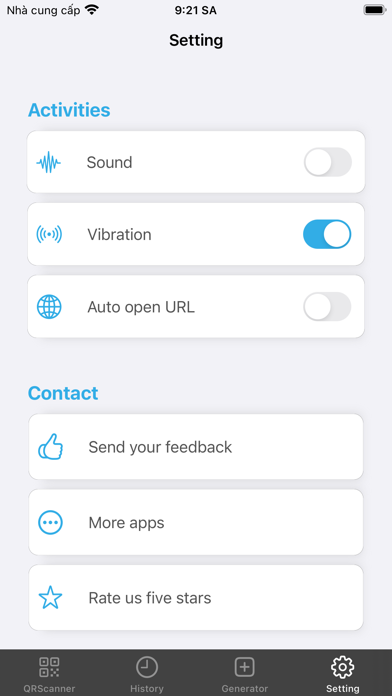
- Barcode & QR code scanner has a customizable scan sound, which allows you to select a sound that suits your preferences or the environment in which you are scanning codes
- Finally QR Code and Barcode Scanner can scan QR code from image in Gallery. More use full when you receive a QR code image.