

QR Scanner: PDF & Code Reader
QR Scanner: PDF & Code Reader is made and published by Magic Snail. AppBrain is an independent app data site and isn't affiliated with Magic Snail. The app name, icon, screenshots and description belong to Magic Snail and are shown as published on the App Store.
AppBrain's verdict
Loved by users- Rating on App Store
- 4.71
- 121 ratings
- Last updated
- July 15, 2026
- Size
- 132.3 MB
Users love it: 4.7 stars from 121 ratings.
User feedback
Ratings and reviews on the App StoreComments on QR Scanner: PDF & Code Reader for iOS
We don't have enough comments to show example comments. Please check back later.
Store listing
By Magic Snail, from the App Store



Description by Magic Snail Written by the developer, not by AppBrain. Click to read.
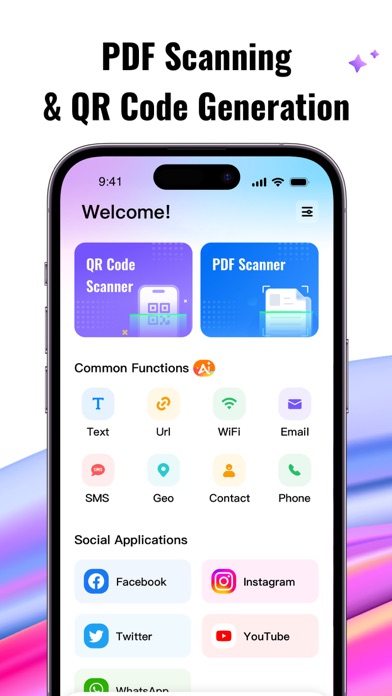
Welcome to QR Scanner, your all-in-one solution for QR codes and PDF management. Scan, generate, and manage QR codes effortlessly while enjoying powerful PDF scanning and conversion tools.
1. AI QR Codes
Create unique, AI-generated QR codes that stand out. Personalize your codes with festive designs, including special Christmas templates for a seasonal touch.
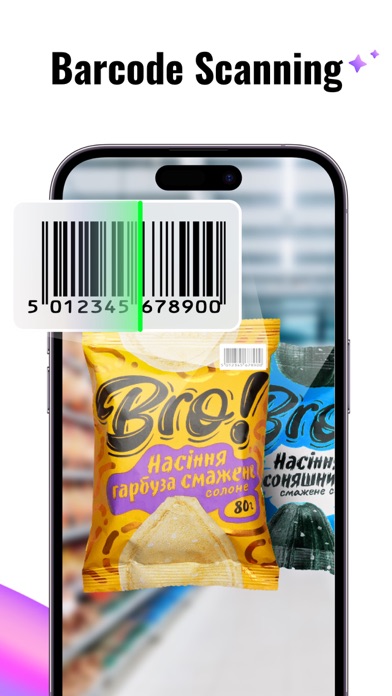
2. QR Code Scanning
Quickly scan all types of QR codes, including:
URLs
Contact Information
Calendar Events
Wi-Fi Networks
Making everyday tasks faster and easier.
3. QR Code Generation
Easily generate custom QR codes for:
Links
Contact Info
Text
Phone Numbers
Share or store your data with beautiful and personalized codes.
4. Stylish QR Code Templates
Access a variety of professionally designed QR code templates, including Christmas-themed templates to make your QR codes more festive and eye-catching.
5. Business Card QR Codes
Create QR codes for your contact information and business cards. Share your details quickly and professionally with anyone, anytime.
6. Scan History & Creation Records
Keep track of all your scanned and created QR codes with easy access to history and records.
7. PDF Scanning & Conversion
Transform documents, images, or notes into high-quality PDFs:
Scan Photos to PDF: Convert physical files or handwritten notes effortlessly.
Image to PDF: Select images from your gallery and create stunning PDFs.
View and Share PDFs: Read PDFs with zoom, rotation, and sharing options for a seamless experience.
Why Choose QR Scanner?
Effortless QR Code Mastery: Scan, create, and manage QR codes with ease.
Powerful PDF Tools: Convert images to PDFs and scan documents for storage or sharing.
Beautiful Templates: Customize your QR codes with stunning designs, including festive Christmas templates.
Scan History: Never lose track of important QR codes or PDFs you've created.
Subscriptions
Unlock premium features with our flexible subscription plans:
3-Day Free Trial, then $4.99/week
Lifetime Access for a one-time payment of $19.99
Scan smarter, create beautifully, and manage effortlessly with QR Scanner: PDF & Code Reader.
Terms of Use: https://sites.google.com/view/qr-scanner-terms-of-use/
Privacy Policy: https://sites.google.com/view/qr-scannerq/
Safety and technology
Found in the app by AppBrain- Price
- Free
- App size
- 132.3 MB
- Content rating
- Everyone
Technologies used by QR Scanner: PDF & Code Reader
Releases
Updates seen on the App Store- Version
- 1.0.35
- Launched
- November 2023
No changelog data
Alternatives
Similar apps and more from Magic SnailAlternatives to QR Scanner: PDF & Code Reader







More from Magic Snail


Rankings
App Store top chartsApp Store Rankings for QR Scanner: PDF & Code Reader
About the app and developer
About QR Scanner: PDF & Code Reader
QR Scanner: PDF & Code Reader is an utilities app developed by Magic Snail.
User Ratings
QR Scanner: PDF & Code Reader is rated 4.71 out of 5 stars. The rating is based on 120 ratings.
App Information
QR Scanner: PDF & Code Reader is freely available from the App Store. The app size is 132.25 MB. The latest version available is 1.0.35. The last update was on July 15, 2026.
Technical Requirements
The app has a content rating of Everyone. The app has been available on the App Store since November 2023.
Developer information for Magic Snail
Address: