

QRTaro is made and published by Masashi Sasaoka. AppBrain is an independent app data site and isn't affiliated with Masashi Sasaoka. The app name, icon, screenshots and description belong to Masashi Sasaoka and are shown as published on the App Store.
AppBrain's verdict
- Last updated
- October 3, 2026
- Size
- 22.2 MB
User feedback
Ratings and reviews on the App StoreComments on QRTaro for iOS
We don't have enough comments to show example comments. Please check back later.
Store listing
By Masashi Sasaoka, from the App Store



Screenshots by Masashi Sasaoka, from the the App Store listing
Description by Masashi Sasaoka Written by the developer, not by AppBrain. Click to read.
QRTaro is an application that can read QR code and create QR code.
Easy operation! Read history will also remain.
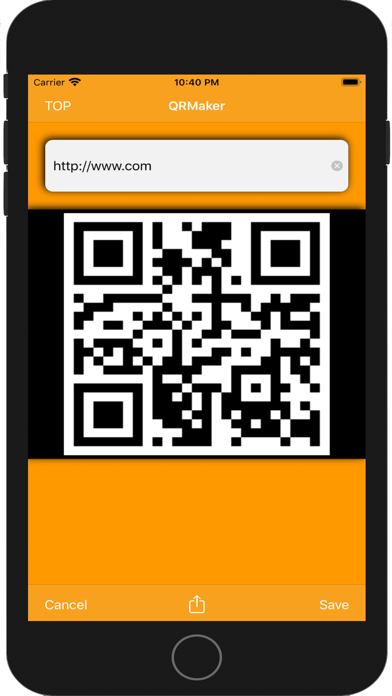
◆ QRMaker:
Create a QR code from the input text.
The created QR code can be saved as an image in a photo album.
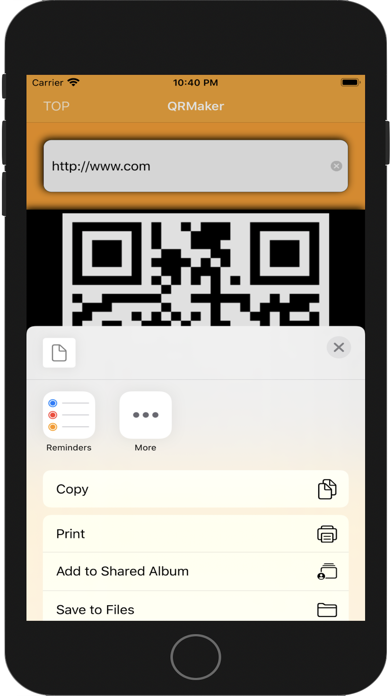
Also, the created QR code can be sent directly to an application such as a message, mail, memo, Twitter, LINE, Gmail, etc.
◆ QRReader:
Read the QR code from the camera and photo album images.
Since pinch-in pinch-out and tap focus function are carried, focus adjustment can be done easily.
By tapping the folder icon displayed at the bottom of the top screen, the photo album is displayed and you can also select the previously saved QR code image for reading.
You can also pass the scanned data directly to the application such as message, mail, memo, Twitter, LINE, Gmail from the reading result screen.
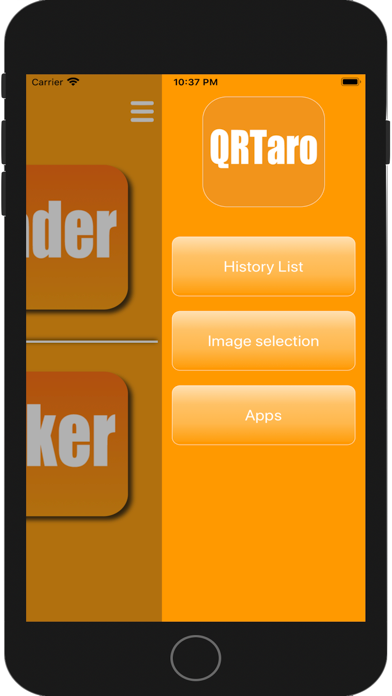
Also, since the scanned data of the QR code is displayed as a scan history by date on the history list screen, you can tap the scanned data and obtain the reading result again.
Since historical data has selective batch delete and delete all functions, it is also possible for users to organize them.
※ Up to 30 history lists are displayed. If it exceeds 30, the history data of the oldest date is deleted.
◆ Note:
Ads will be hidden if you pay.
Easy operation! Read history will also remain.
◆ QRMaker:
Create a QR code from the input text.
The created QR code can be saved as an image in a photo album.
Also, the created QR code can be sent directly to an application such as a message, mail, memo, Twitter, LINE, Gmail, etc.
◆ QRReader:
Read the QR code from the camera and photo album images.
Since pinch-in pinch-out and tap focus function are carried, focus adjustment can be done easily.
By tapping the folder icon displayed at the bottom of the top screen, the photo album is displayed and you can also select the previously saved QR code image for reading.
You can also pass the scanned data directly to the application such as message, mail, memo, Twitter, LINE, Gmail from the reading result screen.
Also, since the scanned data of the QR code is displayed as a scan history by date on the history list screen, you can tap the scanned data and obtain the reading result again.
Since historical data has selective batch delete and delete all functions, it is also possible for users to organize them.
※ Up to 30 history lists are displayed. If it exceeds 30, the history data of the oldest date is deleted.
◆ Note:
Ads will be hidden if you pay.
Safety and technology
Found in the app by AppBrain- Price
- Free
- App size
- 22.2 MB
- Content rating
- Everyone
Technologies used by QRTaro
Releases
Updates seen on the App Store- Version
- 11.2
- Launched
- June 2017
No changelog data
Alternatives
Similar apps and more from Masashi SasaokaAlternatives to QRTaro





More from Masashi Sasaoka


Rankings
App Store top chartsApp Store Rankings for QRTaro
This app is not ranked
About the app and developer
About QRTaro
QRTaro is a productivity app developed by Masashi Sasaoka.
What is the rating of QRTaro?
QRTaro has no ratings yet.
Is QRTaro free?
QRTaro is free. The app size is 22.15 MB. The latest version available is 11.2. The last update was on October 3, 2026.
What are the requirements for QRTaro?
The app has a content rating of Everyone. The app has been available on the App Store since June 2017.
Developer information for Masashi Sasaoka
Address: