

Quick Captions: Auto Subtitles
Quick Captions: Auto Subtitles is made and published by Selin Simsek. AppBrain is an independent app data site and isn't affiliated with Selin Simsek. The app name, icon, screenshots and description belong to Selin Simsek and are shown as published on the App Store.
AppBrain's verdict
- Rating on App Store
- 4.60
- 35 ratings
- Last updated
- October 11, 2026
It doesn't have enough ratings yet to judge what users think.
Rankings
App Store top chartsApp Store Rankings for Quick Captions: Auto Subtitles
Competitors
Similar apps and more from Selin SimsekMore from Selin Simsek


Releases
Updates seen on the App Store- Version
- 1.9.6
- Launched
- January 2024
No changelog data
User feedback
Ratings and reviews on the App StoreComments on Quick Captions: Auto Subtitles for iOS
We don't have enough comments to show example comments. Please check back later.
Technology
Found in the app by AppBrain- Price
- Free
- App size
- 49.2 MB
- Content rating
- Everyone
Technologies used by Quick Captions: Auto Subtitles
About the app and developer
About Quick Captions: Auto Subtitles
Quick Captions: Auto Subtitles is a photo & video app developed by Selin Simsek.
User Ratings
Quick Captions: Auto Subtitles is rated 4.60 out of 5 stars. The rating is based on 35 ratings.
App Information
Quick Captions: Auto Subtitles is freely available from the App Store. The app size is 49.20 MB. The latest version available is 1.9.6. The last update was on October 11, 2026.
Technical Requirements
The app has a content rating of Everyone. The app has been available on the App Store since January 2024.
Developer information for Selin Simsek
Address:
Frequently asked questions about Quick Captions: Auto Subtitles
Is Quick Captions: Auto Subtitles free?
Yes. Quick Captions: Auto Subtitles is free on the App Store.
Is Quick Captions: Auto Subtitles still available?
Yes. Quick Captions: Auto Subtitles is on the App Store, and the last update we saw was on October 11, 2026.
How large is Quick Captions: Auto Subtitles?
Quick Captions: Auto Subtitles is 49.20 MB.
Is Quick Captions: Auto Subtitles suitable for children?
App Store rates the content of Quick Captions: Auto Subtitles as suitable for everyone.
How do people rate Quick Captions: Auto Subtitles?
Quick Captions: Auto Subtitles scores 4.60 out of 5 stars, from 35 ratings on the App Store.
Who made Quick Captions: Auto Subtitles?
Quick Captions: Auto Subtitles was developed by Selin Simsek. It is listed in the photo & video category on the App Store.
Store listing
By Selin Simsek, from the App Store



Description by Selin Simsek Written by the developer, not by AppBrain. Click to read.
Add subtitles to your videos in seconds, without the hassle of manual typing. Save time, boost visibility, and help your audience enjoy your content even on mute. Perfect for TikTok, Reels, Shorts, and any silent-scroll video. No editing experience needed.
FAST AUTO-CAPTIONING
Upload your video and QuickCaptions automatically generates accurate subtitles in your preferred language within seconds.
MULTILINGUAL SPEECH RECOGNITION
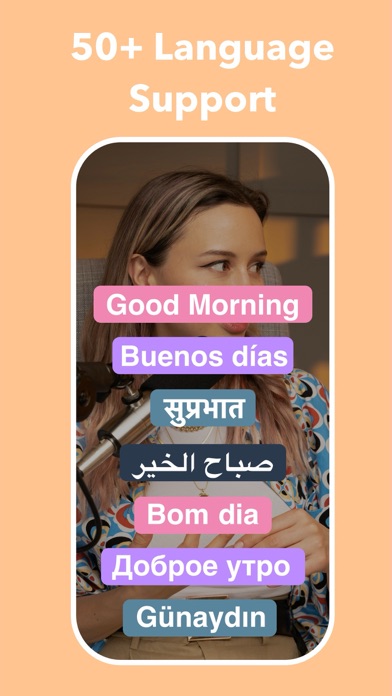
Speak in English, French, Spanish, German, Japanese, or 50+ other languages. QuickCaptions delivers precise recognition in every one of them.
ACCURATE TRANSLATION IN 100+ LANGUAGES
Our translation engine is built to be the most capable on the market. With support for hundreds of languages and translations tuned for natural, context-aware accuracy, QuickCaptions lets you publish one video and reach audiences worldwide. Whether you are localizing for a single market or dozens, your message stays exactly as you intended it.
READY-MADE SUBTITLE PRESETS
Skip the tedious styling work. Choose from a library of professionally designed presets and apply a complete look to your subtitles with a single tap. Fonts, colors, sizes, outlines, and positioning are all set for you, and you can fine-tune any detail whenever you want a more personal touch.
DYNAMIC SUBTITLE ANIMATIONS
Bring your captions to life with a wide range of animation styles: word-by-word highlights, pop-ins, typewriter effects, bounces, karaoke-style reveals, and more. Animated subtitles hold attention longer and make your videos feel professionally edited.
STICKERS AND EMOJI
Add personality to your videos with a rich library of stickers and emoji. Drop them anywhere on the timeline, resize and position them freely, and time them to appear exactly when you want. A simple way to emphasize a punchline, react to a moment, or make your content more playful.
NOISE REDUCTION AND AUDIO CLEANUP
Instantly remove background noise and enhance voice clarity so your videos sound as good as they look.
SOCIAL MEDIA READY
Built for influencers and creators, with support for every major social media format and high-resolution exports ready to post right away.
Stop creating subtitles by hand. Let QuickCaptions do the work for you.
Ready to get started? Download QuickCaptions now.
Terms and Conditions:
https://d3goifhsge22sl.cloudfront.net/policy/captionsai/captionsai_terms.html
Privacy Policy:
https://d3goifhsge22sl.cloudfront.net/policy/captionsai/captionsai_privacy.html