

QuickTools: Edit & Sign PDF
QuickTools: Edit & Sign PDF is made and published by Pinki . AppBrain is an independent app data site and isn't affiliated with Pinki . The app name, icon, screenshots and description belong to Pinki . and are shown as published on the App Store.
AppBrain's verdict
Loved by users- Rating on App Store
- 4.79
- 117 ratings
- Last updated
- October 25, 2026
- Size
- 100.5 MB
Users love it: 4.8 stars from 117 ratings.
User feedback
Ratings and reviews on the App StoreComments on QuickTools: Edit & Sign PDF for iOS
We don't have enough comments to show example comments. Please check back later.
Store listing
By Pinki ., from the App Store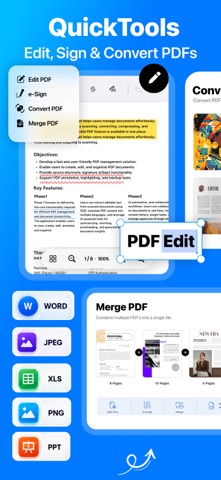


Description by Pinki . Written by the developer, not by AppBrain. Click to read.
QuickTools brings 30+ everyday tools for PDFs, documents, photos, videos, GIFs, audio and files into one simple workspace. Get more done without switching between multiple apps.
PDF & DOCUMENTS
Create, edit and manage PDFs on your iPhone or iPad.
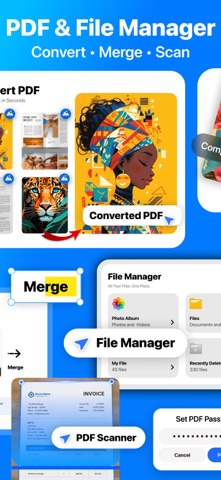
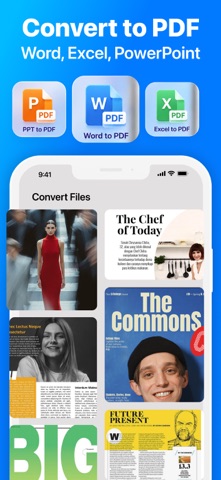
• Convert images, Word, PowerPoint and Excel files to PDF
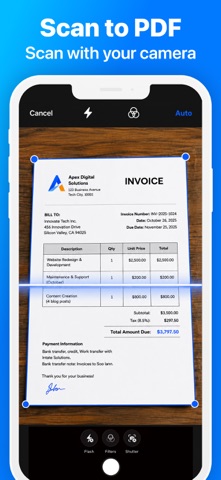
• Scan documents and save them as PDFs
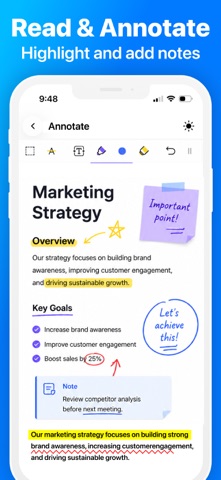
• Edit and annotate PDF pages with text, drawing and watermarks
• Merge and split PDFs, reorder pages and jump to any page
• Fill out forms and sign documents with eSign
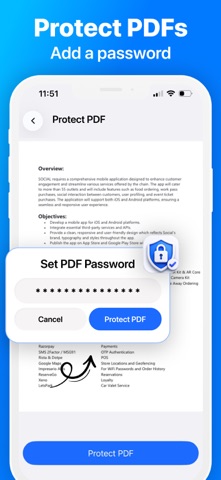
• Protect and unlock PDFs with passwords
FILES & ORGANIZATION
Keep your documents and media organized.
• Import files from Photos or the Files app
• Create folders and organize your file library
• Search your files and folders
• Automatically save files created with QuickTools
• Recover deleted files from Recently Deleted
PHOTO TOOLS
Convert and compress images for everyday use.
• Compress photos to save storage space
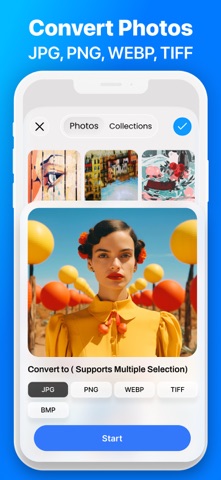
• Convert images between JPG, PNG and HEIC formats
• Create passport and ID photos
• Capture photos with Dual Camera
VIDEO & GIF TOOLS
Manage, compress and convert your videos.
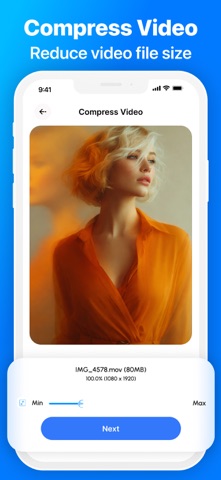
• Compress videos to a target file size
• Convert videos between supported formats
• Extract video frames as images
• Extract audio from videos
• Trim video clips
• Convert videos to GIFs and GIFs to videos
AUDIO TOOLS
Work with audio files in one place.
• Convert audio between supported formats
• Trim audio files
• Merge multiple audio tracks
STORAGE & FILE UTILITIES
Find and manage files taking up space on your device.
• Find large videos and other files
• Delete unwanted files
• Create ZIP archives and extract ZIP files
EVERYDAY UTILITIES
Access useful tools for daily tasks.
• Generate QR codes
• Generate passwords
• Test internet speed
• Run device and hardware tests
ONE WORKSPACE FOR YOUR FILES & MEDIA
QuickTools brings essential file management, document editing and media utilities together in one convenient app, designed for work, study and everyday tasks on iPhone and iPad.
Have a question or feature request?
arraydev1977@gmail.com
Terms & Conditions:
https://obsidian-tin-ee3.notion.site/Terms-Conditions-2de09a72d75080ab860ef6fad39842e9
Safety and technology
Found in the app by AppBrain- Price
- Free
- App size
- 100.5 MB
- Content rating
- Everyone
Technologies used by QuickTools: Edit & Sign PDF
Releases
Updates seen on the App Store- Version
- 1.1.14
- Launched
- January 2026
No changelog data
Alternatives
Similar apps and more from Pinki .Alternatives to QuickTools: Edit & Sign PDF


More from Pinki .


Rankings
App Store top chartsApp Store Rankings for QuickTools: Edit & Sign PDF
About the app and developer
About QuickTools: Edit & Sign PDF
QuickTools: Edit & Sign PDF is an utilities app developed by Pinki .
What is the rating of QuickTools: Edit & Sign PDF?
QuickTools: Edit & Sign PDF is rated 4.79 out of 5 stars, based on 120 ratings.
Is QuickTools: Edit & Sign PDF free?
QuickTools: Edit & Sign PDF is free. The app size is 100.53 MB. The latest version available is 1.1.14. The last update was on October 25, 2026.
What are the requirements for QuickTools: Edit & Sign PDF?
The app has a content rating of Everyone. The app has been available on the App Store since January 2026.
Developer information for Pinki .
Address:
Frequently asked questions about QuickTools: Edit & Sign PDF
Is QuickTools: Edit & Sign PDF free?
Yes. QuickTools: Edit & Sign PDF is free on the App Store.
Is QuickTools: Edit & Sign PDF still available?
Yes. QuickTools: Edit & Sign PDF is on the App Store, and the last update we saw was on October 25, 2026.
How large is QuickTools: Edit & Sign PDF?
QuickTools: Edit & Sign PDF is 100.53 MB.
Is QuickTools: Edit & Sign PDF suitable for children?
App Store rates the content of QuickTools: Edit & Sign PDF as suitable for everyone.
How do people rate QuickTools: Edit & Sign PDF?
QuickTools: Edit & Sign PDF scores 4.79 out of 5 stars, from 117 ratings on the App Store.
Who made QuickTools: Edit & Sign PDF?
QuickTools: Edit & Sign PDF was developed by Pinki . It is listed in the utilities category on the App Store.
What are the best alternatives to QuickTools: Edit & Sign PDF?
People looking at QuickTools: Edit & Sign PDF also look at these utilities apps: All In 1: 100 Tools, PDF Tools Pro – Edit & Convert, PDF Fox, Record Screen: Video Recorder, LocalMind AI: Private Chat.