QuillQuest: Spelling & Math is made and published by
Malcom IO LLC.
AppBrain is an independent app data site and isn't affiliated with Malcom IO LLC.
The app name, icon, screenshots and description belong to Malcom IO LLC and are shown as
published on the App Store.
About QuillQuest: Spelling & Math
QuillQuest: Spelling & Math is an education app developed by Malcom IO LLC.
What is the rating of QuillQuest: Spelling & Math?
QuillQuest: Spelling & Math has no ratings yet.
Is QuillQuest: Spelling & Math free?
QuillQuest: Spelling & Math is free. The app size is 114.84 MB. The latest version available is 1.3.2. The last update was on September 22, 2026.
What are the requirements for QuillQuest: Spelling & Math?
The app has a content rating of Everyone. The app has been available on the App Store since July 2026.
Description by Malcom IO LLC(from the App Store)
Three ways to play — spelling, times tables and division, in one app.
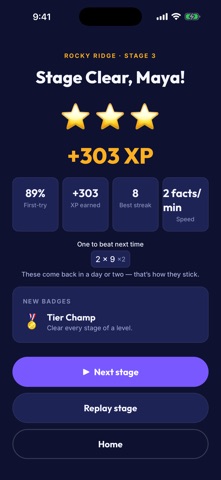
QuillQuest turns practice into an adventure. Pick a subject: in Spelling, hear a word in a clear, natural voice and spell it out letter by letter; in Times Tables, answer on a number pad and climb a trail from the Trailhead to the Summit; in Division, turn those same tables around and work back down. They share one map, one buddy, and one set of stars — kids choose what to play next.
It grows with each kid. QuillQuest starts each kid at a level that fits their age, then adapts as they improve — from first tricky words and easy doubles to spelling-bee stumpers and the toughest facts (6×7, 7×8…). New levels open when you master the last one, not by grinding points, and anything you miss comes back on a smart review schedule until it's locked in. Great for grades 3–8 (roughly ages 8–14) — younger and older learners fit right in too.
Feedback that teaches • Spelling reads every word aloud in a clear, natural voice — stuck? hear it again, use it in a sentence, or see what it means • Times Tables shows the answer and a skip-count when you miss — never a harsh buzzer • Division shows you the multiplication fact behind it, because that is how you work it out: 7 times 8 is 56, so 56 divided by 7 is 8 • Earn ranks, unlock new themes, and collect badges across every subject
Made for families • Give each kid their own profile — separate progress, streaks, character, and a make-your-own avatar • A grown-up dashboard shows how they're doing, what to work on in every subject, and how much they've already fixed • Daily goal starts at 20 answers — change it or switch it off anytime. Reminders stay off unless you turn them on
Two devices? Optional syncing • Carry progress between a phone and a tablet with a short code — no account, no email, no password • Off unless a grown-up switches it on, behind a question a young child won't get past • Only game progress and their cartoon buddy are uploaded — never your child's name or age
School spelling lists, if a teacher uses them • A teacher hands out a three-character code — type it in and that week's 24 words become a card on the Spelling screen • Practice them a little each day until every word comes out clean, then take the Final check • No account, no sign-up, and a grown-up can remove the list at any time • Nothing about your child leaves the device — unless a grown-up has turned syncing on, and then it is only which list and week they are on, carried with the rest of their progress under the same anonymous code • Everything else in the game stays exactly as it was
Parents can relax • Plays offline — no internet needed to play (extra voices & spoken example sentences download once, then live on the device) • No ads. No tracking. No sign-in. No chat or links out. • No accounts, ever — syncing uses a code you can throw away, not a login • Free, with no in-app purchases • Made by a parent who wanted practice their own kids would actually choose • Privacy policy: https://quillquest.net/privacy
Each subscription will automatically renew 3 days before the expiration date for
the same time period. Subscriptions can be cancelled at any time before the renewal.