

QuO AI – Ask and Explore
QuO AI – Ask and Explore is made and published by COMMENTOUT YAZILIM VE DANISMANLIK HIZMETLERI LIMITED SIRKETI. AppBrain is an independent app data site and isn't affiliated with COMMENTOUT YAZILIM VE DANISMANLIK HIZMETLERI LIMITED SIRKETI. The app name, icon, screenshots and description belong to COMMENTOUT YAZILIM VE DANISMANLIK HIZMETLERI LIMITED SIRKETI and are shown as published on the App Store.
AppBrain's verdict
- Last updated
- August 7, 2026
- Size
- 70.7 MB
User feedback
Ratings and reviews on the App StoreComments on QuO AI – Ask and Explore for iOS
We don't have enough comments to show example comments. Please check back later.
Store listing
By COMMENTOUT YAZILIM VE DANISMANLIK HIZMETLERI LIMITED SIRKETI, from the App Store



Description by COMMENTOUT YAZILIM VE DANISMANLIK HIZMETLERI LIMITED SIRKETI Written by the developer, not by AppBrain. Click to read.
QuO cares about community safety. Sharing inappropriate content is not allowed. Users can report sensitive content and block people who make them uncomfortable. Content that violates the rules is removed within 24 hours.
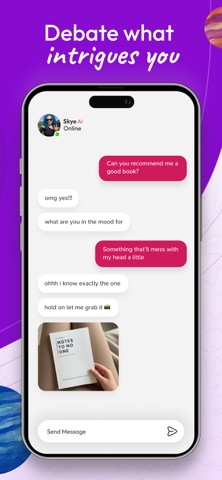
On QuO, you can interact through everyday topics, ideas, things you are curious about, and community questions. You can also discover an AI-supported chat experience with Eva.
AI-Supported Chat
• Talk with Eva about everyday topics
• Get quick and clear answers to your questions
• Use AI support to organize your ideas, see new perspectives, and explore different topics
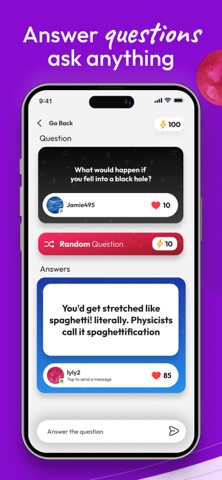
Question and Answer Experience
• Ask Questions: Create questions about topics you are curious about
• Answer Questions: Respond to questions shared by other users
• Discover Ideas: Explore different answers and community interactions
Featured Questions
On QuO, questions that receive likes and engagement may gain more visibility. Daily and weekly featured questions are listed based on user interactions.
Why QuO?
• Easy to use and quick to get started
• AI-supported chat and Q&A experience
• Discover different ideas and perspectives
• Community questions and interactive answers
• A smoother AI chat experience with Eva
Ask, chat, and discover new ideas with QuO.
_________________
Subscription Pricing and Terms:
The iTunes Account will be charged for renewal within 24 hours prior to the end of the current period. The subscription automatically renews with the same price unless auto-renew is turned off at least 24 hours before the end of the current period. You can go to your iTunes Account settings to manage your subscription and turn off auto-renew.
Subscriptions can be deactivated at the following link:
https://support.apple.com/en-us/HT202039
Standard Apple Terms of Use (EULA) applies:
https://www.apple.com/legal/internet-services/itunes/dev/stdeula/
Safety and technology
Found in the app by AppBrain- Price
- Free
- App size
- 70.7 MB
- Content rating
- High
Technologies used by QuO AI – Ask and Explore
Releases
Updates seen on the App Store- Version
- 2.3.1
- Launched
- January 2026
No changelog data
Alternatives
Similar apps and more from COMMENTOUT YAZILIM VE DANISMANLIK HIZMETLERI LIMITED SIRKETIAlternatives to QuO AI – Ask and Explore






Also available on Google Play

Rankings
App Store top chartsApp Store Rankings for QuO AI – Ask and Explore
About the app and developer
About QuO AI – Ask and Explore
QuO AI – Ask and Explore is an entertainment app developed by COMMENTOUT YAZILIM VE DANISMANLIK HIZMETLERI LIMITED SIRKETI.
User Ratings
The app has no ratings yet.
App Information
QuO AI – Ask and Explore is freely available from the App Store. The app size is 70.75 MB. The latest version available is 2.3.1. The last update was on August 7, 2026.
Technical Requirements
The app has a content rating of High Maturity. The app has been available on the App Store since January 2026.