

QWidget is made and published by Q Solutions. AppBrain is an independent app data site and isn't affiliated with Q Solutions. The app name, icon, screenshots and description belong to Q Solutions and are shown as published on the App Store.
AppBrain's verdict
- Last updated
- April 2, 2021
- Size
- 8.01 MB
User feedback
Ratings and reviews on the App StoreComments on QWidget for iOS
We don't have enough comments to show example comments. Please check back later.
Store listing
By Q Solutions, from the App Store
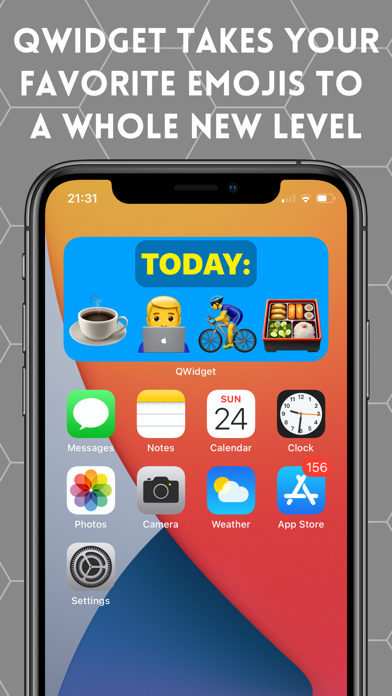

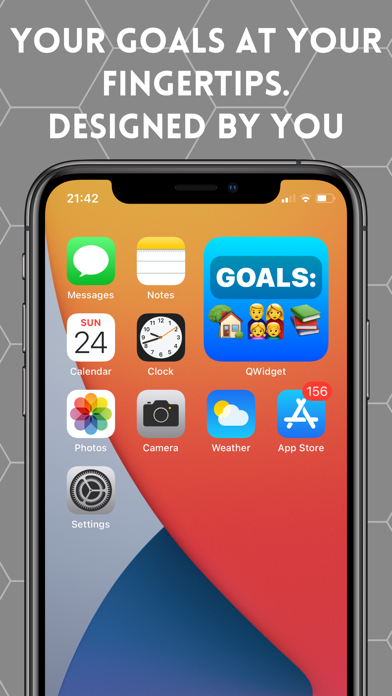

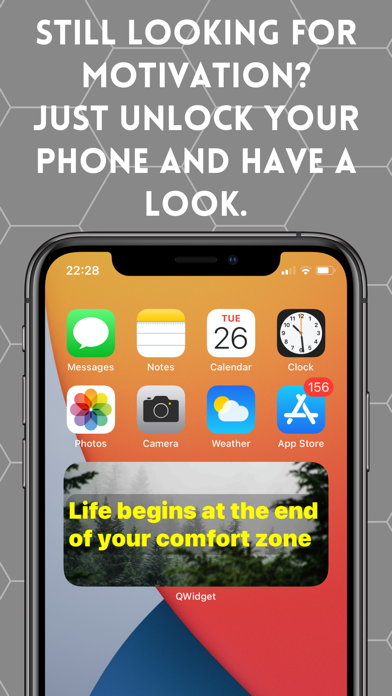


Screenshots by Q Solutions, from the the App Store listing
Description by Q Solutions Written by the developer, not by AppBrain. Click to read.
QWidget - Create your own iPhone widget using your iPad!
* Design beautiful custom iOS widgets from scratch, using your iPad connected to your iPhone
* Simply drag and drop one of the available controls on the canvas and specify its attributes
* See your design in real-time on a dedicated QWidget app on your iPhone - What You See Is What You Get!
* Meme fan? Create one in iOS widgets in seconds, directly on your device
* Favorite quote? Todo lists? Pictures of loved ones? Shopping lists? Your imagination is the only limit
* Ever wanted to put a huge emoji right on your iOS home screen? Well, now you can
Install QWidget Design app on your iPad and QWidget app on your iPhone and enjoy ultra fast design experience for your next custom widget!
After saving a widget in QWidget app on your iPhone, follow the standard steps for adding widgets on iOS:
1. From the Home Screen, touch and hold a widget or an empty area until the apps jiggle.
2. Tap the Add button (+) in the top left corner.
3. Select QWidget, find the widget you just created and choose from the three different widget sizes, then tap Add Widget.
You can submit your feedback, suggestions or issue reports directly within the app! Just tap on the icon in the bottom right corner of the main screen.
* Design beautiful custom iOS widgets from scratch, using your iPad connected to your iPhone
* Simply drag and drop one of the available controls on the canvas and specify its attributes
* See your design in real-time on a dedicated QWidget app on your iPhone - What You See Is What You Get!
* Meme fan? Create one in iOS widgets in seconds, directly on your device
* Favorite quote? Todo lists? Pictures of loved ones? Shopping lists? Your imagination is the only limit
* Ever wanted to put a huge emoji right on your iOS home screen? Well, now you can
Install QWidget Design app on your iPad and QWidget app on your iPhone and enjoy ultra fast design experience for your next custom widget!
After saving a widget in QWidget app on your iPhone, follow the standard steps for adding widgets on iOS:
1. From the Home Screen, touch and hold a widget or an empty area until the apps jiggle.
2. Tap the Add button (+) in the top left corner.
3. Select QWidget, find the widget you just created and choose from the three different widget sizes, then tap Add Widget.
You can submit your feedback, suggestions or issue reports directly within the app! Just tap on the icon in the bottom right corner of the main screen.
Safety and technology
Found in the app by AppBrain- Price
- Free
- App size
- 8.01 MB
- Content rating
- Everyone
Technologies used by QWidget
Releases
Updates seen on the App Store- Version
- 1.0
- Launched
- April 2021
No changelog data
Alternatives
Similar apps and more from Q SolutionsAlternatives to QWidget







More from Q Solutions


Rankings
App Store top chartsApp Store Rankings for QWidget
This app is not ranked
About the app and developer
About QWidget
QWidget is an utilities app developed by Q Solutions.
What is the rating of QWidget?
QWidget has no ratings yet.
Is QWidget free?
QWidget is free. The app size is 8.01 MB. The latest version available is 1.0. The last update was on April 2, 2021.
What are the requirements for QWidget?
The app has a content rating of Everyone. The app has been available on the App Store since April 2021.
Developer information for Q Solutions
Address: