

R&S MobileView
R&S MobileView is made and published by Rohde & Schwarz GmbH & Co. KG. AppBrain is an independent app data site and isn't affiliated with Rohde & Schwarz GmbH & Co. KG. The app name, icon, screenshots and description belong to Rohde & Schwarz GmbH & Co. KG and are shown as published on the App Store.
AppBrain's verdict
Established- Rating on App Store
- 5.00
- 1 ratings
- Last updated
- July 30, 2026
It doesn't have enough ratings yet to judge what users think.
Rankings
App Store top chartsApp Store Rankings for R&S MobileView
Competitors
Similar apps and more from Rohde & Schwarz GmbH & Co. KGAlternatives to R&S MobileView






More from Rohde & Schwarz GmbH & Co. KG




Releases
Updates seen on the App Store- Version
- 1.6
- Launched
- February 2017
No changelog data
User feedback
Ratings and reviews on the App StoreComments on R&S MobileView for iOS
We don't have enough comments to show example comments. Please check back later.
Technology
Found in the app by AppBrain- Price
- Free
- App size
- 111.7 MB
- Content rating
- Everyone
Technologies used by R&S MobileView
About the app and developer
About R&S MobileView
R&S MobileView is a productivity app developed by Rohde & Schwarz GmbH & Co. KG.
User Ratings
R&S MobileView is rated 5.00 out of 5 stars. The rating is based on one rating ratings.
App Information
R&S MobileView is freely available from the App Store. The app size is 111.75 MB. The latest version available is 1.6. The last update was on July 30, 2026.
Technical Requirements
The app has a content rating of Everyone. The app has been available on the App Store since February 2017.
Developer information for Rohde & Schwarz GmbH & Co. KG
Address:
Store listing
By Rohde & Schwarz GmbH & Co. KG, from the App Store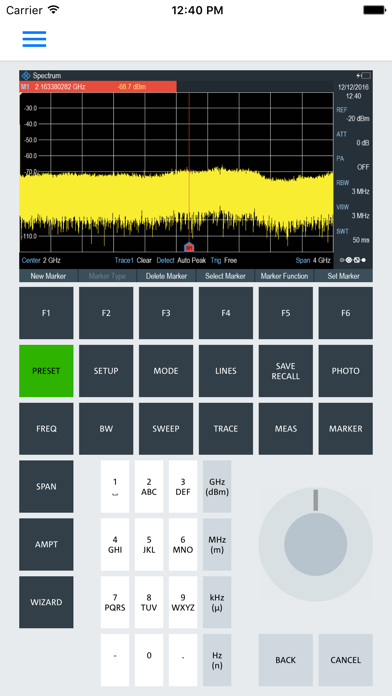
Description by Rohde & Schwarz GmbH & Co. KG Written by the developer, not by AppBrain. Click to read.
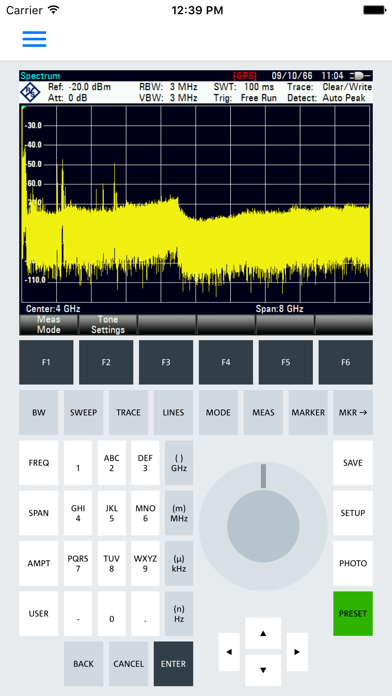
After starting R&S Mobile View you can easily connect to an instrument anywhere in the world using its IP address or automatically scan for supported devices in your local network. Once a connection has been established, you will automatically be presented with the Remote Control environment tailored for your instrument type.
Navigating through the App is done using a menu which is easily accessible by swiping from the left side of the screen. For larger screen sizes, this menu is shown by default when in landscape mode.
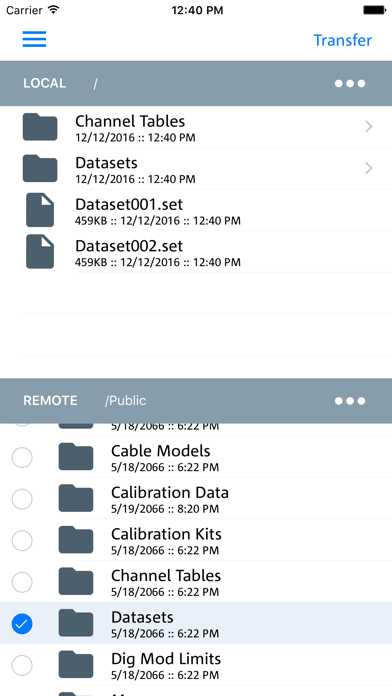
The File Transfer utility is accessible through the menu and consists of an upper region displaying the local storage on your mobile device and a lower region displaying the file system on your Rohde & Schwarz instrument.
To transfer a file or directory, simply long press a desired item and tap the blue transfer button in the bottom-right corner. Further actions such as creating, removing and sharing items are available through the dedicated popup-menus found on the right side of the breadcrumb paths.
R&S Mobile View currently supports instrument series FSH4, ZVH, FSC, FPH, FPC, ZPH and ZNH.