

Raccoon Notes is made and published by Max Kazantsev. AppBrain is an independent app data site and isn't affiliated with Max Kazantsev. The app name, icon, screenshots and description belong to Max Kazantsev and are shown as published on the App Store.
AppBrain's verdict
- Last updated
- August 26, 2026
Rankings
App Store top chartsApp Store Rankings for Raccoon Notes
Competitors
Similar apps and more from Max KazantsevAlternatives to Raccoon Notes


Releases
Updates seen on the App Store- Version
- 1.2.2
- Launched
- March 2026
No changelog data
User feedback
Ratings and reviews on the App StoreComments on Raccoon Notes for iOS
We don't have enough comments to show example comments. Please check back later.
Technology
Found in the app by AppBrain- Price
- Free
- App size
- 111.8 MB
- Content rating
- Everyone
Technologies used by Raccoon Notes
About the app and developer
About Raccoon Notes
Raccoon Notes is an utilities app developed by Max Kazantsev.
What is the rating of Raccoon Notes?
Raccoon Notes has no ratings yet.
Is Raccoon Notes free?
Raccoon Notes is free. The app size is 111.75 MB. The latest version available is 1.2.2. The last update was on August 26, 2026.
What are the requirements for Raccoon Notes?
The app has a content rating of Everyone. The app has been available on the App Store since March 2026.
Developer information for Max Kazantsev
Address:
Store listing
By Max Kazantsev, from the App Store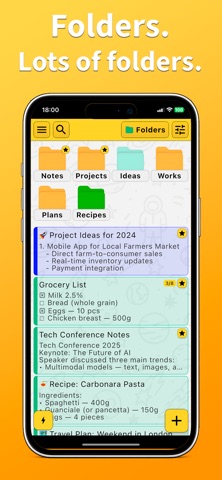


Description by Max Kazantsev Written by the developer, not by AppBrain. Click to read.
Hi!
My name is Maxim Kazantsev, I am the developer of this application
When I created Raccoon, I wanted to make a notebook that would be useful in a variety of situations. Here are just a few examples of how it can be used.
In everyday life
— quickly sketch out a shopping list before leaving home
— write down an idea or thought before it runs away
— save a useful link or note for the future
For storing information
— create a folder structure for different areas of life
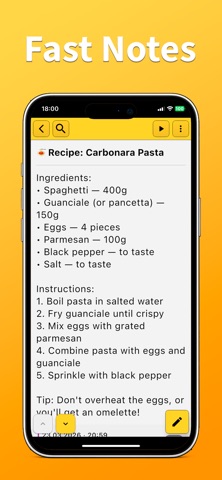
— store recipes and quickly find the right one
— save screenshots of discount cards and open them in the store in a second
For personal projects and memories
— create a folder "Photos of the day" and put photos there
— keep a diary or travel notes
For scheduling and reminders
— add birthdays of friends and family
— create a shift schedule
— set reminders about payments for housing, loans, or other matters
And these are just a few examples.
In practice, each user finds their own use for the Raccoon.
And now — what the app can do.
Functions of the Raccoon Notebook:
• Notes with formatting support
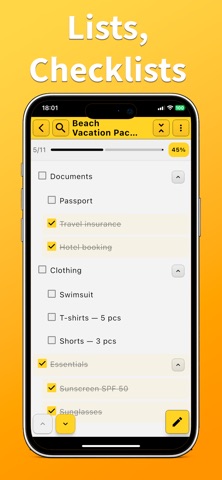
• Task lists and checklists
• Nested folders for a convenient structure
• Quick search through all notes
• widgets for quickly creating notes
• Reminders and events
• pinning important notes
• favorites
• work without the Internet
• high speed of opening notes
• import and export settings and data