

RAR Extractor - Unzip Any File
RAR Extractor - Unzip Any File is made and published by 万林 彭. AppBrain is an independent app data site and isn't affiliated with 万林 彭. The app name, icon, screenshots and description belong to 万林 彭 and are shown as published on the App Store.
AppBrain's verdict
- Last updated
- August 4, 2026
Rankings
App Store top chartsApp Store Rankings for RAR Extractor - Unzip Any File
Competitors
Similar apps and more from 万林 彭More from 万林 彭


Releases
Updates seen on the App Store- Version
- 16.4.1
- Launched
- July 2020
No changelog data
User feedback
Ratings and reviews on the App StoreComments on RAR Extractor - Unzip Any File for iOS
We don't have enough comments to show example comments. Please check back later.
Technology
Found in the app by AppBrain- Price
- Free
- App size
- 12.8 MB
- Content rating
- Everyone
Technologies used by RAR Extractor - Unzip Any File
About the app and developer
About RAR Extractor - Unzip Any File
RAR Extractor - Unzip Any File is an utilities app developed by 万林 彭.
What is the rating of RAR Extractor - Unzip Any File?
RAR Extractor - Unzip Any File has no ratings yet.
Is RAR Extractor - Unzip Any File free?
RAR Extractor - Unzip Any File is free. The app size is 12.79 MB. The latest version available is 16.4.1. The last update was on August 4, 2026.
What are the requirements for RAR Extractor - Unzip Any File?
The app has a content rating of Everyone. The app has been available on the App Store since July 2020.
Developer information for 万林 彭
Address:
Store listing
By 万林 彭, from the App Store


Description by 万林 彭 Written by the developer, not by AppBrain. Click to read.
● Compress files into password-protected ZIP & 7Z archives
● Preview files inside archives prior to extraction
● Extract embedded images from PDF documents.
「Features」
● Extract nearly all formats of compressed archives, a reliable alternative to WinRAR
● Unzip and unarchive password-encrypted archives
● Extract multi-volume split archives
● Quickly view the file list within an archive
● Preview files inside archives without full extraction
● Extract selected individual files or folders from archives
● Extract contents into the same folder as the source archive
● Drag files inside archives to the desktop for instant extraction
● Double-click an archive to preview or extract directly
● Drag archives onto the Dock icon to preview or extract directly
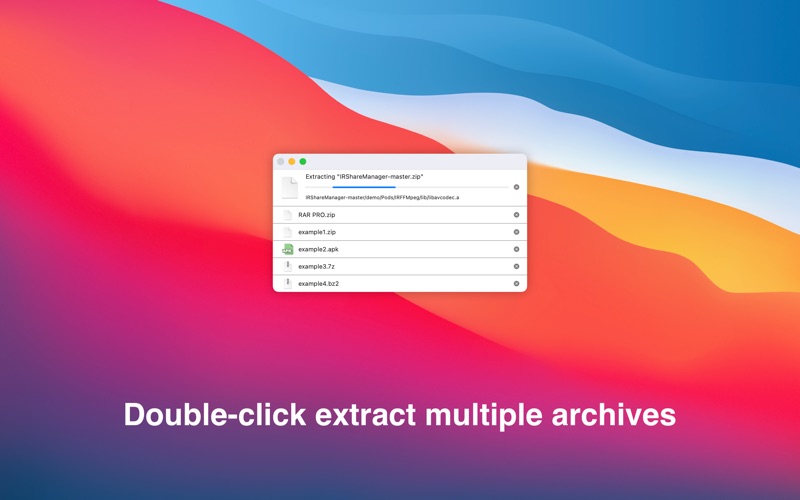
● Support batch decompression for multiple archives
● Create password-protected ZIP & 7Z archives
● Adopts AES-256 encryption algorithm for creating ZIP & 7Z archives
● Two display view modes: Sidebar Mode and Toolbar Mode
「Contact Us」
This version offers a free trial.
If you have any questions or suggestions, please email us: zhiminl@qq.com
「Terms of Use」
● https://www.apple.com/legal/internet-services/itunes/dev/stdeula/
「Privacy Policy」
● https://dami0209.github.io/privacy.html