

RAW Cam: Open Gate DNG Video
RAW Cam: Open Gate DNG Video is made and published by Lead the way, vl. Sebastijan Grabar. AppBrain is an independent app data site and isn't affiliated with Lead the way, vl. Sebastijan Grabar. The app name, icon, screenshots and description belong to Lead the way, vl. Sebastijan Grabar and are shown as published on the App Store.
AppBrain's verdict
- Best rank
- #41
- Top Paid, Turkey
- Rating on App Store
- 4.74
- 23 ratings
- Last updated
- July 24, 2026
It doesn't have enough ratings yet to judge what users think. Its best ranking is #41 in Top Paid, Photo & Video in Turkey.
Rankings
App Store top charts- Highest rank
- #41
- Chart
- Top Paid
- Photo & Video
- Country
- Turkey
Competitors
Similar apps and more from Lead the way, vl. Sebastijan GrabarMore from Lead the way, vl. Sebastijan Grabar

Releases
Updates seen on the App Store- Version
- 1.8
- Launched
- December 2025
No changelog data
User feedback
Ratings and reviews on the App StoreComments on RAW Cam: Open Gate DNG Video for iOS
We don't have enough comments to show example comments. Please check back later.
Technology
Found in the app by AppBrain- Price
- $11.99
- App size
- 8.31 MB
- Content rating
- Everyone
Technologies used by RAW Cam: Open Gate DNG Video
About the app and developer
About RAW Cam: Open Gate DNG Video
RAW Cam: Open Gate DNG Video is a photo & video app developed by Lead the way, vl. Sebastijan Grabar.
User Ratings
RAW Cam: Open Gate DNG Video is rated 4.74 out of 5 stars. The rating is based on 23 ratings.
App Information
RAW Cam: Open Gate DNG Video costs $11.99. The app size is 8.31 MB. The latest version available is 1.8. The last update was on July 24, 2026.
Technical Requirements
The app has a content rating of Everyone. The app has been available on the App Store since December 2025.
Developer information for Lead the way, vl. Sebastijan Grabar
Lead the way, vl. Sebastijan Grabar
Address:
Frequently asked questions about RAW Cam: Open Gate DNG Video
Is RAW Cam: Open Gate DNG Video free?
No. RAW Cam: Open Gate DNG Video costs $11.99 on the App Store.
Is RAW Cam: Open Gate DNG Video still available?
Yes. RAW Cam: Open Gate DNG Video is on the App Store, and the last update we saw was on July 24, 2026.
How large is RAW Cam: Open Gate DNG Video?
RAW Cam: Open Gate DNG Video is 8.31 MB.
Is RAW Cam: Open Gate DNG Video suitable for children?
App Store rates the content of RAW Cam: Open Gate DNG Video as suitable for everyone.
How do people rate RAW Cam: Open Gate DNG Video?
RAW Cam: Open Gate DNG Video scores 4.74 out of 5 stars, from 23 ratings on the App Store.
Who made RAW Cam: Open Gate DNG Video?
RAW Cam: Open Gate DNG Video was developed by Lead the way, vl. Sebastijan Grabar. It is listed in the photo & video category on the App Store.
Store listing
By Lead the way, vl. Sebastijan Grabar, from the App Store


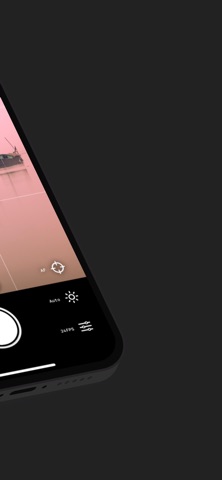
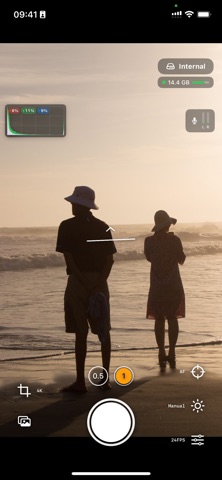
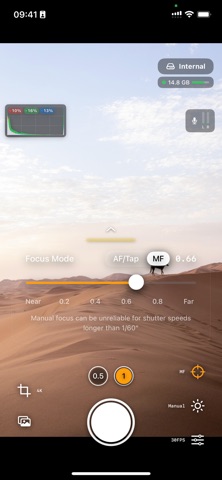
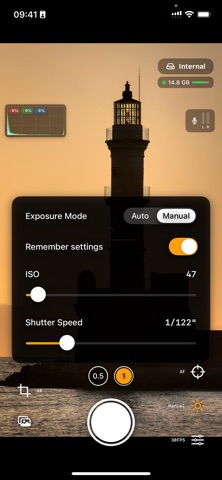
Description by Lead the way, vl. Sebastijan Grabar Written by the developer, not by AppBrain. Click to read.
ONE-TIME PURCHASE. NO SUBSCRIPTIONS.
Enjoy full access to all current features with a single purchase.
Turn your iPhone into a cinema camera - capture stunning RAW video with total creative control. Designed for filmmakers and creators who want the absolute maximum image quality.
Cinema-Grade RAW Video
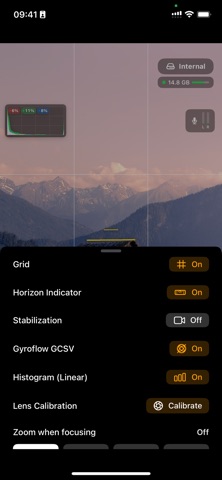
- Shoot DNG or MCRAW files for maximum dynamic range & color depth
- Data straight from the sensor - no baked-in look
- Choose open-gate (full sensor, or half resolution) or classic 16:9 in 4K and Full HD
- Shutter-priority mode: choose 180 degree shutter angle with Auto ISO
- Manual white-balance controls
- True film look with 18/24/25/30 fps options
- Highlight reconstruction available in your editing suite
- Timecode included in DNG format
- Optical image stabilization
- Gyroflow GCSV stabilization support
- Horizon indicator
- Ability to trigger recording with a Bluetooth Trigger (only volume-up implementation)
- Zoom when focusing manually
- Audio-input selector - supports bluetooth/wired microphones
- 180 degree image flip for DoF adapters
Professional Controls
- Histogram with Highlight clipping indicator
- Lens calibration for clipping indicator
- Full manual control: ISO, shutter speed and focus
- Adjust focus/exposure while recording with smooth on-screen controls
- Tap-to-focus and continuous AF before you start rolling
- Rule-of-thirds grid for getting the composition right
- Available storage indicator
Flexible Storage & Workflow
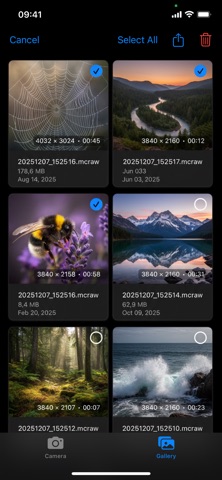
- Save directly to app's internal gallery, user-chosen folders, or external SSDs
- AirDrop for fast device-to-device transfer and quick handoff to your editing suite (pro tip: turn on Personal Hotspot and connect to it with your other device for maximum speed)
- Ability to watch recorded videos on your device, both on internal and external storage