

Readloom - Convert PDF to EPUB
Readloom - Convert PDF to EPUB is made and published by Nanthicha Chantasila. AppBrain is an independent app data site and isn't affiliated with Nanthicha Chantasila. The app name, icon, screenshots and description belong to Nanthicha Chantasila and are shown as published on the App Store.
AppBrain's verdict
- Last updated
- September 7, 2026
Rankings
App Store top chartsApp Store Rankings for Readloom - Convert PDF to EPUB
Releases
Updates seen on the App Store- Version
- 1.3.3
- Launched
- June 2026
No changelog data
User feedback
Ratings and reviews on the App StoreComments on Readloom - Convert PDF to EPUB for iOS
We don't have enough comments to show example comments. Please check back later.
Technology
Found in the app by AppBrain- Price
- Free
- App size
- 7.97 MB
- Content rating
- Everyone
Technologies used by Readloom - Convert PDF to EPUB
About the app and developer
About Readloom - Convert PDF to EPUB
Readloom - Convert PDF to EPUB is a productivity app developed by Nanthicha Chantasila.
What is the rating of Readloom - Convert PDF to EPUB?
Readloom - Convert PDF to EPUB has no ratings yet.
Is Readloom - Convert PDF to EPUB free?
Readloom - Convert PDF to EPUB is free. The app size is 7.97 MB. The latest version available is 1.3.3. The last update was on September 7, 2026.
What are the requirements for Readloom - Convert PDF to EPUB?
The app has a content rating of Everyone. The app has been available on the App Store since June 2026.
Developer information for Nanthicha Chantasila
Address:
Store listing
By Nanthicha Chantasila, from the App Store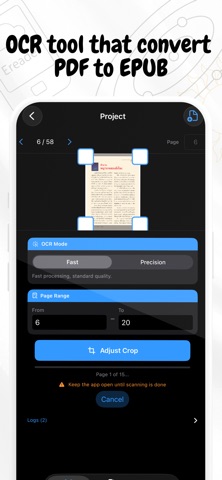

Description by Nanthicha Chantasila Written by the developer, not by AppBrain. Click to read.
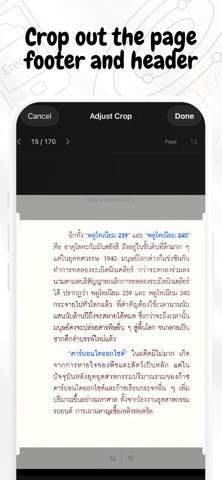
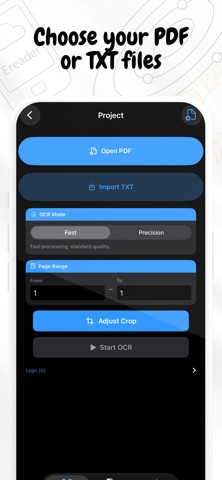
Have a PDF you want to read on your Kindle, Xteink, or any e-reader but the text in PDF is too small? Readloom scans the pages with OCR, automatically splits the content into chapters, and lets you export everything as an EPUB or TXT file in minutes.
What you can do:
• Scan any PDF with OCR - choose Fast mode for speed or Precision for accuracy
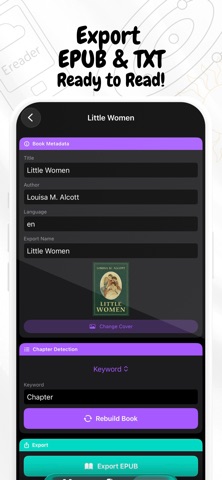
• Auto-detect chapters from numbered headings or keywords
• Supports Thai text - including Thai chapter keywords like "บทที่" and "ตอนที่"
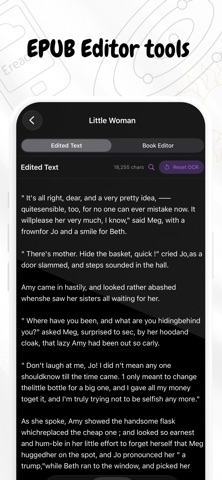
• Edit chapter titles and clean up text before exporting
• Export as EPUB (open on any e-reader or reading app) or plain TXT
• Pick a custom cover image for each project
• Everything stays in your device.
How it works:
1. Open a PDF from your Files app
2. Set your page range and tap Start OCR
3. Readloom automatically finds and organizes the chapters - or you can set them manually
4. Review, edit, and export (send to your kindle or e-reader)
Free to get started:
Your first two projects support up to 350 pages each — no sign-up required. Upgrade to Readloom Pro with a one-time payment for unlimited pages and unlimited projects, forever.
No subscription. No hidden fees. Pay once, use forever.
For personal use only. Please respect all applicable laws.