

Real Car Alarm
Real Car Alarm is made and published by Maksim Zaremba. AppBrain is an independent app data site and isn't affiliated with Maksim Zaremba. The app name, icon, screenshots and description belong to Maksim Zaremba and are shown as published on the App Store.
AppBrain's verdict
Established- Rating on App Store
- 4.25
- 4 ratings
- Last updated
- April 16, 2026
It doesn't have enough ratings yet to judge what users think.
Rankings
App Store top chartsApp Store Rankings for Real Car Alarm
Competitors
Similar apps and more from Maksim ZarembaAlternatives to Real Car Alarm







Releases
Updates seen on the App Store- Version
- 1.5.2
- Launched
- March 2019
No changelog data
User feedback
Ratings and reviews on the App StoreComments on Real Car Alarm for iOS
We don't have enough comments to show example comments. Please check back later.
Technology
Found in the app by AppBrain- Price
- Free
- App size
- 11.6 MB
- Content rating
- Everyone
Technologies used by Real Car Alarm
About the app and developer
About Real Car Alarm
Real Car Alarm is an utilities app developed by Maksim Zaremba.
What is the rating of Real Car Alarm?
Real Car Alarm is rated 4.25 out of 5 stars, based on 4 ratings.
Is Real Car Alarm free?
Real Car Alarm is free. The app size is 11.64 MB. The latest version available is 1.5.2. The last update was on April 16, 2026.
What are the requirements for Real Car Alarm?
The app has a content rating of Everyone. The app has been available on the App Store since March 2019.
Developer information for Maksim Zaremba
Address:
Store listing
By Maksim Zaremba, from the App Store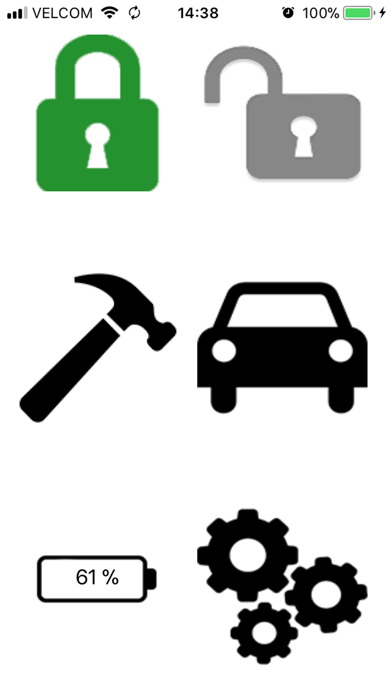
Description by Maksim Zaremba Written by the developer, not by AppBrain. Click to read.
You should have two devices. The one is for motion detection. The second is for remote. Set unique channel name in settings screen the same for both devices. It will use for connection between devices. Choose modes different for devices. Set Motion Detector on one device and Remote on second device. Lock Motion Detector device and lay in the car. Press Lock button on Remote device. If Lock icon sets green then second device starts protect your car.
You can receive alarms when Remote device is in active state or when locked. You can get information where your car on the map from Remote device if you allow get location on Motion Detector device.
Use devices only in limit from environmental requirements. Study please Tech Specs.
Use a power bank for increase a work time Motion Detector device.
For better user experience you should turn off on Motion Detector device all background tasks, background apps and notifications from other apps for exclude wrong triggering.
Note:
Continued use of GPS running in the background can dramatically decrease battery life.