

reapp EV Charge
reapp EV Charge is made and published by AB Circle Limited. AppBrain is an independent app data site and isn't affiliated with AB Circle Limited. The app name, icon, screenshots and description belong to AB Circle Limited and are shown as published on the App Store.
AppBrain's verdict
- Last updated
- November 4, 2025
Rankings
App Store top chartsApp Store Rankings for reapp EV Charge
Competitors
Similar apps and more from AB Circle LimitedAlternatives to reapp EV Charge


More from AB Circle Limited

Releases
Updates seen on the App Store- Version
- 1.61.0
- Launched
- June 2025
No changelog data
User feedback
Ratings and reviews on the App StoreComments on reapp EV Charge for iOS
We don't have enough comments to show example comments. Please check back later.
Technology
Found in the app by AppBrain- Price
- Free
- App size
- 56.6 MB
- Content rating
- Everyone
Technologies used by reapp EV Charge
About the app and developer
About reapp EV Charge
reapp EV Charge is an utilities app developed by AB Circle Limited.
What is the rating of reapp EV Charge?
reapp EV Charge has no ratings yet.
Is reapp EV Charge free?
reapp EV Charge is free. The app size is 56.64 MB. The latest version available is 1.61.0. The last update was on November 4, 2025.
What are the requirements for reapp EV Charge?
The app has a content rating of Everyone. The app has been available on the App Store since June 2025.
Developer information for AB Circle Limited
Address:
Frequently asked questions about reapp EV Charge
Is reapp EV Charge free?
Yes. reapp EV Charge is free on the App Store.
Is reapp EV Charge still available?
Yes. reapp EV Charge is on the App Store, and the last update we saw was on November 4, 2025.
How large is reapp EV Charge?
reapp EV Charge is 56.64 MB.
Is reapp EV Charge suitable for children?
App Store rates the content of reapp EV Charge as suitable for everyone.
Who made reapp EV Charge?
reapp EV Charge was developed by AB Circle Limited. It is listed in the utilities category on the App Store.
What are the best alternatives to reapp EV Charge?
People looking at reapp EV Charge also look at these utilities apps: 在留カード読取アプリ, Virtual Key - Smart-lock, SuperEVSE Home, PIYO CHARGE - EV Charge, DeskWeb-Desktop Browser,PCMode.
Store listing
By AB Circle Limited, from the App Store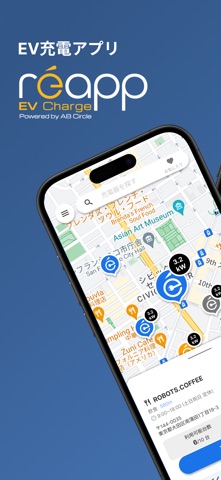


Description by AB Circle Limited Written by the developer, not by AppBrain. Click to read.
reapp is a user-friendly app provided by AB Circle Japan Inc. that offers a seamless and convenient charging experience for electric vehicle (EV) and plug-in hybrid (PHEV) users.
With reapp, you can access compatible chargers via your smartphone and start or stop charging smoothly. No pre-registration is required—just hold your smartphone near the EV charger to begin. Say goodbye to complicated procedures.
The app also supports credit card payments and allows you to check your usage history, making your everyday EV life even more comfortable.
Features of reapp
Charger Search: Easily find nearby charging stations on the map.
Real-Time Info: Check charger availability and pricing in real time.
Simple Charging Operation: Just tap your smartphone for Bluetooth authentication to start charging. For QR code-compatible stations, you can also authenticate by scanning the code.
Charging History: View your past charging sessions directly in the app, including when and where you charged.
Recommended For
Those looking for nearby EV chargers
Those needing EV charging while traveling
Those seeking an easy way to charge their EV
Those who want to manage their EV charging history with an app
How to Use
1. Register for Free
No monthly fee or hidden charges. Sign-up takes just a minute using your email address.
2. Find a Charging Spot
After registering, launch the app and search for nearby charging spots in your desired area.
3. Connect to the Charger
For Bluetooth-enabled chargers, simply hold your smartphone near the device to automatically authenticate.
4. Start Charging
Follow the charger's instructions to connect the cable and tap "Start Charging" in the app. You can check usage and fees in real time.
5. End Charging
When charging is complete, unplug the cable to stop. If using QR code authentication, just tap "End Charging" in the app.
Manage Everything in One App
reapp lets you handle everything—from locating chargers to checking real-time status—all from your phone. When you arrive at a station, your phone becomes your member card. Everything starts from this one app.
Start your smarter EV life with reapp today!