
RectAce (High-Quality Scanner)
RectAce (High-Quality Scanner) is made and published by Rivac Inc. AppBrain is an independent app data site and isn't affiliated with Rivac Inc. The app name, icon, screenshots and description belong to Rivac Inc. and are shown as published on the App Store.
AppBrain's verdict
Established- Rating on App Store
- 3.67
- 3 ratings
- Last updated
- April 22, 2021
- Size
- 26.3 MB
It doesn't have enough ratings yet to judge what users think.
User feedback
Ratings and reviews on the App StoreComments on RectAce (High-Quality Scanner) for iOS
We don't have enough comments to show example comments. Please check back later.
Store listing
By Rivac Inc., from the App Store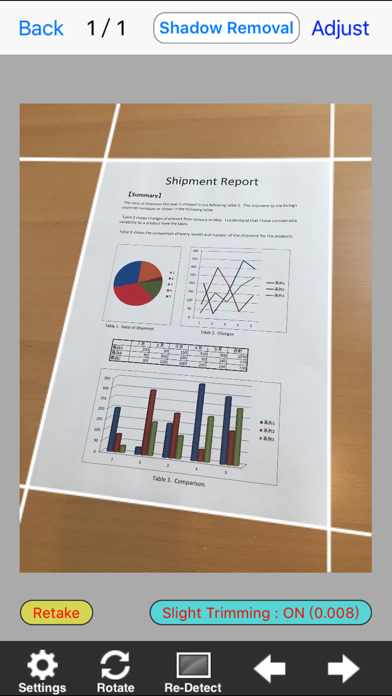
Description by Rivac Inc. Written by the developer, not by AppBrain. Click to read.
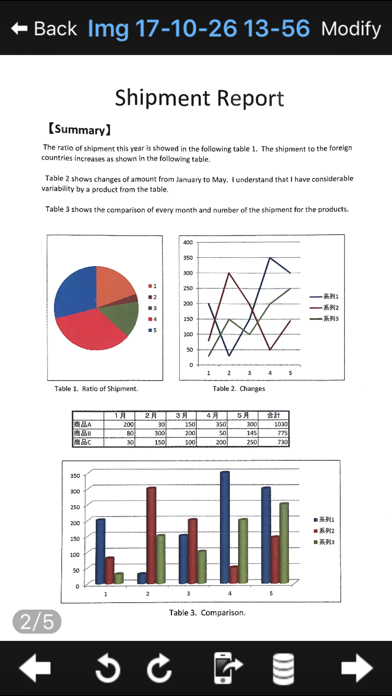
Upon importing images contained in your iPhone's Photo Album or those taken with your device's camera, this application automatically recognizes the frame (outline) in the pictures, renders them so that they appear to be viewed from the front, and even enhances their attractiveness through applying color correction. This enables a level of image quality reminiscent of something taken with a scanner.
* Price may change without prior notice.
【Features】
The following represent a sample of the features offered by this application.
(1) Frame recognition (Detection of rectangular fields)
This application goes beyond simply recognizing four corner points and simultaneously detects the degree of distortion (the barrel distortion unique to cameras). Additionally, the application captures multiple candidate frames, thereby offering enhanced work efficiency relative to cases in which only one frame can be obtained.
(2) Front-facing adjustment
Photos taken at a diagonal are adjusted to make them appear to have been taken from the front. Distortion correction can also be carried out using the degree of distortion obtained through the frame recognition feature mentioned in (1) above.
(3) Color correction
This feature enables fine images to be taken in color as well as in black-and-white. Images are processed to ensure that even small characters are vividly reproduced. Furthermore, should shadows be present in the background of a photo, the application uses a background color modification function to eliminate only the shadows while preserving any characters or graphics.
【Main Functions】
■Camera (Anti-camera shake measures)
-Function that takes multiple continuous shots and chooses the sharpest image (BSS:Best-Shot Selection function)
-“Takes photo when shaking stops” function
■Frame recognition
-Detection of rectangular fields
-Distortion recognition (Can be toggled)
-Function that obtains multiple frame candidates
■Geometric correction
-Front facing adjustment
-Distortion correction (Can be toggled)
-Edge smoothing function
■Color correction
-Function that obtains fine images.
-Brightness adjustment
-Background color modification (Function that removes shadows and restores colors that disappeared)
-Function that thickens up thin characters.
■Images
-Elimination of salt-and-pepper noise (Elimination of unwanted spotty phenomenon)
-Ability to cut out designated rectangular fields
-Slight cutting of image periphery (Used when contour lines remain on the image)
-Ability to designate horizontal-to-vertical ratio of image (Typically handled automatically with option to designate)
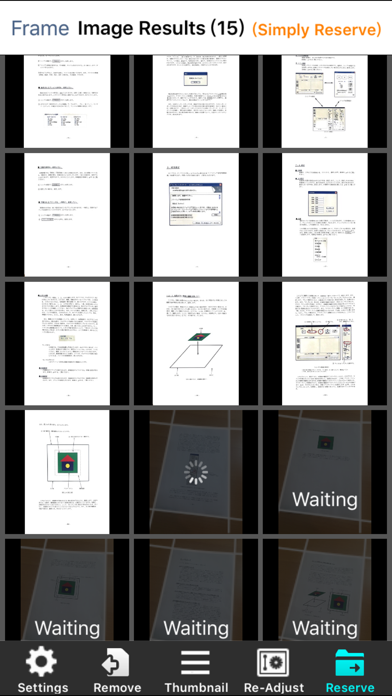
■Batch processing
- Function that shoots multiple pages continuously.
- Function that recognizes frames, makes photos face the front, and corrects colors collectively.
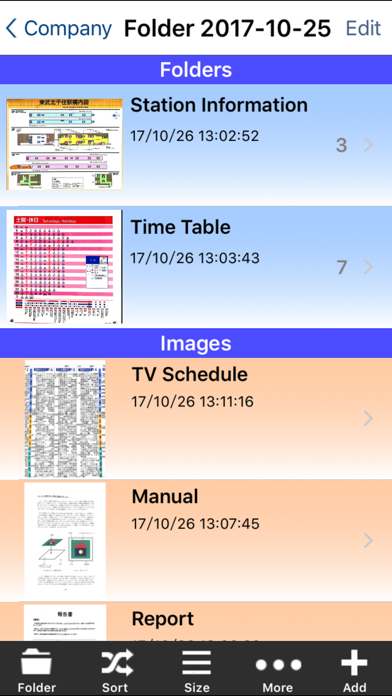
■SubFolders (in App)
-Creates SubFolders in a folder.
-Expands a folder.
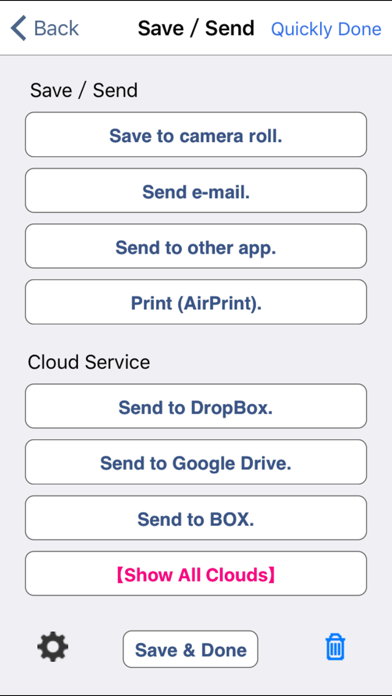
■AirPrint
-Prints with one image in one page and 100% magnification.
-By purhasing Printer Extensions (In-App Purchase), you can use the functions of printer extensions.
■Sending
-Sending via email in JPEG or PDF format
-Ability to forward to Evernote, GoogleDrive, Dropbox and OneDrive as JPEG or PDF format
-Designating the maximum file size upon sending images
【Printer Extensions (In-App Purchase)】
Main functions are as follows:
・Prints with multiple images in one page.
・Specifies print-magnification.
・Sends print-images as JPEG or PDF
(To : Camera roll, Other Apps, Clouds)
※Printers need to support AirPrint.
※Clouds : Evernote, Dropbox, Google Drive, BOX, OneDrive.
Safety and technology
Found in the app by AppBrain- Price
- Free
- App size
- 26.3 MB
- Content rating
- Everyone
Technologies used by RectAce (High-Quality Scanner)
Releases
Updates seen on the App Store- Version
- 6.0.0
- Launched
- April 2011
No changelog data
Alternatives
Similar apps and more from Rivac Inc.Alternatives to RectAce (High-Quality Scanner)





More from Rivac Inc.
Rankings
App Store top chartsApp Store Rankings for RectAce (High-Quality Scanner)
About the app and developer
About RectAce (High-Quality Scanner)
RectAce (High-Quality Scanner) is a business app developed by Rivac Inc.
What is the rating of RectAce (High-Quality Scanner)?
RectAce (High-Quality Scanner) is rated 3.67 out of 5 stars, based on 3 ratings.
Is RectAce (High-Quality Scanner) free?
RectAce (High-Quality Scanner) is free. The app size is 26.29 MB. The latest version available is 6.0.0. The last update was on April 22, 2021.
What are the requirements for RectAce (High-Quality Scanner)?
The app has a content rating of Everyone. The app has been available on the App Store since April 2011.
Developer information for Rivac Inc.
Address: