

Remote for Hisense Google TV
Remote for Hisense Google TV is made and published by Palamarchuk Vladyslav. AppBrain is an independent app data site and isn't affiliated with Palamarchuk Vladyslav. The app name, icon, screenshots and description belong to Palamarchuk Vladyslav and are shown as published on the App Store.
AppBrain's verdict
- Rating on App Store
- 5.00
- 5 ratings
- Last updated
- October 25, 2026
It doesn't have enough ratings yet to judge what users think.
Rankings
App Store top chartsApp Store Rankings for Remote for Hisense Google TV
Competitors
Similar apps and more from Palamarchuk VladyslavMore from Palamarchuk Vladyslav



Releases
Updates seen on the App Store- Version
- 1.0.1
- Launched
- November 2025
No changelog data
User feedback
Ratings and reviews on the App StoreComments on Remote for Hisense Google TV for iOS
We don't have enough comments to show example comments. Please check back later.
Technology
Found in the app by AppBrain- Price
- Free
- App size
- 24.2 MB
- Content rating
- Everyone
Technologies used by Remote for Hisense Google TV
About the app and developer
About Remote for Hisense Google TV
Remote for Hisense Google TV is an utilities app developed by Palamarchuk Vladyslav.
User Ratings
Remote for Hisense Google TV is rated 5.00 out of 5 stars. The rating is based on 5 ratings.
App Information
Remote for Hisense Google TV is freely available from the App Store. The app size is 24.19 MB. The latest version available is 1.0.1. The last update was on October 25, 2026.
Technical Requirements
The app has a content rating of Everyone. The app has been available on the App Store since November 2025.
Developer information for Palamarchuk Vladyslav
Address:
Store listing
By Palamarchuk Vladyslav, from the App Store

Description by Palamarchuk Vladyslav Written by the developer, not by AppBrain. Click to read.
Your phone becomes a remote built around touch: slide a thumb across the pad to move through menus, tap to select, and jump into your streaming apps without scrolling the TV's home row.
PAIR ONCE, THEN IT'S AUTOMATIC
1. Put your phone and the TV on the same Wi-Fi.
2. Pick the TV in the app — it shows up on its own.
3. Type the code that appears on the TV screen.
After that the app reconnects by itself every time you open it.
ON YOUR PHONE
• Touchpad — swipe in any direction, tap for OK
• Arrow pad for precise steps when you prefer buttons
• Keyboard — type a search or a password on your phone and it lands in the text field selected on the TV
• Volume up/down, mute, channel up/down
• Power, Home and Back
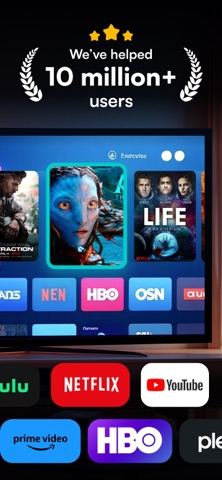
• Shortcuts for Netflix, YouTube, Prime Video, Max and Plex — open them straight from the phone
• Connection dot in the corner, so you always know if the TV is linked
• Saved TVs — come back to the same set without searching again
WHERE IT WORKS
Hisense models with Google TV or Android TV, for example the A7, U6, U7 and U8 Google TV ranges and earlier Android TV sets (H8, H9). If your Hisense runs VIDAA or Roku TV, this app can't control it.
IF THE TV DOESN'T APPEAR
The in-app troubleshooter covers the usual suspects: the phone on a guest network, a VPN or firewall in the way, a crowded Wi-Fi, or a TV that needs a restart before it shows the pairing code.
SUBSCRIPTION
Adding TVs, the remote controls and the app shortcuts are included in the subscription.
• Yearly: $9.99 per year
How billing works: the App Store takes payment from your Apple ID once you confirm. Each year the plan renews on its own; to stop it, switch off auto-renew in Settings › Apple ID › Subscriptions no later than one day before the renewal date (renewals are billed during that final day). Starting a paid plan ends any free trial time left over.
Privacy: https://docs.google.com/document/d/1OAgwW6gFowlae_LeQD5vOp1f702du1i4Ednj72dcUdc/edit?usp=sharing
Terms: https://docs.google.com/document/d/1AvNzW4PC4p9WlvAv2OFOO3jzcXAV0lMtqd4i2QpelFY/edit?usp=sharing
Built by an independent developer. Hisense and Google have no connection with this app and don't sponsor it; their product names, like those of the streaming services, are used only to describe compatibility.