AppBrain
AppBrain
  • Apps
  • Apps being viewed right now Trending apps today Most popular apps All-time most installed apps Top rated apps iPhone and iPad apps
  • Intelligence ▾
    Intelligence overview → Track any Android app or your whole market
    Track & analyze
    Keyword Tracker & OptimizerTrack & improve Play rankings App Performance ReportOne-off PDF for any app StatisticsFree Android & Play market stats
    Promote your app
    Featured Apps App Links
  • Intelligence
  • Pricing
  • Dashboard
  • Sign up
  • Log in
App Store Apps > Utilities > Remote Trackpad: Virtual Tool
Remote Trackpad: Virtual Tool icon

Remote Trackpad: Virtual Tool

1.6.7
Impulsapps
3.70
40 reviews
Free

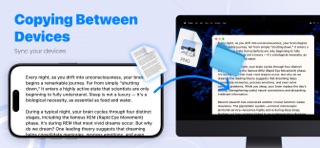
Remote Trackpad: Virtual Tool Screenshot 1 of 5
Remote Trackpad: Virtual Tool Screenshot 2 of 5
Remote Trackpad: Virtual Tool Screenshot 3 of 5
Remote Trackpad: Virtual Tool Screenshot 4 of 5
Remote Trackpad: Virtual Tool Screenshot 5 of 5
Screenshots by Impulsapps, from the the App Store listing
View on the App Store

AppBrain's verdict

Established
Rating on App Store
3.70
40 ratings
Last updated
November 3, 2026
Size
53.3 MB

It doesn't have enough ratings yet to judge what users think.

Official page on the App Store

User feedback

Ratings and reviews on the App Store

Comments on Remote Trackpad: Virtual Tool for iOS

We don't have enough comments to show example comments. Please check back later.

Store listing

By Impulsapps, from the App Store
Description by Impulsapps Written by the developer, not by AppBrain. Click to read.
Remote Trackpad is the best solution to make your iPhone two in one - keyboard and trackpad for your Mac.

It is not always convenient to bring trackpad, keyboard and mouse with you, but iPhone is always in your pocket.
Follow just 2 steps to make it work:
1. Download app to your iPhone and Mac
2. Scan QR-code with your iPhone camera in the app
ATTENTION: Don’t forget to connect your iPhone and Mac to the same Wi-Fi network!

Full customization of the keyboard will allow you to create your own unique style. You can also adjust tracking and scrolling speed, scroll direction and gestures in settings.

Operate your Mac from anywhere you want without being surrounded by extra devices in front of the screen!

https://impulsapps.com/privacy
https://impulsapps.com/tos

Safety and technology

Found in the app by AppBrain
Price
Free
App size
53.3 MB
Content rating
Everyone

Technologies used by Remote Trackpad: Virtual Tool

Releases

Updates seen on the App Store
Version
1.6.7
Launched
June 2021

No changelog data

Alternatives

Similar apps and more from Impulsapps

Alternatives to Remote Trackpad: Virtual Tool

El Trackpad icon El Trackpad
Hugo Lispector
3.7
Free
39 ratings
Mobile Mouse Remote - Cloud icon Mobile Mouse Remote - Cloud
R.P.A. Tech
3.8
Free
81 ratings
Remote, Mouse and Keyboard icon Remote, Mouse and Keyboard
Remote Sunrise LTD
4.5
Free
14.5K ratings
Remote Mouse icon Remote Mouse
耀 阮
4.6
Free
18.8K ratings
PC Remote icon PC Remote
Monect (Suzhou) Co., Ltd.
3.2
Free
304 ratings
USB Remote icon USB Remote
Jakub Zawadzki
4.0
Free
9 ratings
Mobile Mouse WIFI Remote icon Mobile Mouse WIFI Remote
R.P.A. Tech
4.5
$9.99
2.5K ratings
Remote App - Mouse, Keyboard icon Remote App - Mouse, Keyboard
Adarsh Urs
3.4
Free
19 ratings

More from Impulsapps

Paris Métro: Subway Ride icon Paris Métro: Subway Ride
Impulsapps
4.5
Free
61 ratings
Audio Books Library Ereader icon Audio Books Library Ereader
Impulsapps
3.3
Free
23 ratings
Ebooks Reader: Audio Books icon Ebooks Reader: Audio Books
Impulsapps
0.0
Free

Rankings

App Store top charts

App Store Rankings for Remote Trackpad: Virtual Tool

This app is not ranked

About the app and developer

About Remote Trackpad: Virtual Tool

Remote Trackpad: Virtual Tool is an utilities app developed by Impulsapps.

User Ratings

Remote Trackpad: Virtual Tool is rated 3.70 out of 5 stars. The rating is based on 40 ratings.

App Information

Remote Trackpad: Virtual Tool is freely available from the App Store. The app size is 53.26 MB. The latest version available is 1.6.7. The last update was on November 3, 2026.

Technical Requirements

The app has a content rating of Everyone. The app has been available on the App Store since June 2021.

Remote Trackpad: Virtual Tool is made and published by Impulsapps. AppBrain is an independent app data site and isn't affiliated with Impulsapps. The app name, icon, screenshots and description belong to Impulsapps and are shown as published on the App Store.

Developer information for Impulsapps

Impulsapps

Address:

Frequently asked questions about Remote Trackpad: Virtual Tool

Is Remote Trackpad: Virtual Tool free?

Yes. Remote Trackpad: Virtual Tool is free on the App Store.

Is Remote Trackpad: Virtual Tool still available?

Yes. Remote Trackpad: Virtual Tool is on the App Store, and the last update we saw was on November 3, 2026.

How large is Remote Trackpad: Virtual Tool?

Remote Trackpad: Virtual Tool is 53.26 MB.

Is Remote Trackpad: Virtual Tool suitable for children?

App Store rates the content of Remote Trackpad: Virtual Tool as suitable for everyone.

How do people rate Remote Trackpad: Virtual Tool?

Remote Trackpad: Virtual Tool scores 3.70 out of 5 stars, from 40 ratings on the App Store.

Who made Remote Trackpad: Virtual Tool?

Remote Trackpad: Virtual Tool was developed by Impulsapps. It is listed in the utilities category on the App Store.

What are the best alternatives to Remote Trackpad: Virtual Tool?

People looking at Remote Trackpad: Virtual Tool also look at these utilities apps: El Trackpad, Mobile Mouse Remote - Cloud, Remote, Mouse and Keyboard, Remote Mouse, PC Remote.

Share Remote Trackpad: Virtual Tool

Price drops on Google Play Popular Utilities Apps Top new apps Today's trending apps Apps other people are watching
El Trackpad icon El Trackpad
Mobile Mouse Remote - Cloud icon Mobile Mouse Remote - Cloud
Remote, Mouse and Keyboard icon Remote, Mouse and Keyboard
Remote Mouse icon Remote Mouse
PC Remote icon PC Remote
USB Remote icon USB Remote
Mobile Mouse WIFI Remote icon Mobile Mouse WIFI Remote
Remote App - Mouse, Keyboard icon Remote App - Mouse, Keyboard
Overview Alternatives Reviews Rankings Technology
AppBrain Intelligence premium content

Subscribe now to get full and unlimited access to AppBrain Intelligence. You'll have access to:

  • App Intelligence dashboard (performance timeline, competitor comparison, country rankings, insight cards)
  • Detailed ranking data per app
  • Full timeline per developer
  • Device market shares data per country
  • Unlimited keyword tracking
  • AI assistant access via MCP (Claude, Cursor or any MCP client)
1 Month

$75/mo
(billed every month)

SAVE 0%
Subscribe
3 Months

$65/mo
($195 billed every 3 months)

SAVE 13%
Subscribe
1 Year

$57.50/mo
($690 billed every year)

SAVE 23%
Subscribe
Each subscription will automatically renew 3 days before the expiration date for the same time period. Subscriptions can be cancelled at any time before the renewal.

AppBrain is an app data site, we track rankings, ratings, installs for all apps and games on Google Play and the App Store. AppBrain doesn't host app files or APKs, all install links go directly to the official store. All trademarks are owned by their respective owners.

More apps

  • Top Android apps being viewed
  • View Domino Scorekeeper
  • View Movie Box LLC
  • CE5 Contact

App statistics

  • Android statistics
  • Google Play Developer stats
  • Trending Android Apps
  • Trending iOS apps
  • Top popular Apps
  • Buy the best Android phone
  • Buy & sell app businesses

About AppBrain

  • Contact
  • Privacy
  • Documentation
  • DMCA takedowns
  • Blog
  • Free App-Ads.Txt Validation
© 2010-2026 - AppBrain