

Remote Utilities
Remote Utilities is made and published by Remote Utilities Pte. Ltd. AppBrain is an independent app data site and isn't affiliated with Remote Utilities Pte. Ltd. The app name, icon, screenshots and description belong to Remote Utilities Pte. Ltd. and are shown as published on the App Store.
AppBrain's verdict
Established- Rating on App Store
- 1.50
- 2 ratings
- Last updated
- September 21, 2026
It doesn't have enough ratings yet to judge what users think.
Rankings
App Store top chartsApp Store Rankings for Remote Utilities
Competitors
Similar apps and more from Remote Utilities Pte. Ltd.Alternatives to Remote Utilities






Releases
Updates seen on the App Store- Version
- 14.2.1
- Launched
- January 2014
No changelog data
User feedback
Ratings and reviews on the App StoreComments on Remote Utilities for iOS
We don't have enough comments to show example comments. Please check back later.
Technology
Found in the app by AppBrain- Price
- Free
- App size
- 45.9 MB
- Content rating
- Everyone
Technologies used by Remote Utilities
About the app and developer
About Remote Utilities
Remote Utilities is a productivity app developed by Remote Utilities Pte. Ltd.
What is the rating of Remote Utilities?
Remote Utilities is rated 1.50 out of 5 stars, based on 2 ratings.
Is Remote Utilities free?
Remote Utilities is free. The app size is 45.86 MB. The latest version available is 14.2.1. The last update was on September 21, 2026.
What are the requirements for Remote Utilities?
The app has a content rating of Everyone. The app has been available on the App Store since January 2014.
Developer information for Remote Utilities Pte. Ltd.
Address:
Store listing
By Remote Utilities Pte. Ltd., from the App Store



Description by Remote Utilities Pte. Ltd. Written by the developer, not by AppBrain. Click to read.
Free for personal and business use alike — no ads.
REMOTE CONTROL
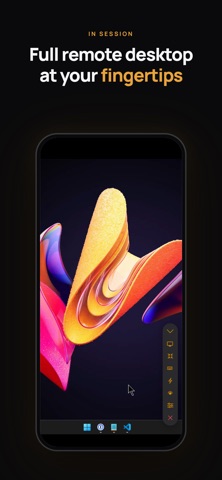
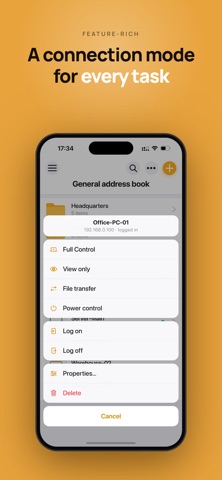
• Full Control and View modes with a convenient toolbar — quick actions and commands at hand
• Two input methods in Full Control: Trackpad (mouse pointer, with optional cursor momentum) or Touch — choose what suits your habits
• Multi-monitor support — switch to a single remote monitor or view all at once
• Next-generation screen capture codec for faster performance, with the classic codec available as an option
• Blank the remote screen and block remote input for privacy
• Lock the remote computer and close the session in one step
FILE TRANSFER
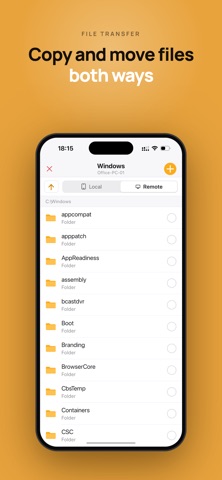
• Copy and move files both ways between your device and the remote PC
• Resume interrupted downloads and uploads
POWER CONTROL
• Shut down, restart, lock, sleep or hibernate the remote computer
CONNECTIVITY & SECURITY
• Connect directly by IP address or instantly via Internet-ID — no router or firewall setup needed
• Three authentication modes: single password, login and password, or custom server security
ADDRESS BOOK
• Full-fledged address book with folders and per-connection properties
• Set default connection properties as a template for new entries
• Multiple address books of different types — local or synced
• Full import, export and sync capabilities
SELF-HOSTED SERVER
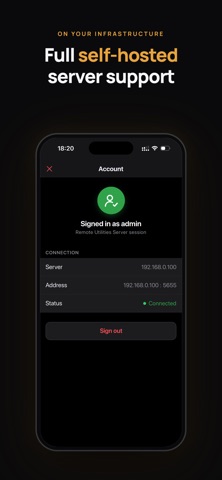
• Complete support for your own Remote Utilities server: address book sync, server-based authentication and relay through your own infrastructure
To connect, install the free Host module on the remote computer — available for Windows, macOS and Linux at https://www.remoteutilities.com