

Remote Viewing Workshop
Remote Viewing Workshop is made and published by Jeffrey Mendoza. AppBrain is an independent app data site and isn't affiliated with Jeffrey Mendoza. The app name, icon, screenshots and description belong to Jeffrey Mendoza and are shown as published on the App Store.
AppBrain's verdict
- Rating on App Store
- 5.00
- 2 ratings
- Last updated
- October 8, 2026
- Size
- 134.8 MB
It doesn't have enough ratings yet to judge what users think.
User feedback
Ratings and reviews on the App StoreComments on Remote Viewing Workshop for iOS
We don't have enough comments to show example comments. Please check back later.
Store listing
By Jeffrey Mendoza, from the App Store


Description by Jeffrey Mendoza Written by the developer, not by AppBrain. Click to read.
The Remote Viewing Workshop:
* Presents the user with a random target from a pool of curated photos
* Records remote viewing session details and sketches, providing an easily accessible history of session data
* Transcribes spoken notes during sessions for convenient impression recording
* Includes binaural beats/tones to assist in remote viewing sessions
* Synchronizes session data between personal devices and a centralized cloud database
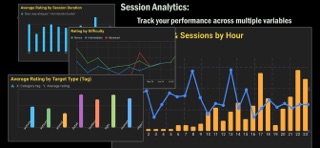
*Provides statistics and trend analysis on session accuracy
* Tailors your practice experience with three levels of difficulty
* Tracks the types of targets you do well at or have trouble with
* Includes five SketchBook exercises for practicing observational drawing, perceptual awareness, and translating visual information to paper
* Provides a Meditation Tracker with multiple meditation techniques for practicing focus, relaxation, and awareness while tracking your progress over time
* Includes Response Training exercises for practicing rapid visual-motor responses and ideogram formation
Sketch your target impressions on paper (recorded with your device's camera) or with a stylus directly on the screen. All session sketches and notes are accessible via an easy-to-navigate log. the remote viewing app database allows easy analysis and produces statistical graphs showing progress or potential weak points in your practice.
For the End User License Agreement, please visit this address: https://www.apple.com/legal/internet-services/itunes/dev/stdeula/
Safety and technology
Found in the app by AppBrain- Price
- Free
- App size
- 134.8 MB
- Content rating
- Everyone
Technologies used by Remote Viewing Workshop
Releases
Updates seen on the App Store- Version
- 1.1.91
- Launched
- June 2026
No changelog data
Alternatives
Similar apps and more from Jeffrey MendozaAlternatives to Remote Viewing Workshop


Rankings
App Store top chartsApp Store Rankings for Remote Viewing Workshop
About the app and developer
About Remote Viewing Workshop
Remote Viewing Workshop is an entertainment app developed by Jeffrey Mendoza.
User Ratings
Remote Viewing Workshop is rated 5.00 out of 5 stars. The rating is based on 2 ratings.
App Information
Remote Viewing Workshop is freely available from the App Store. The app size is 134.75 MB. The latest version available is 1.1.91. The last update was on October 8, 2026.
Technical Requirements
The app has a content rating of Everyone. The app has been available on the App Store since June 2026.
Developer information for Jeffrey Mendoza
Address:
Frequently asked questions about Remote Viewing Workshop
Is Remote Viewing Workshop free?
Yes. Remote Viewing Workshop is free on the App Store.
Is Remote Viewing Workshop still available?
Yes. Remote Viewing Workshop is on the App Store, and the last update we saw was on October 8, 2026.
How large is Remote Viewing Workshop?
Remote Viewing Workshop is 134.75 MB.
Is Remote Viewing Workshop suitable for children?
App Store rates the content of Remote Viewing Workshop as suitable for everyone.
How do people rate Remote Viewing Workshop?
Remote Viewing Workshop scores 5.00 out of 5 stars, from 2 ratings on the App Store.
Who made Remote Viewing Workshop?
Remote Viewing Workshop was developed by Jeffrey Mendoza. It is listed in the entertainment category on the App Store.
What are the best alternatives to Remote Viewing Workshop?
People looking at Remote Viewing Workshop also look at these entertainment apps: ESP and Remote Viewing, Vector: Remote Viewing, Social RV, FARSIGHT TV, Auramour - Aura Reading.