

RemotePad: Wireless Trackpad
RemotePad: Wireless Trackpad is made and published by 荷芬 赵. AppBrain is an independent app data site and isn't affiliated with 荷芬 赵. The app name, icon, screenshots and description belong to 荷芬 赵 and are shown as published on the App Store.
AppBrain's verdict
- Last updated
- June 1, 2026
Rankings
App Store top chartsApp Store Rankings for RemotePad: Wireless Trackpad
Competitors
Similar apps and more from 荷芬 赵Alternatives to RemotePad: Wireless Trackpad






More from 荷芬 赵


Releases
Updates seen on the App Store- Version
- 4.1
- Launched
- April 2026
No changelog data
User feedback
Ratings and reviews on the App StoreComments on RemotePad: Wireless Trackpad for iOS
We don't have enough comments to show example comments. Please check back later.
Technology
Found in the app by AppBrain- Price
- $4.99
- App size
- 7.27 MB
- Content rating
- Everyone
Technologies used by RemotePad: Wireless Trackpad
About the app and developer
About RemotePad: Wireless Trackpad
RemotePad: Wireless Trackpad is an utilities app developed by 荷芬 赵.
What is the rating of RemotePad: Wireless Trackpad?
RemotePad: Wireless Trackpad has no ratings yet.
Is RemotePad: Wireless Trackpad free?
RemotePad: Wireless Trackpad costs $4.99. The app size is 7.27 MB. The latest version available is 4.1. The last update was on June 1, 2026.
What are the requirements for RemotePad: Wireless Trackpad?
The app has a content rating of Everyone. The app has been available on the App Store since April 2026.
Developer information for 荷芬 赵
Address:
Store listing
By 荷芬 赵, from the App Store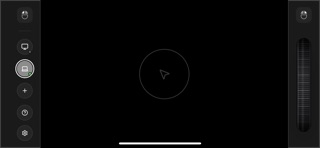


Description by 荷芬 赵 Written by the developer, not by AppBrain. Click to read.
Why Choose RemotePad?
Ultra-Fluid Performance: 120Hz refresh rate ensures zero-lag cursor movement.
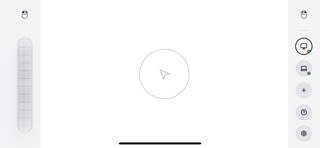
Full Gesture Support: Left/Right click, wheel scroll, single-tap, two-finger scroll, and the power-user favorite—Three-Finger Drag.
Zero Configuration: Features mDNS auto-discovery to find your devices instantly without typing IP addresses.
Multi-Device Mastery: Switch between different computers with a single tap.
Built for Everyone: Adjustable layouts for both left-handed and right-handed users.
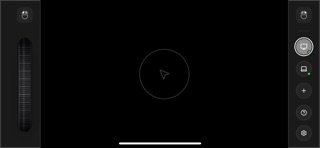
Stunning Visuals: 7 elegant themes to match your personal style and workspace.
Perfect For:
Professional presentations.
Home Theater PC (HTPC) control from the couch.
A portable backup for your laptop trackpad or mouse.
Note: Requires a small companion server app on your Mac or Windows machine.