

Reverse Image Search - OCR
Reverse Image Search - OCR is made and published by CONTENT ARCADE (UK) LTD. AppBrain is an independent app data site and isn't affiliated with CONTENT ARCADE (UK) LTD. The app name, icon, screenshots and description belong to CONTENT ARCADE (UK) LTD. and are shown as published on the App Store.
AppBrain's verdict
Established- Rating on App Store
- 2.46
- 13 ratings
- Last updated
- December 12, 2025
It doesn't have enough ratings yet to judge what users think.
Rankings
App Store top chartsApp Store Rankings for Reverse Image Search - OCR
Competitors
Similar apps and more from CONTENT ARCADE (UK) LTD.Alternatives to Reverse Image Search - OCR



More from CONTENT ARCADE (UK) LTD.


Releases
Updates seen on the App Store- Version
- 3.1
- Launched
- March 2017
No changelog data
User feedback
Ratings and reviews on the App StoreComments on Reverse Image Search - OCR for iOS
We don't have enough comments to show example comments. Please check back later.
Technology
Found in the app by AppBrain- Price
- Free
- App size
- 22.0 MB
- Content rating
- High
Technologies used by Reverse Image Search - OCR
About the app and developer
About Reverse Image Search - OCR
Reverse Image Search - OCR is a photo & video app developed by CONTENT ARCADE (UK) LTD.
User Ratings
Reverse Image Search - OCR is rated 2.46 out of 5 stars. The rating is based on 13 ratings.
App Information
Reverse Image Search - OCR is freely available from the App Store. The app size is 21.97 MB. The latest version available is 3.1. The last update was on December 12, 2025.
Technical Requirements
The app has a content rating of High Maturity. The app has been available on the App Store since March 2017.
Developer information for CONTENT ARCADE (UK) LTD.
Address:
Store listing
By CONTENT ARCADE (UK) LTD., from the App Store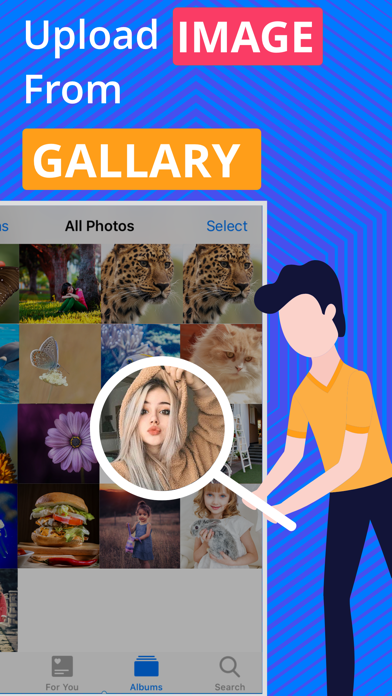


Description by CONTENT ARCADE (UK) LTD. Written by the developer, not by AppBrain. Click to read.
Reverse Image Search, just like Google reverse image search, is an app that helps simplify the process of tracking down similar images, saving and sharing them in your emails or social networking accounts. You can use this efficient reverse photo search app to search for millions of high resolution wallpapers, images and more!
If you have stuck on an image that looks familiar but you have no idea where you have seen it and you wish that you could find more about it? Then you are lucky because it is no longer impossible as there are many tools and apps available now that helps to search similar images. One such app for iOS users is Reverse Image Search that allows them to find the image details by simply giving a sample image to app.
Reverse Image Search is a cool app that will enable you to search for similar images in a single tap. This simple and fast reverse photo search app works on the CBIR (content-based image retrieval) query technique that makes use of the CBIR system by providing a sample image. Later, the search is based on the same sample image, formulating a search query, in terms of information retrieval.
The functionality of this reverse image search iOS app is same as that of the Google reverse image search. The aim behind the reverse photo search app is to allow people to search for the similar images conveniently and quickly. Just like Google image search, it requires you to share or upload the image or provide its URL.
This reverse photo search app has exclusively been designed for all the iOS users with a device that supports the iOS operating system. Quality internet connection is the only requirement for using this simple yet quick reverse image search app. Once the app is downloaded and installed on your iOS device, it is instantly usable, with no trouble at all.
Features of Reverse Image Search app:
- It’s simple, efficient and reliable image search app
- Free Reverse Image Search has same functionality as the Google reverse image search
- Image search with the help of images in the photo gallery
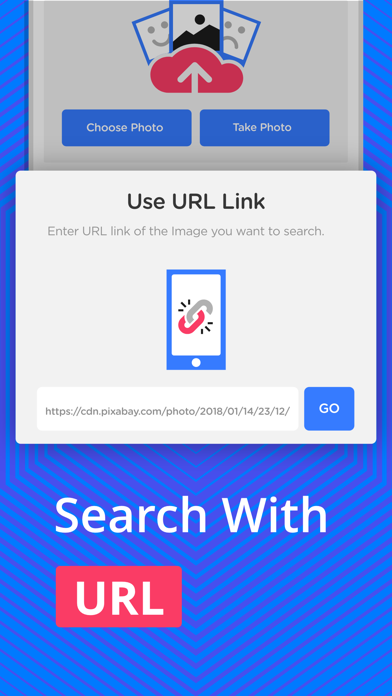
- Image search with the help of the image URL
- Image reverse search by sharing images from Email, Whatsapp, Facebook, Twitter or other apps
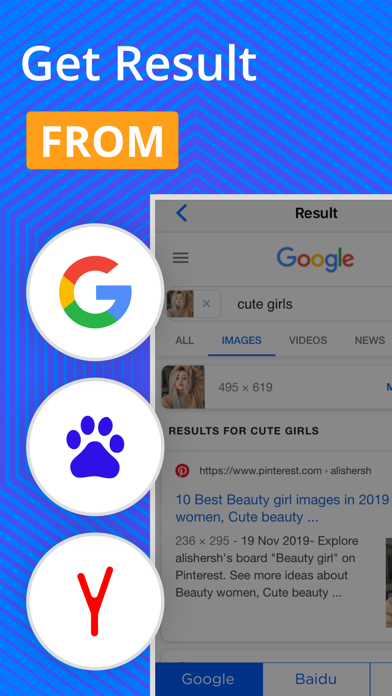
- You can choose your preferred search engine
Steps for using Reverse Image Search app:
- Download/install the Reverse Image Search app on your iOS device
- Open the app and upload the image from the desired folder
Or
Upload the image URL of the image
Or
Directly share the image directly from Whatsapp, Facebook, Twitter or any other app
- Tap on the button “Search Similar Images”
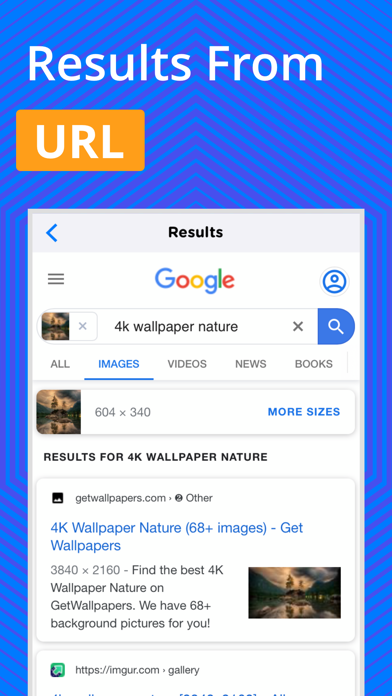
- By your browser, the app will search the entire internet for all the similar images, matching to the given sample image
- Image reverse search results will be redirected in the browser
Some of the quick uses of Reverse Image Search app:
- To identify fake profiles on different social media websites
- To verify the actual identity of an individual on various websites
- Look for the details of a specific image on internet
- To get the information about your favorite celebrities
- To get the image or wallpapers with a better or high resolution
- The Reverse Image Search app can be used by travelers to search for the details of a place or location in a specific
- To find the owner or the contributor of the image
- For tracking an image as an image source finder or an image source locator
Note:
If you come across any issue with the app, please let us know by giving a brief review that describes the problem or you can contact us on our e-mail.
Download this amazing Reverse Image Search app NOW and instantly search for the similar images.