




AppBrain's verdict
- Rating on App Store
- 4.67
- 9 ratings
- Last updated
- July 13, 2026
- Size
- 5.55 MB
It doesn't have enough ratings yet to judge what users think. Its best ranking is #23 in Top Paid, Productivity in Turkey.
User feedback
Ratings and reviews on the App StoreComments on review³ - todo list & planner for iOS
We don't have enough comments to show example comments. Please check back later.
Store listing
By Josh Angelsberg, from the App StoreDescription by Josh Angelsberg Written by the developer, not by AppBrain. Click to read.
Want review³ on the big screen? Check out the macOS version!
Some features include
– Your life at a glance
– Super quick creation of reminders or events or even a markdown note pad
– NEW: Someday support - you can now review items in your lists that do not have a assigned date
– NEW: More completed item support - you can now review items you have completed in the last 10 days (super handy with search - everything is collapsible, so only view what you want!)
– NEW: Search and tag support - swipe down from the top or press ⌘F to pull up the new search view
– NEW: Subtasks support - type "[] " to easily start a markdown checklist - you can even toggle the checkmark by tapping it!
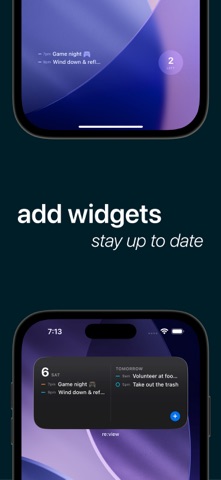
– NEW: Widgets - lock screen, home screen and control center
– NEW: Presets - easily switch between Home and Work context or set a widget to a specific preset
– Supports natural language date input (English only - press enter with cursor touching blue date)
– NEW: Swipable date button so you can swipe left and right to change days
– NEW: Swipable list button so you can swipe left and right to change lists
– Supports drag and drop with a time bar (to quickly set the time)
– See a countdown to the next task for today
– Supports markdown
- headers
- bold
- italics
- unordered lists
- numbered lists
- code blocks
- checklists (type "[] " to quickly make a checklist)
- swipe left and right on markdown lists to change the indentation
- tap checkbox on a checklist to toggle the checkmark
– Digestible overviews of the week and year, seeing your events and tasks together
– Supports quick select (swipe from right to left and down to quickly select items)
– Supports swipe to reveal (swipe left to right on past due items, future items, and calendar events to reveal more information)
– The ability to open reminders in the Reminders app
– Full keyboard support (more info below)
– and more (with more coming!)
The goal of this app is not to replace your Calendar or Reminders app but to enhance it with quick creation and beautiful and digestible overviews of your schedule. Enjoy!
Keyboard Shortcuts
↑ / ↓ to navigate
← / → / ⏎ to collapse sections
⏎ to open items
⎋ to close without saving
⌘N to create a new item
⌘T to go to today
⌘F to search
⌘S / ⌘⏎ to save
⌘D to change date
⌘L to change list
⌘K to complete / uncomplete
[space] on focused item to select / unselect
shift ↑ / ↓ to select the item above or below
[delete] when selected or focused to delete
Previous app name: re:view, re_view
Current app name: review³, review3, review three
Safety and technology
Found in the app by AppBrain- Price
- $4.99
- App size
- 5.55 MB
- Content rating
- Everyone
Technologies used by review³ - todo list & planner
Releases
Updates seen on the App Store- Version
- 3.0
- Launched
- November 2025
No changelog data
Alternatives
Similar apps and more from Josh AngelsbergMore from Josh Angelsberg

Rankings
App Store top charts- Highest rank
- #23
- Chart
- Top Paid
- Productivity
- Country
- Turkey
App Store Rankings for review³ - todo list & planner
Top rankings
| Rank | Country | Category | List |
|---|---|---|---|
| 41 | United States | Productivity | Top Paid |
| 23 | Turkey | Productivity | Top Paid |
| 27 | Spain | Productivity | Top Paid |
| 41 | Iran | Productivity | Top Paid |
| 88 | United Kingdom | Productivity | Top Paid |
Ranking history in United States
About the app and developer
About review³ - todo list & planner
review³ - todo list & planner is a productivity app developed by Josh Angelsberg.
User Ratings
review³ - todo list & planner is rated 4.67 out of 5 stars. The rating is based on 9 ratings.
App Information
review³ - todo list & planner costs $4.99. The app size is 5.55 MB. The latest version available is 3.0. The last update was on July 13, 2026.
Technical Requirements
The app has a content rating of Everyone. The app has been available on the App Store since November 2025.
review³ - todo list & planner is made and published by Josh Angelsberg. AppBrain is an independent app data site and isn't affiliated with Josh Angelsberg. The app name, icon, screenshots and description belong to Josh Angelsberg and are shown as published on the App Store.
Developer information for Josh Angelsberg
Address: