
Review Note is an overall app developed by kamusoft.
How many times has Review Note been downloaded?
What is the rating of Review Note?
Review Note is rated 5.00 out of 5 stars, based on 3 ratings.
Is Review Note free?
Review Note is free to download. The APK download size is 101.47 MB. The latest version available is 1.3.7. The last update was on August 7, 2021.
What are the requirements for Review Note?
The app has a content rating of Everyone. The app has been available on Google Play March 2017.
Description
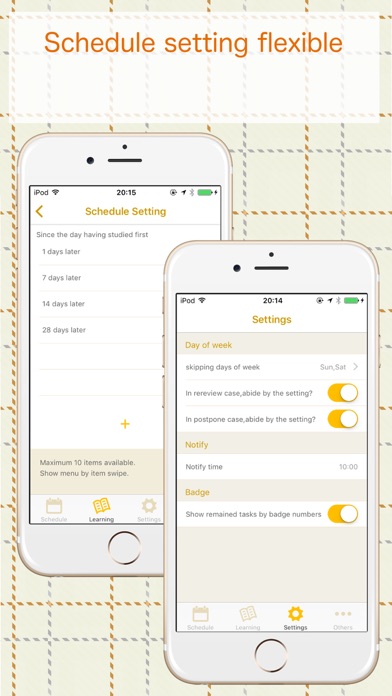
・Schedule day to review so as not to forget completely what you studied ・Notify when there is a day to review. ・You can freely set review dates like 1 day, 7 days, 14 days and 24 days (every 24 days thereafter).
## Usage
1. Register a book to study (name, image, number of pages, basic schedule etc.) 2. Tap on the registered book and register the learning record you did. (Start page, end page, etc.) 3. The review schedule will be registered. 4. A checkbox will be displayed in the review schedule before today, so check it when the review is over. 5. If repeate of settings is on, the next schedule will be automatically registered after checking.
## Useful functions
Schedule swipe menu * [Rereview]… It will add a schedule if you want to review the same place only tomorrow. * [PostPone]… It will postpone the schedule for tomorrow.
Menu by the day * [Postpone one day] … All schedules of that day will postpone to the next day. * [Shit one day] … All schedule after that day will be delayed a day.
## Guide
https://kamusoft.jp/reviewnote/
## About the premium version
There are the privileges the following once you purchase the premium version:
* Removing the advertisement. * To create categories unlimitedly. * To create my schedules unlimitedly. * To create schedule days unlimitedly. * To use all reorder key for book selection page.
If you first purchase the premium, you can try it for a month free. If you cancel in the trial period, you will not cost using it. Otherwise, the premium period will be automatically renewed, and the payment will occur.
The charge of the premium version is billed by your iTunes account. The premium version period will be automatically renewed. If it is until before 24 hours of the end of the current period, you can cancel auto-renewal of the subscription.
## Cancel the subscription
If you want to cancel the subscription, please tap 'Open subscriptions management' to continue the process of cancelation. This page can be also open on the iPhone settings the following: Your name -> iTunes & App Store -> Tap Apple ID -> View Apple ID -> Subscriptions
Each subscription will automatically renew 3 days before the expiration date for
the same time period. Subscriptions can be cancelled at any time before the renewal.