
RichScan: PDF Scanner & Sign
RichScan: PDF Scanner & Sign is made and published by Serhii Borychev. AppBrain is an independent app data site and isn't affiliated with Serhii Borychev. The app name, icon, screenshots and description belong to Serhii Borychev and are shown as published on the App Store.
AppBrain's verdict
- Rating on App Store
- 4.75
- 81 ratings
- Last updated
- September 18, 2025
- Size
- 55.7 MB
It doesn't have enough ratings yet to judge what users think.
User feedback
Ratings and reviews on the App StoreComments on RichScan: PDF Scanner & Sign for iOS
We don't have enough comments to show example comments. Please check back later.
Store listing
By Serhii Borychev, from the App Store


Description by Serhii Borychev Written by the developer, not by AppBrain. Click to read.
GoodScan is your all-in-one solution for scanning, editing, compressing, and organizing documents and images with ease. Say goodbye to clutter and boost your productivity with GoodScan’s powerful features.
Easily convert Microsoft Office word to PDF and keep all your important documents in one place. GoodScan is your go-to mobile solution for business productivity on the go. With GoodScan, you can scan any paper document, edit and convert it to PDF or other formats in seconds. Fill forms, sign them with your signature, and securely share – all from your phone. This powerful scanner, editor, and converter lets you manage PDF files effortlessly. Whether you need to fill, sign, or organize documents, GoodScan has you covered.
Key Features
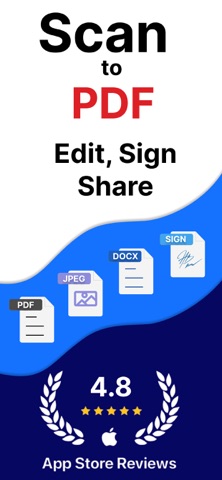
- **Scan** – Turn your device into a high-performance scanner. Capture documents, receipts, and photos with exceptional clarity.
- **Edit** – Enhance documents and images with brightness, contrast, and other adjustment tools for perfect readability.
- **OCR (Optical Character Recognition)** – Convert scanned documents and images into editable and searchable text. Extract text effortlessly and save time on manual input.
- **Text Editor** – Edit and format documents directly in the app. Create, modify, and save text files without the need for additional software.
- **Microsoft Word Support** – Open, edit, and save DOCX and DOC files seamlessly. Work with Word documents on the go.
- **Sign** – Create and add digital signatures for fast and secure document signing.
- **Resize** – Adjust document and image sizes for optimized sharing, printing, or storage without losing quality.
- **Compress** – Reduce file sizes while maintaining quality. Optimize documents and images for faster uploads and seamless sharing.
- **Organize** – Keep your files structured. Create folders and manage documents efficiently for quick access.
- **Share** – Instantly send documents via email, messaging apps, or cloud storage, including Google Drive integration for easy file management.
- **PDF & ZIP Support** – Open and manage PDF and ZIP files directly in the app.
GoodScan simplifies document and image management, giving you full control over scanning, editing, and organizing files in one place. With advanced PDF editing tools, watermark support, and OCR capabilities, it's the ultimate solution for professionals and everyday users alike.
Download GoodScan now and streamline your workflow!
PREMIUM SUBSCRIPTION
-You can subscribe to get unlimited access to all features of the GoodScan app.
-Subscriptions are billed weekly, monthly, quarterly, or annually at the rate based on the subscription plan.
-Payment will be charged to iTunes Account at confirmation of purchase.
-Subscription renews automatically unless auto-renew is turned off at least 24 hours before the end of the current period.
-Account will be charged for renewal within 24 hours prior to the end of the current period. The cost depends on the selected plan.
-Subscriptions may be managed by the user, and auto-renewal may be turned off by going to the user's Account Settings after purchase.
-Any unused portion of the free trial will be forfeited when the user purchases a subscription.
GoodScan is an independent application and is not affiliated with, endorsed by, or in any way officially connected to Microsoft Corporation. Microsoft Word, Excel, and other Microsoft products are trademarks or registered trademarks of Microsoft Corporation. GoodScan simply provides tools to view, edit, and manage documents compatible with DOCX and other common formats.
For Terms of Use, please visit
https://sites.google.com/view/paperwork-terms-and-conditions/
For Privacy Policy, please visit
https://sites.google.com/view/paperwork-privacy-policy/
Safety and technology
Found in the app by AppBrain- Price
- Free
- App size
- 55.7 MB
- Content rating
- Everyone
Technologies used by RichScan: PDF Scanner & Sign
Releases
Updates seen on the App Store- Version
- 5.1.9
- Launched
- May 2024
No changelog data
Alternatives
Similar apps and more from Serhii BorychevAlternatives to RichScan: PDF Scanner & Sign


More from Serhii Borychev







Rankings
App Store top chartsApp Store Rankings for RichScan: PDF Scanner & Sign
About the app and developer
About RichScan: PDF Scanner & Sign
RichScan: PDF Scanner & Sign is a productivity app developed by Serhii Borychev.
User Ratings
RichScan: PDF Scanner & Sign is rated 4.75 out of 5 stars. The rating is based on 81 ratings.
App Information
RichScan: PDF Scanner & Sign is freely available from the App Store. The app size is 55.70 MB. The latest version available is 5.1.9. The last update was on September 18, 2025.
Technical Requirements
The app has a content rating of Everyone. The app has been available on the App Store since May 2024.
Developer information for Serhii Borychev
Address:
Frequently asked questions about RichScan: PDF Scanner & Sign
Is RichScan: PDF Scanner & Sign free?
Yes. RichScan: PDF Scanner & Sign is free on the App Store.
Is RichScan: PDF Scanner & Sign still available?
Yes. RichScan: PDF Scanner & Sign is on the App Store, and the last update we saw was on September 18, 2025.
How large is RichScan: PDF Scanner & Sign?
RichScan: PDF Scanner & Sign is 55.70 MB.
Is RichScan: PDF Scanner & Sign suitable for children?
App Store rates the content of RichScan: PDF Scanner & Sign as suitable for everyone.
How do people rate RichScan: PDF Scanner & Sign?
RichScan: PDF Scanner & Sign scores 4.75 out of 5 stars, from 81 ratings on the App Store.
Who made RichScan: PDF Scanner & Sign?
RichScan: PDF Scanner & Sign was developed by Serhii Borychev. It is listed in the productivity category on the App Store.
What are the best alternatives to RichScan: PDF Scanner & Sign?
People looking at RichScan: PDF Scanner & Sign also look at these productivity apps: Translytor - find a translator, YOULOG ELD, Compress PDF reduce pdf size, East Charlotte Nissan Connect, Chat AI Assistant.