

RICOH Support Station
RICOH Support Station is made and published by Ricoh Co., Ltd. AppBrain is an independent app data site and isn't affiliated with Ricoh Co., Ltd. The app name, icon, screenshots and description belong to Ricoh Co., Ltd. and are shown as published on the App Store.
AppBrain's verdict
- Last updated
- December 3, 2025
Rankings
App Store top chartsApp Store Rankings for RICOH Support Station
Competitors
Similar apps and more from Ricoh Co., Ltd.Alternatives to RICOH Support Station






More from Ricoh Co., Ltd.







Releases
Updates seen on the App Store- Version
- 2.1.4
- Launched
- February 2022
No changelog data
User feedback
Ratings and reviews on the App StoreComments on RICOH Support Station for iOS
We don't have enough comments to show example comments. Please check back later.
Technology
Found in the app by AppBrain- Price
- Free
- App size
- 65.9 MB
- Content rating
- Everyone
Technologies used by RICOH Support Station
About the app and developer
About RICOH Support Station
RICOH Support Station is a productivity app developed by Ricoh Co., Ltd.
User Ratings
The app has no ratings yet.
App Information
RICOH Support Station is freely available from the App Store. The app size is 65.86 MB. The latest version available is 2.1.4. The last update was on December 3, 2025.
Technical Requirements
The app has a content rating of Everyone. The app has been available on the App Store since February 2022.
Developer information for Ricoh Co., Ltd.
Address:
Store listing
By Ricoh Co., Ltd., from the App Store




Description by Ricoh Co., Ltd. Written by the developer, not by AppBrain. Click to read.
You can directly access easy setup guide, check the machine’s status and toner levels, and order supplies from your smart device.
RICOH Support Station also navigates you to find answers to your questions about your printer or MFP.
Main features
Easy printer or MFP setup guide:
- Provides guidance for every step of the process from unboxing, loading paper and installing toner or ink for ready to use.
Network setting guide and registration on your smart device:
- Provides guidance on how to connect your printer or MFP to network.
- Automatically searches for your printer or MFP to register it on RICOH Support Station App.
*Your smart device and printer or MFP must be connected to the same network.
Printer driver installation guide:
- Provides guidance to a website to download printer drivers to your PC.
Printing:
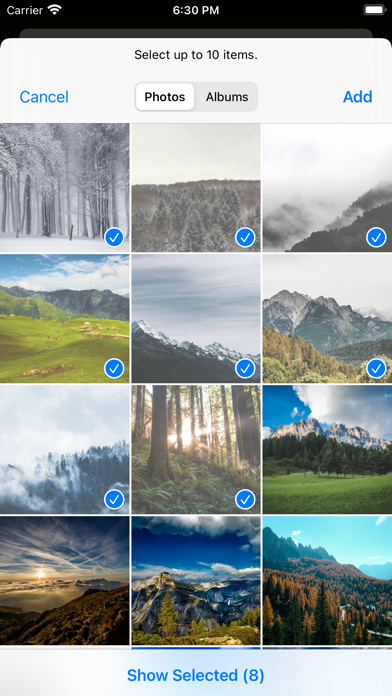
- Available to print documents and photos stored locally in your device or in OneDrive, Dropbox, Google Drive or Box.
Scanning:
- Available to save scanned documents and photos to your device.
- Available to share scanned documents and photos with other apps.
Checking printer or MFP status and toner or ink levels:
- Available to check how much toner remains.
- When it is almost depleted, a message notifies that a replacement toner is required.
Easy supply ordering guide:*
- Guides you access to ordering page for replacement toner.
*Pre-registration is required.
*This function may not be available in some regions.
Troubleshooting guide of your printer or MFP
- Guides you to access FAQ or operating manual of the registered printer or MFP.
Supported languages:
- English, French, German, Italian, Spanish, Dutch, Japanese
For details, please refer to the following URL:
https://www.ricoh.com/software/support-station/gateway