

RokuMate - Remote for RokuTV
RokuMate - Remote for RokuTV is made and published by BTB Tech, Inc. AppBrain is an independent app data site and isn't affiliated with BTB Tech, Inc. The app name, icon, screenshots and description belong to BTB Tech, Inc and are shown as published on the App Store.
AppBrain's verdict
- Rating on App Store
- 4.34
- 41 ratings
- Last updated
- October 22, 2025
It doesn't have enough ratings yet to judge what users think.
Rankings
App Store top chartsApp Store Rankings for RokuMate - Remote for RokuTV
Competitors
Similar apps and more from BTB Tech, IncAlternatives to RokuMate - Remote for RokuTV







More from BTB Tech, Inc


Releases
Updates seen on the App Store- Version
- 1.1.3
- Launched
- December 2023
No changelog data
User feedback
Ratings and reviews on the App StoreComments on RokuMate - Remote for RokuTV for iOS
We don't have enough comments to show example comments. Please check back later.
Technology
Found in the app by AppBrain- Price
- Free
- App size
- 49.9 MB
- Content rating
- Everyone
Technologies used by RokuMate - Remote for RokuTV
About the app and developer
About RokuMate - Remote for RokuTV
RokuMate - Remote for RokuTV is an utilities app developed by BTB Tech, Inc.
User Ratings
RokuMate - Remote for RokuTV is rated 4.34 out of 5 stars. The rating is based on 41 ratings.
App Information
RokuMate - Remote for RokuTV is freely available from the App Store. The app size is 49.89 MB. The latest version available is 1.1.3. The last update was on October 22, 2025.
Technical Requirements
The app has a content rating of Everyone. The app has been available on the App Store since December 2023.
Developer information for BTB Tech, Inc
Address:
Store listing
By BTB Tech, Inc, from the App Store


Description by BTB Tech, Inc Written by the developer, not by AppBrain. Click to read.
Friendly interface, easy to use for everyone, and connect to Roku TV quickly.
This RokuMate - Remote Control for Roku TV app helps to access movies, music, and TV shows easily. It supports a trackpad to swipe and touch gestures for easier navigation.
Just connect your iPhone/iPad and Roku TV to the same Wi-Fi network, you can use the remote control to manage TV channels, change volume, text input, voice input, and cast videos and photos to your Roku TV.
* Main feature:
- Automatically search for Roku TV devices on the same Wi-Fi network
- Control the TV with intuitively designed Menu and navigation keys, easily launch channels with just one touch.
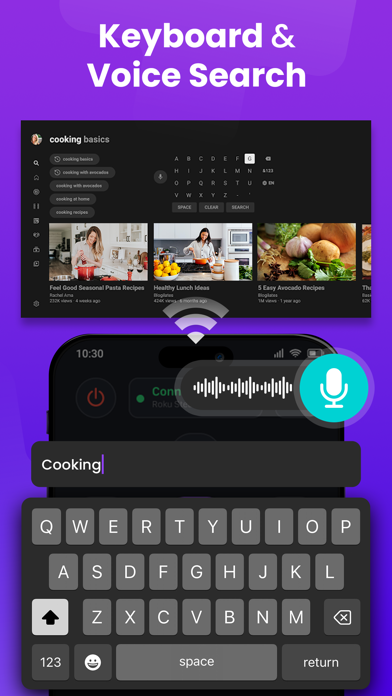
- The keyboard, and voice feature make it easier to enter text and search on your Roku device.
- Navigate with Touchpad like a real remote control.
- Streaming photos or videos from the iPhone/iPad library to Roku TV screen.
- Launch channels directly: Youtube, Apple TV, Ted, WWE Network...
- Adjust volume, change TV channels on Roku TV
- Compatible with every Roku models including Roku 1, Roku 2, Roku 3, Streaming Stick, Express, Express+, Premiere, Premiere+, Ultra, Roku TV
* How to connect to Roku TV:
1. Make sure your Roku TV and your iPhone/iPad are connected to the same Wi-Fi network.
2. Open the RokuMate app on your iPhone/iPad
3. Tap the "Choose a device" button on the top of the screen
4. Select your Roku TV you want
5. Select the features you want to use: Remote, Touchpad, Cast, Channel, Setting
Links to our Terms of Service and Privacy Policy can be found below:
https://sites.google.com/view/btb-ios-group/
ToS: https://sites.google.com/view/btb-ios-group-tos/
* Disclaimer:
BTB Tech, Inc is not an affiliate of Roku and the RokuMate app is not an official Roku product.