
rooomScan - 3D Scan App
rooomScan - 3D Scan App is made and published by rooom AG. AppBrain is an independent app data site and isn't affiliated with rooom AG. The app name, icon, screenshots and description belong to rooom AG and are shown as published on the App Store.
AppBrain's verdict
Established- Rating on App Store
- 2.00
- 1 ratings
- Last updated
- March 14, 2024
It doesn't have enough ratings yet to judge what users think.
Rankings
App Store top chartsApp Store Rankings for rooomScan - 3D Scan App
Competitors
Similar apps and more from rooom AGAlternatives to rooomScan - 3D Scan App

More from rooom AG

Releases
Updates seen on the App Store- Version
- 1.4
- Launched
- May 2021
No changelog data
User feedback
Ratings and reviews on the App StoreComments on rooomScan - 3D Scan App for iOS
We don't have enough comments to show example comments. Please check back later.
Technology
Found in the app by AppBrain- Price
- Free
- App size
- 7.82 MB
- Content rating
- Everyone
Technologies used by rooomScan - 3D Scan App
About the app and developer
About rooomScan - 3D Scan App
rooomScan - 3D Scan App is a photo & video app developed by rooom AG.
What is the rating of rooomScan - 3D Scan App?
rooomScan - 3D Scan App is rated 2.00 out of 5 stars, based on one rating ratings.
Is rooomScan - 3D Scan App free?
rooomScan - 3D Scan App is free. The app size is 7.82 MB. The latest version available is 1.4. The last update was on March 14, 2024.
What are the requirements for rooomScan - 3D Scan App?
The app has a content rating of Everyone. The app has been available on the App Store since May 2021.
Developer information for rooom AG
Address:
Store listing
By rooom AG, from the App StoreDescription by rooom AG Written by the developer, not by AppBrain. Click to read.
Turn your mobile device into a 3D tool for:
- Very easy creation of 3D models from photos
- Guided scanning of objects for 3D model creation
- Creation of augmented reality content
- Viewing 3D models
- Create 3D models for embedding on websites
- Create 3D content to share via social media or email
How does the 3D Scan app work?
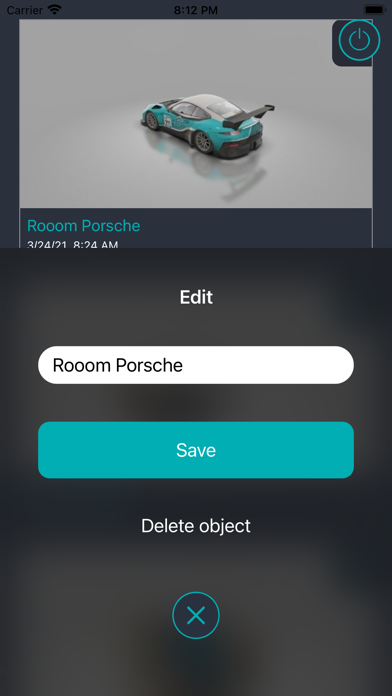
By moving your smartphone or tablet around your object, you allow the scan app to cap-ture it from every possible perspective. Don't worry, the app will guide you through the process step by step. Once you're satisfied with the resulting photos, you give them an object name, such as "green chair," and click to upload them to the rooom system. After just a few minutes, a finished 3D model of your object has been created from your photos and is waiting for you in the app. Now you can freely rotate the 3D model, zoom in and out, and take it digitally with you wherever you go.
What do you have to watch out for when scanning?
Objects with transparent or reflective surfaces are not suitable for scanning. Also, objects smaller than 3 cm cannot be scanned properly by your mobile device as a 3D scanner. The maximum scanning distance should not exceed 5 meters.