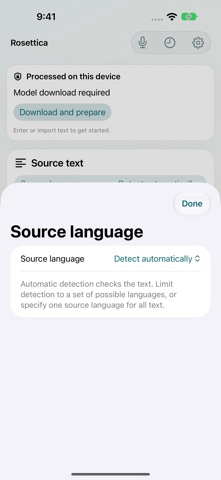
Rosettica is freely available from the App Store. The app size is 70.96 MB. The latest version available is 1.2.17. The last update was on November 7, 2026.
Technical Requirements
The app has a content rating of Everyone. The app has been available on the App Store since March 2026.
Rosettica is made and published by
智敏 焦.
AppBrain is an independent app data site and isn't affiliated with 智敏 焦.
The app name, icon, screenshots and description belong to 智敏 焦 and are shown as published on the App Store.
Description by 智敏 焦(from the App Store)
One input. Many languages.
Rosettica helps you translate text into several languages on iPhone, iPad and Mac. Choose where translation happens: on your device, on a nearby Mac, or on a translation server you configure.
TRANSLATE YOUR WAY Choose your source language or use automatic detection. Select several target languages and save combinations for work, study or everyday use. Follow each language's progress, stop a task, retry a failed translation and keep results that have already finished.
START WITH TEXT, PHOTOS OR FILES Paste text, import text and image files, or extract text from photos. On iPhone and iPad, capture text with the camera and review the recognized words before translating. Send text from other apps to Rosettica, then review it in the app.
KEEP YOUR WORK ORGANIZED Search translation history, mark favorites and reuse earlier inputs. Copy, export and share completed results. Add glossary terms to specify preferred translations for exact phrases. Optional iCloud backup lets you back up and restore your history.
A WORKSPACE FOR EACH DEVICE Use a touch-friendly layout on iPhone and iPad. On Mac, work with source text and translations side by side, keep your main actions within reach and expand the editor when you need more room.
SPEAK AND LISTEN Use speech recognition, translation and system voices in conversation mode. Speech recognition may require an internet connection, and available languages and voices depend on your device and Apple services.
CHOOSE WHERE YOUR TEXT GOES On-device text translation runs locally after the required model has been downloaded and prepared on a compatible device. Nearby-Mac mode sends text to the Mac you pair with on your local network. Remote mode sends text to the server you select; its operator determines processing and retention. The app identifies the selected processing location so you can choose the workflow that suits your content.
On-device translation requires a compatible device, an initial model download and sufficient free storage. Rosettica checks readiness before preparation. Camera input is available on iPhone and iPad. Network-based translation requires an available Mac or configured server; translation quality depends on the selected model and language.
Each subscription will automatically renew 3 days before the expiration date for
the same time period. Subscriptions can be cancelled at any time before the renewal.