

S-Mode Camera
S-Mode Camera is made and published by Fotograf Goran Strand AB. AppBrain is an independent app data site and isn't affiliated with Fotograf Goran Strand AB. The app name, icon, screenshots and description belong to Fotograf Goran Strand AB and are shown as published on the App Store.
AppBrain's verdict
- Last updated
- September 25, 2026
- Size
- 3.38 MB
User feedback
Ratings and reviews on the App StoreComments on S-Mode Camera for iOS
We don't have enough comments to show example comments. Please check back later.
Store listing
By Fotograf Goran Strand AB, from the App Store


Description by Fotograf Goran Strand AB Written by the developer, not by AppBrain. Click to read.
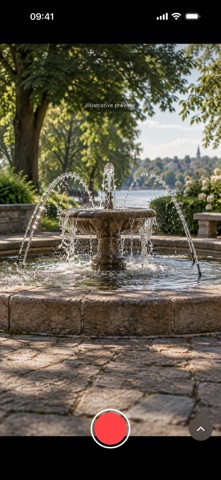
S-Mode Camera brings shutter priority to your iPhone, for photos and video. Choose the shutter speed you want and keep it under your control. The app adjusts ISO automatically as the light changes, within your camera's limits.
FREEZE A MOMENT. OR LET IT FLOW.
Use a fast shutter to reduce motion blur in moving people, pets, sport or handheld video. Use a slower shutter for flowing water, light trails and deliberate movement. Photo exposures reach 1 second on supported cameras; fast settings reach 1/8000 second where available. Video shutter times also depend on frame rate.
S-mode puts the creative decision in your hands without making you balance shutter speed and ISO manually. A fast video shutter can make individual frames clearer, while a slower one gives movement more blur. You decide what suits the scene.
YOUR SHUTTER, WITH A LITTLE HELP
Scroll or tap the shutter wheel. Each step gives a subtle haptic tick, and the selected time stays centred in its yellow frame. Photo and Video remember separate shutter speeds.
The live exposure meter shows brightness relative to your chosen EV target. Tap the white Auto button for a one-time shutter adjustment using the current light measurement. Then keep shooting with that time and automatic ISO. Adjust brightness from -2 to +2 EV in whole stops while keeping your selected shutter speed.
PHOTOS AND VIDEO, YOUR WAY
Choose HEIF for smaller photos or JPEG for wider compatibility. RAW and Apple ProRAW DNG are available on supported cameras, at resolutions that preserve your shutter setting.
Record video with sound in 4K, 1080p or 720p, with compatible frame rates up to 240 fps. Choose efficient HEVC or widely compatible H.264. High-frame-rate recordings play at normal speed, ready for editing.
The app discovers compatible options for each camera. Switch between available rear lenses, including native 2x where supported. RAW and ProRAW use physical cameras and are unavailable at 2x. Photo and video format preferences are saved separately.
FOCUS, COLOUR AND A CLEAR VIEW
Use continuous autofocus with face priority, tap for a focus point, or touch and hold to focus and lock. Keep white balance automatic or choose a lighting preset. Tap the format control for quick capture settings, or hide the controls to concentrate on your composition.
REVIEW WITHOUT LEAVING THE APP
Photos and videos save directly to Photos. Open the latest accessible library item from the thumbnail, including media from other apps. Swipe right for older items and left for newer ones. Double-tap a photo for 100% viewing, pinch to zoom, play video, share or delete with iOS confirmation. Tap Back or swipe down to return to the camera; zoom out first if the photo is enlarged.
PRIVATE BY DESIGN
No account, advertising, tracking or third-party analytics. Your media and location are not sent to the developer. Optional location tagging saves a recent position in Photos and is off by default. Library reading is optional; capture works without it. If a save fails, the original stays in the app for retry or retrieval in Files. Quick help and a support link are included.
Requires iOS 17 or later. Options depend on your iPhone, selected camera and capture mode. 24 MP and 48 MP photos are not available in this version. Fast shutters need enough light; high ISO can add noise. Long exposures need a steady phone or tripod for a sharp background. ISO limits may prevent the requested exposure. Shutter speed controls motion blur; it does not replace accurate focus or guarantee sharp images.
Safety and technology
Found in the app by AppBrain- Price
- $0.49
- App size
- 3.38 MB
- Content rating
- Everyone
Technologies used by S-Mode Camera
Releases
Updates seen on the App Store- Version
- 1.5
- Launched
- September 2026
No changelog data
Alternatives
Similar apps and more from Fotograf Goran Strand ABMore from Fotograf Goran Strand AB


Rankings
App Store top chartsApp Store Rankings for S-Mode Camera
About the app and developer
About S-Mode Camera
S-Mode Camera is a photo & video app developed by Fotograf Goran Strand AB.
What is the rating of S-Mode Camera?
S-Mode Camera has no ratings yet.
Is S-Mode Camera free?
S-Mode Camera costs $0.49. The app size is 3.38 MB. The latest version available is 1.5. The last update was on September 25, 2026.
What are the requirements for S-Mode Camera?
The app has a content rating of Everyone. The app has been available on the App Store since September 2026.
Developer information for Fotograf Goran Strand AB
Address: