

Safe + Password Manager
Safe + Password Manager is made and published by edv & medien GmbH. AppBrain is an independent app data site and isn't affiliated with edv & medien GmbH. The app name, icon, screenshots and description belong to edv & medien GmbH and are shown as published on the App Store.
AppBrain's verdict
- Last updated
- October 14, 2026
Rankings
App Store top chartsApp Store Rankings for Safe + Password Manager
Competitors
Similar apps and more from edv & medien GmbHMore from edv & medien GmbH


Releases
Updates seen on the App Store- Version
- 27.1
- Launched
- August 2018
No changelog data
User feedback
Ratings and reviews on the App StoreComments on Safe + Password Manager for iOS
We don't have enough comments to show example comments. Please check back later.
Technology
Found in the app by AppBrain- Price
- $17.99
- App size
- 12.5 MB
- Content rating
- Everyone
Technologies used by Safe + Password Manager
About the app and developer
About Safe + Password Manager
Safe + Password Manager is a productivity app developed by edv & medien GmbH.
What is the rating of Safe + Password Manager?
Safe + Password Manager has no ratings yet.
Is Safe + Password Manager free?
Safe + Password Manager costs $17.99. The app size is 12.52 MB. The latest version available is 27.1. The last update was on October 14, 2026.
What are the requirements for Safe + Password Manager?
The app has a content rating of Everyone. The app has been available on the App Store since August 2018.
Developer information for edv & medien GmbH
Address:
Store listing
By edv & medien GmbH, from the App Store


Description by edv & medien GmbH Written by the developer, not by AppBrain. Click to read.
• Manage your Passwords and Passkeys
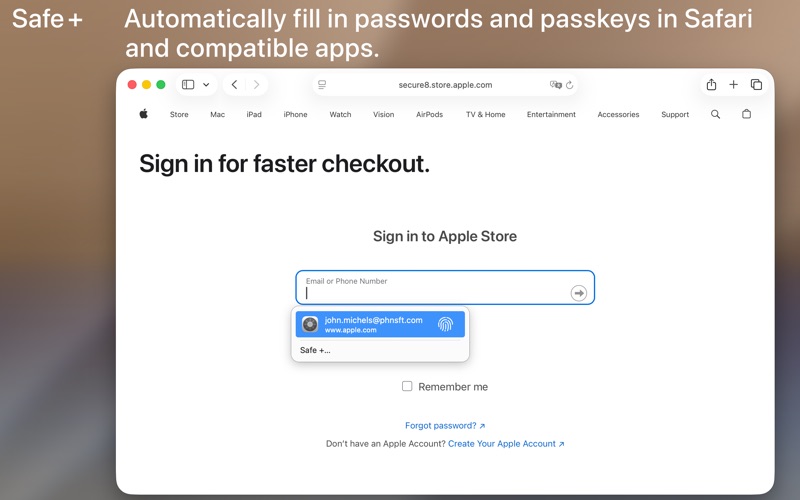
• AutoFill Passwords and Passkeys in Safari and Apps
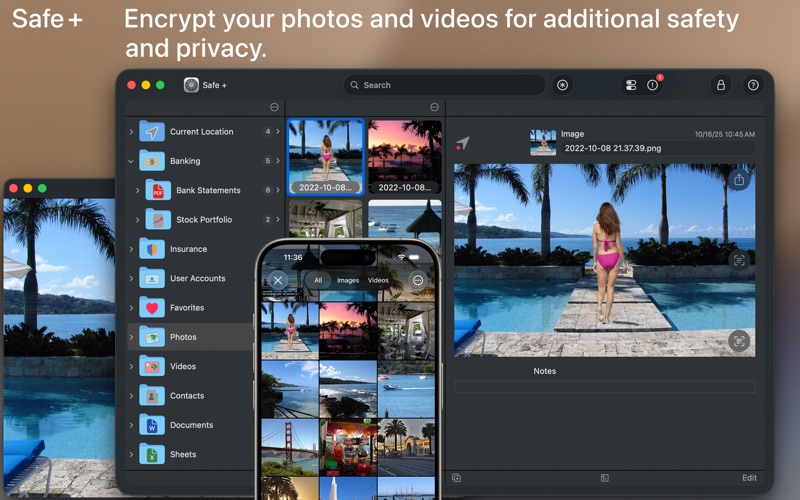
• Protect your Photos, Videos and Contacts
• Protect PDF, iWork and Office Documents
• Securely Synchronize your Data between your Mac, iPhone and iPad via WiFi
• Use Touch ID for fast Login
• Support for Two-Factor Authentication (2FA / TOTP)
• Generate Strong Passwords
• All Data is Encrypted Using Super-Secure 256-bit-AES
• Add Geofences to Items
• Access Items Nearby from the Widget
• Import Data from other Apps and Password Managers in CSV Format
Nowadays we all need passwords, PINs and TANs for almost everything we do: online banking and shopping, social networking and logging in to your computer, mobile devices, Wi-Fi routers and e-mail accounts.
Safe + helps you manage and organize your passwords and provides a mobile and secure place to keep them – at home, at work and on the move.
When you’re traveling, Safe + stores your health insurance data, screenshots of travel documents and boarding passes, and images of your passport, ID and credit cards. Safe + is also a secure wallet for membership, debit and loyalty cards, even QR codes - all securely stored as images in one safe place.
With the sophisticated features of Safe + all passwords, photos, videos, documents* and contacts can be quickly and easily added and protected.
All data is encrypted with 256-bit AES, so secure that even the NSA has certified this standard to secure the US government’s top-secret information. You couldn’t be safer than with Safe +.
Your data is always protected - even if your Mac is lost or stolen and the complexity of the algorithm used in Safe + ensures top-level protection against any attack.
Safe + is compatible with the Safe + version for iPhone and iPad that is separately available from the App Store!
Access to your data is guaranteed in an easy way anytime.
Safe + allows you to perform a comprehensive range of tasks:
∙ Protect your sensitive data with your password and strong encryption
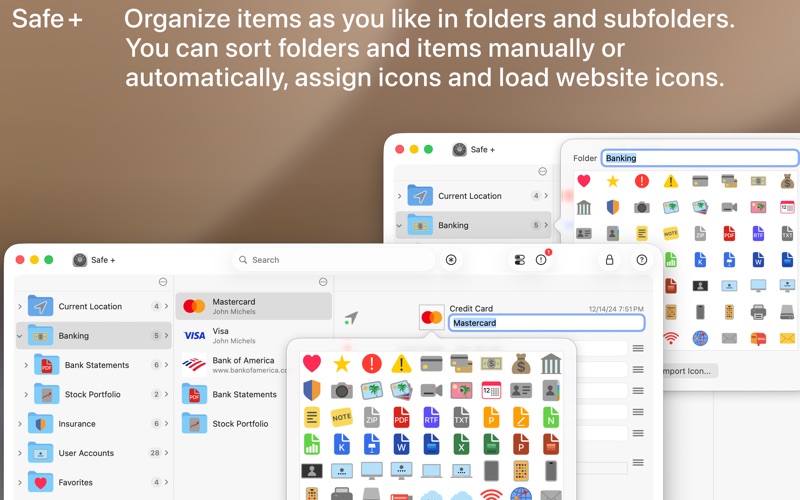
∙ Organize your data in as many folders as you want
∙ Use our handy templates for
Credit cards
Bank accounts
User accounts
Plain-text
Images
Videos
Documents*
Contacts
or easily create your own custom forms
∙ Add comments to any item
∙ Change, move and sort folders and items in a simple way
∙ Launch Safari directly from web addresses stored in Safe +
∙ Create encrypted backups for data security and to transfer or sync between devices
∙ Restore encrypted backups to a new or replacement device
* ZIP, PDF, RTF, TXT, iWork (Pages, Numbers, Keynote) and Office (Word, Excel, PowerPoint) documents are supported.