AppBrain
AppBrain
  • Apps
  • Apps being viewed right now Trending apps today Most popular apps All-time most installed apps Top rated apps iPhone and iPad apps
  • Intelligence ▾
    Intelligence overview → Track any Android app or your whole market
    Track & analyze
    Keyword Tracker & OptimizerTrack & improve Play rankings App Performance ReportOne-off PDF for any app StatisticsFree Android & Play market stats
    Promote your app
    Featured Apps App Links
  • Intelligence
  • Pricing
  • Dashboard
  • Sign up
  • Log in
App Store Apps > Education > SafeExamBrowser
SafeExamBrowser icon

SafeExamBrowser

3.7.2
ETH Zurich
1.63
51 reviews
Free

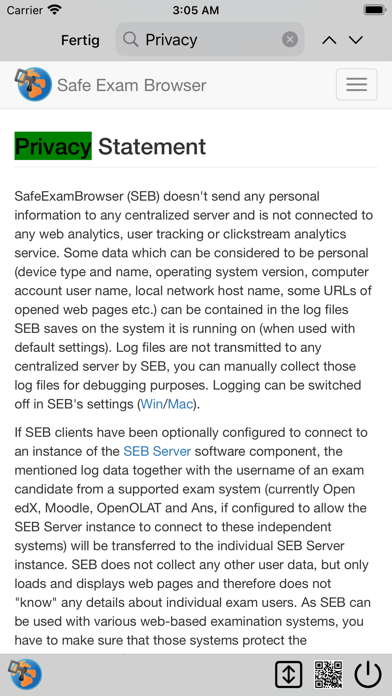
SafeExamBrowser Screenshot 1 of 8
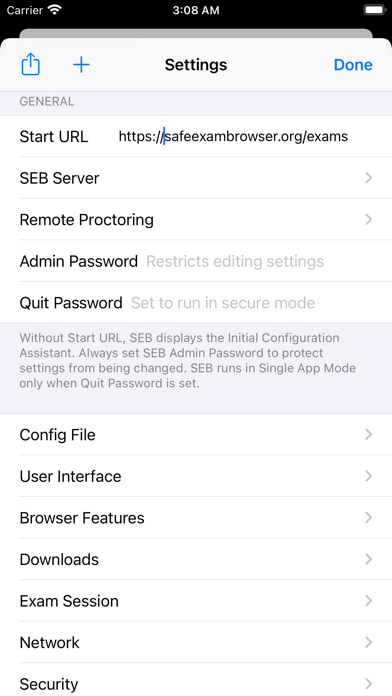
SafeExamBrowser Screenshot 2 of 8
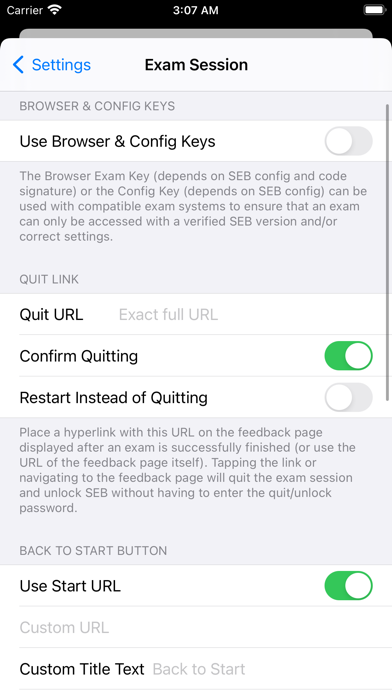
SafeExamBrowser Screenshot 3 of 8
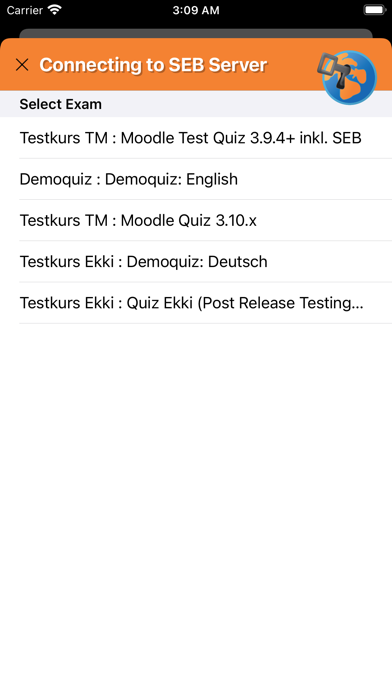
SafeExamBrowser Screenshot 4 of 8
SafeExamBrowser Screenshot 5 of 8
SafeExamBrowser Screenshot 6 of 8
SafeExamBrowser Screenshot 7 of 8
SafeExamBrowser Screenshot 8 of 8
Screenshots by ETH Zurich, from the the App Store listing
View on the App Store

AppBrain's verdict

EstablishedTop 10
Rating on App Store
1.63
51 ratings
Last updated
November 4, 2026
Size
59.3 MB

It doesn't have enough ratings yet to judge what users think. Its best ranking is #1 in Top Free, Education in Indonesia.

Official page on the App Store

Share SafeExamBrowser

User feedback

Ratings and reviews on the App Store

Comments on SafeExamBrowser for iOS

We don't have enough comments to show example comments. Please check back later.

Store listing

By ETH Zurich, from the App Store
Description by ETH Zurich Written by the developer, not by AppBrain. Click to read.
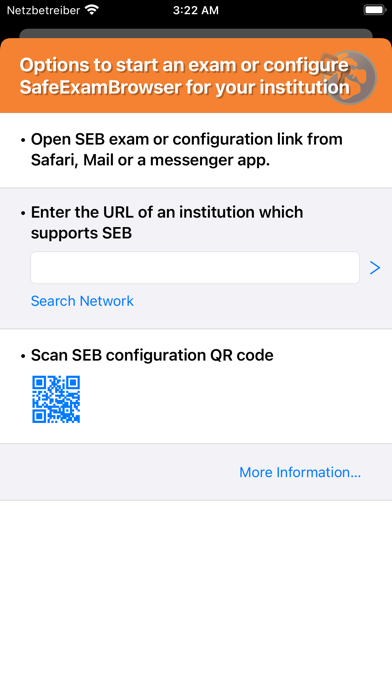
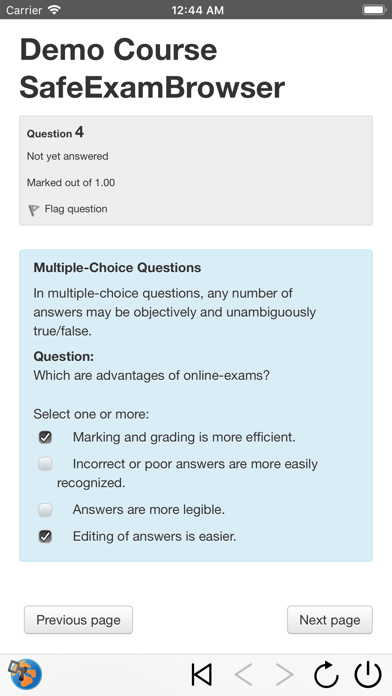
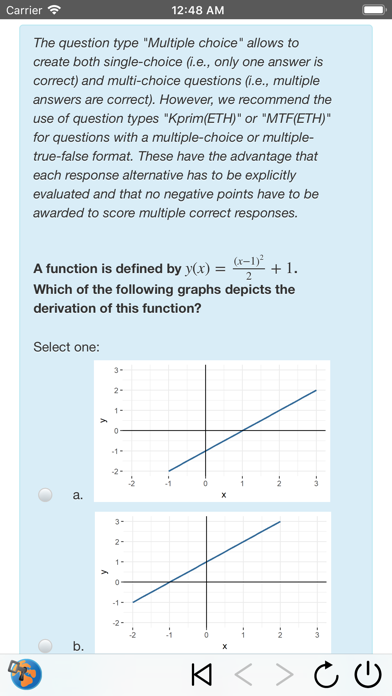
SafeExamBrowser (SEB) is a secure kiosk web browser environment used to carry out e-assessments that run on exam servers. SEB opens a web browser without an address and search bar, loads a pre-configured webpage and locks an iPad (or iPhone or iPod Touch) into an assessment kiosk mode. This mode prevents students from switching to other apps (unless additional permitted apps are configured), accessing websites and communicating with other students during an exam. SEB enables secure exams on unmanaged iOS devices like students' own iPads as well as on iOS devices owned and managed by an institution. SEB doesn't use a centralized server or cloud service; it can be configured with an API, configuration files, links and QR codes. It can be used with most web-based quiz and e-assessment systems. For improved security and usability, some exam systems provide additional built-in support for SEB. Currently, SEB integrates especially well with learning management systems (LMS) such as Moodle, OpenOlat, ILIAS and with several non-commercial and commercial exam systems, such as Inspera Assessment, Dugga, Exam.net, EvaExam and Ans.

SEB uses one of the single app modes provided by iOS. After an exam is submitted, SEB can automatically end the app self-lock assessment mode (an exam invigilator could also use a quit password to end the SEB exam session and unlock the device if necessary).

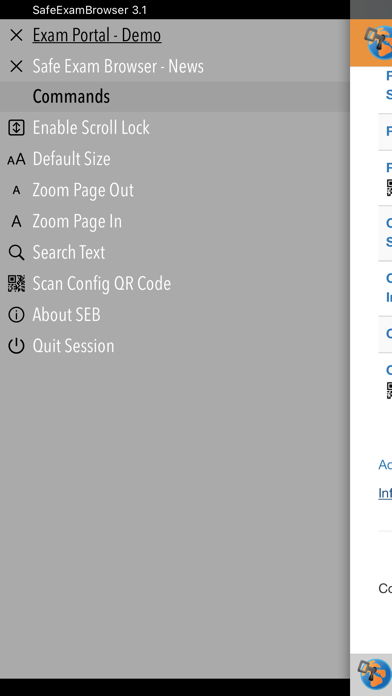
SEB features an optional Dock displaying buttons for various commands. Instead or in addition, a left slider menu shows a list of open browser tabs and commands which can be used to (if enabled in settings) quit an exam session, jump back to the start page of an exam, reload a web page, and navigate back/forward in the browsing history.

SEB for iOS uses the same format for encrypted .seb configuration files as the SEB versions for other platforms. Those config files allow to individually configure SEB to display the start page of an exam system or an exam portal page with a list of links to current exams. If SEB for iOS is installed using a mobile device management (MDM) system, its initial configuration can easily be deployed using the "MDM Managed Configuration" feature. You can also directly start an exam with an individual configuration in SEB for iOS using a special config hyperlink. This link can be opened by examinees from Safari, Mail or a messenger app. In addition, you can use QR codes containing SEB links or even full, individual configurations. An exam can directly be started in SEB by using the iOS Camera app or the built-in QR code scanner.

SEB also works together with Apple Classroom, teachers can start individually configured exams on all student devices. See https://safeexambrowser.org/ios for more information.


SafeExamBrowser for iOS was developed by Daniel R. Schneider, ETH Zurich, IT Services, based on the original idea of Safe Exam Browser by Stefan Schneider, University of Giessen
Project concept: Thomas Piendl, Daniel R. Schneider, Damian Büchel, Andreas Hefti, Nadim Ritter, Dirk Bauer, Michael Kern, Kai Reuter, Tobias Halbherr, Karsten Burger, Marco Lehre, Brigitte Schmucki, Oliver Rahs.

Safe Exam Browser is released as freeware. The code is subject to the Mozilla Public License Version 1.1 (the "License"); you may only use these files in compliance with the License. You may obtain a copy of the License at http://www.mozilla.org/MPL/ .

Important parts of this project have been carried out as part of the program "AAA/SWITCH – e-Infrastructure for e-Science" led by SWITCH, the Swiss National Research and Education Network and the cooperative project "Learning Infrastructure" (part of the CRUS program "Information scientifique: accès, traitement et sauvegarde") coordinated by SWITCH, and was supported by funds from the ETH Board and the State Secretariat for Education, Research and Innovation (SERI).

Safety and technology

Found in the app by AppBrain
Price
Free
App size
59.3 MB
Content rating
Everyone

Technologies used by SafeExamBrowser

Releases

Updates seen on the App Store
Version
3.7.2
Launched
June 2017

No changelog data

Alternatives

Similar apps and more from ETH Zurich

Alternatives to SafeExamBrowser

GeoGebra Classic icon GeoGebra Classic
GeoGebra GmbH
3.0
Free
78 ratings
Flashcards by NKO: Flash Cards icon Flashcards by NKO: Flash Cards
NKO Ventures, LLC
4.9
Free
2.1K ratings
Book Creator One icon Book Creator One
Tools for Schools Limited
3.4
Free
640 ratings
Socrative Student icon Socrative Student
Showbie Inc.
2.3
Free
630 ratings
Blinklearning icon Blinklearning
Blinklearning
3.7
Free
3 ratings
LockDown Browser icon LockDown Browser
Respondus Inc.
1.2
Free
4.0K ratings
Plugged In - PMTS icon Plugged In - PMTS
Robinsage
2.0
Free
10 ratings
QCPR icon QCPR
Laerdal Medical AS
2.6
Free
29 ratings

More from ETH Zurich

ETH polybox icon ETH polybox
ETH Zurich
5.0
Free
1 ratings
AR Osteoclasts icon AR Osteoclasts
ETH Zurich
0.0
Free
ETH Zurich icon ETH Zurich
ETH Zurich
0.0
Free
ETH Moodle icon ETH Moodle
ETH Zurich
0.0
Free
GTC Showcase icon GTC Showcase
ETH Zurich
0.0
Free

Rankings

App Store top charts
Highest rank
#1
Chart
Top Free
Education
Country
Indonesia

App Store Rankings for SafeExamBrowser

Top rankings

Rank Country Category List
1 Indonesia Education Top Free
54 Belgium Education Top Free
80 Portugal Education Top Free

Ranking history in Indonesia

About the app and developer

About SafeExamBrowser

SafeExamBrowser is an education app developed by ETH Zurich.

What is the rating of SafeExamBrowser?

SafeExamBrowser is rated 1.63 out of 5 stars, based on 51 ratings.

Is SafeExamBrowser free?

SafeExamBrowser is free. The app size is 59.34 MB. The latest version available is 3.7.2. The last update was on November 4, 2026.

What are the requirements for SafeExamBrowser?

The app has a content rating of Everyone. The app has been available on the App Store since June 2017.

SafeExamBrowser is made and published by ETH Zurich. AppBrain is an independent app data site and isn't affiliated with ETH Zurich. The app name, icon, screenshots and description belong to ETH Zurich and are shown as published on the App Store.

Developer information for ETH Zurich

ETH Zurich

Address:

Popular Education Apps Apps other people are watching Top new apps Today's trending apps Price drops on Google Play
GeoGebra Classic icon GeoGebra Classic
Flashcards by NKO: Flash Cards icon Flashcards by NKO: Flash Cards
Book Creator One icon Book Creator One
Socrative Student icon Socrative Student
Blinklearning icon Blinklearning
LockDown Browser icon LockDown Browser
Plugged In - PMTS icon Plugged In - PMTS
QCPR icon QCPR
Overview Alternatives Reviews Rankings Technology
AppBrain Intelligence premium content

Subscribe now to get full and unlimited access to AppBrain Intelligence. You'll have access to:

  • App Intelligence dashboard (performance timeline, competitor comparison, country rankings, insight cards)
  • Detailed ranking data per app
  • Full timeline per developer
  • Device market shares data per country
  • Unlimited keyword tracking
  • AI assistant access via MCP (Claude, Cursor or any MCP client)
1 Month

$75/mo
(billed every month)

SAVE 0%
Subscribe
3 Months

$65/mo
($195 billed every 3 months)

SAVE 13%
Subscribe
1 Year

$57.50/mo
($690 billed every year)

SAVE 23%
Subscribe
Each subscription will automatically renew 3 days before the expiration date for the same time period. Subscriptions can be cancelled at any time before the renewal.

AppBrain is an app data site, we track rankings, ratings, installs for all apps and games on Google Play and the App Store. AppBrain doesn't host app files or APKs, all install links go directly to the official store. All trademarks are owned by their respective owners.

More apps

  • Top Android apps being viewed
  • 100 Doors - Escape from Prison
  • Tap Tiles - Mahjong 3D Puzzle
  • Cryptogram - Word Puzzle Game

App statistics

  • Android statistics
  • Google Play Developer stats
  • Trending Android Apps
  • Trending iOS apps
  • Top popular Apps
  • Buy the best Android phone
  • Buy & sell app businesses

About AppBrain

  • Contact
  • Privacy
  • Documentation
  • DMCA takedowns
  • Blog
  • How to improve the earnings of your ad units
© 2010-2026 - AppBrain