Samson Health Parental Control
Samson Health Parental Control is made and published by Alexander Mikhaylov. AppBrain is an independent app data site and isn't affiliated with Alexander Mikhaylov. The app name, icon, screenshots and description belong to Alexander Mikhaylov and are shown as published on the App Store.
AppBrain's verdict
- Last updated
- March 12, 2025
Rankings
App Store top chartsApp Store Rankings for Samson Health Parental Control
Competitors
Similar apps and more from Alexander MikhaylovAlternatives to Samson Health Parental Control
More from Alexander Mikhaylov

Releases
Updates seen on the App Store- Version
- 1.1.23
- Launched
- March 2025
No changelog data
User feedback
Ratings and reviews on the App StoreComments on Samson Health Parental Control for iOS
We don't have enough comments to show example comments. Please check back later.
Technology
Found in the app by AppBrain- Price
- Free
- App size
- 115.1 MB
- Content rating
- Everyone
Technologies used by Samson Health Parental Control
About the app and developer
About Samson Health Parental Control
Samson Health Parental Control is a health & fitness app developed by Alexander Mikhaylov.
User Ratings
The app has no ratings yet.
App Information
Samson Health Parental Control is freely available from the App Store. The app size is 115.07 MB. The latest version available is 1.1.23. The last update was on March 12, 2025.
Technical Requirements
The app has a content rating of Everyone. The app has been available on the App Store since March 2025.
Developer information for Alexander Mikhaylov
Address:
Frequently asked questions about Samson Health Parental Control
Is Samson Health Parental Control free?
Yes. Samson Health Parental Control is free on the App Store.
Is Samson Health Parental Control still available?
Yes. Samson Health Parental Control is on the App Store, and the last update we saw was on March 12, 2025.
How large is Samson Health Parental Control?
Samson Health Parental Control is 115.07 MB.
Is Samson Health Parental Control suitable for children?
App Store rates the content of Samson Health Parental Control as suitable for everyone.
Who made Samson Health Parental Control?
Samson Health Parental Control was developed by Alexander Mikhaylov. It is listed in the health & fitness category on the App Store.
What are the best alternatives to Samson Health Parental Control?
People looking at Samson Health Parental Control also look at these health & fitness apps: Protein Tracker: Protein Panda, EmoxCare, Pill Buddy: Cute Med Reminders, Wellbeing Mood Tracker Journal, РЛС Энциклопедия лекарств.
Store listing
By Alexander Mikhaylov, from the App StoreDescription by Alexander Mikhaylov Written by the developer, not by AppBrain. Click to read.
The application consists of two types of clients: parent and child. Parents create tasks, and the child performs them. After completion, the child gets additional screen time. It can be morning exercises, jogging, warm-up or something else. We measured the child's pulse before and after completion, if the pulse increased and the child completed the task, then the screen time will increase and the parent will receive a notification.
The Samson Parental Health Control application provides a large set of useful functions that ensure the safety of family health and parental control over the child by phone.
Main functions:
• Blocking any apps that are installed on the child's phone. When the screen time you allow is over, the child will not be able to access games, social networks and other applications.
• Set a schedule for the phone's screen time or limit the use of the phone for family time, set bedtime and study time.
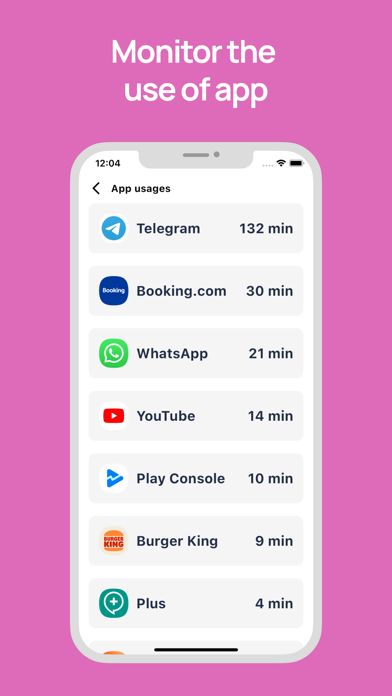
• View your phone's screen time statistics to keep track of your child on the phone.
• Come up with interesting physical tasks. For example, morning exercises will add 30 minutes of extra screen time to your child. Jogging will add another 1 hour. As a result, your child grows up healthy and you don't worry about his excessive use of gadgets.
Install this app on your phone as well as on your child's phone. After installing the app on your child's device, you will be able to remotely monitor the child on the phone. Your child's phone should be able to transmit data over the network to send and receive setup commands and notifications.
The application is designed exclusively for the protection of children. If the application is used for other purposes, the company disclaims responsibility for the consequences.
Feedback:
If you have any problems or questions, you can always contact our support team: bankrot6@google.com
Permissions:
• This app uses the permission of the device administrator so that your children cannot delete the app.
• The application requires the permission of the Accessibility Service, which allows you to block unnecessary applications when the child runs out of screen time. The Accessibility Service permission is also used to detect attempts to delete an application.
• This app uses permission to monitor app usage statistics. So that mv can calculate the amount of screen time spent.
• This app uses the permission to always be on top. This allows the application to work constantly, collect and transmit relevant data about the child to the parent.
Subscriptions:
• Weekly - allows you to use the app for one parent and 3 children
• Monthly - Allows you to use the app for two parents and 6 children
• Annual - allows you to use the app without restrictions, it can be more than 10 children for any number of parents
If you upgrade to a Premium subscription, Apple will charge your account at confirmation of purchase. Subscription automatically renews unless auto-renew is turned off at least 24 hours before the end of the current period. Apple will charge your account for renewal 24 hours before the end of the current period.
You may cancel automatic renewal and manage your subscription by selecting Manage App Subscriptions in your Apple Account settings and selecting the subscription you want to modify. Any unused portion of a free trial period, if offered, will be forfeited when you purchase a Premium subscription, where applicable.
PRIVACY POLICY - https://bit.ly/41FBJUF
TERMS & CONDITIONS - https://bit.ly/4kAAXB3