


AppBrain's verdict
- Last updated
- March 15, 2024
- Size
- 64.5 MB
User feedback
Ratings and reviews on the App StoreComments on SAYANA OCR for iOS
We don't have enough comments to show example comments. Please check back later.
Store listing
By RAWATTECH CONSULTING & SOLUTIONS PRIVATE LIMITED, from the App StoreDescription by RAWATTECH CONSULTING & SOLUTIONS PRIVATE LIMITED Written by the developer, not by AppBrain. Click to read.
With easy to use interface of this application to scan, recognize and convert handwritten documents into digital text. Handwritten documents like notes, letters, class notes, meeting minutes, shopping lists etc can now be scanned and converted, by our OCR engine, into text that can be edited and stored on the device with share feature.
The handwriting recogniton platform used by SAYANA OCR is designed to convert Japanese and English handwriting to text. It extracts handwritten lines or words or characters from scanned documents and converts into digital editable text string.
Recognizing the handwritten text is most powerful feature of SAYANA OCR application.
SAYANA OCR application is seamless in usage, fast and easy to use.
This is a perfect solution for students and professionals, to convert their handwritten class notes, meeting notes.
Kind Attention: The quality of results of the handwritten text recognition is dependent on the quality of your scan. For best results scan your document in a well lighted area, make sure the paper is straightened.
Key Features:
1. Image Text Extraction: Extracts text accurately from images, supporting both handwritten and printed text recognition with high precision.
2. Multi-language Support: Recognizes and processes text in multiple languages, enabling users to extract and translate content in diverse linguistic contexts.
3. Handwritten Text Recognition: Capable of identifying and transcribing handwritten text from images or documents, enhancing versatility in text extraction.
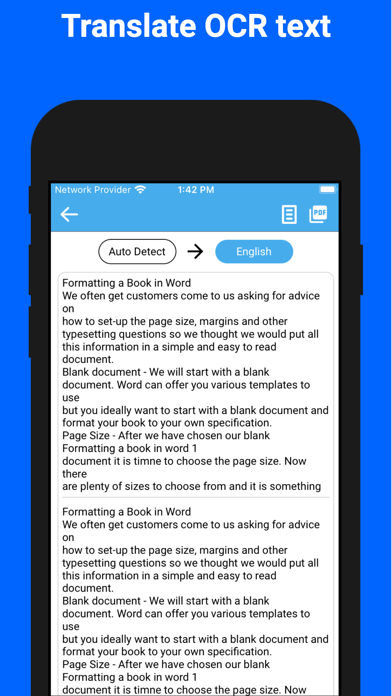
4. Translation Capabilities: Provides seamless text translation functionality, allowing users to translate the extracted text into various languages for broader accessibility and comprehension.
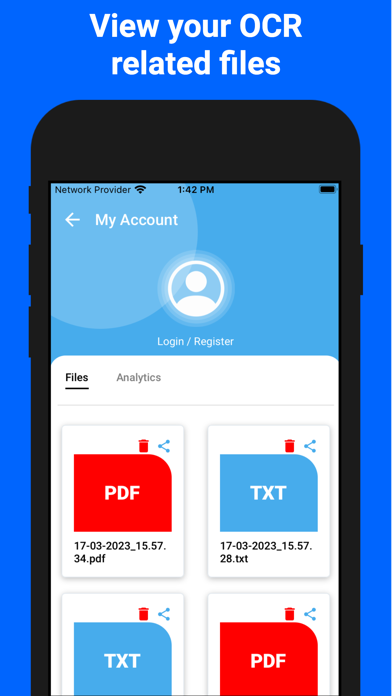
5. Output Formats: Enables users to save extracted text as PDF, DOC, or in other preferred formats for convenient storage and sharing purposes.
6. Batch OCR Processing: Supports batch processing, allowing users to extract text from multiple images simultaneously, improving efficiency and productivity.
7. User-friendly Interface: Intuitive interface for effortless navigation and easy text extraction, translation, and document saving/sharing functionalities.
8. OCR Accuracy: Utilizes advanced optical character recognition (OCR) algorithms to ensure high accuracy in text extraction, even from complex images or documents.
9. Sharing Functionality: Facilitates easy sharing of extracted text across various platforms and applications, enhancing collaboration and communication.
10. Offline Mode for Printed Text: Offers the capability to perform OCR tasks even without an internet connection, ensuring functionality in diverse environments.
We welcome all feedbacks and always happy to hear from our users.
While using SAYANA OCR application if you face any issue, please contact us at info@sayana-ai.com, so our team can provide you assistance and support.
For more information, visit our website: https://sayana-ai.com/
Download SAYANA OCR now, and start converting your paragraph text or handwritten notes to digital text!
Safety and technology
Found in the app by AppBrain- Price
- Free
- App size
- 64.5 MB
- Content rating
- Everyone
Technologies used by SAYANA OCR
Releases
Updates seen on the App Store- Version
- 1.7
- Launched
- March 2024
No changelog data
Alternatives
Similar apps and more from RAWATTECH CONSULTING & SOLUTIONS PRIVATE LIMITEDAlternatives to SAYANA OCR





Also available on Google Play

Rankings
App Store top chartsApp Store Rankings for SAYANA OCR
About the app and developer
About SAYANA OCR
SAYANA OCR is a productivity app developed by RAWATTECH CONSULTING & SOLUTIONS PRIVATE LIMITED.
What is the rating of SAYANA OCR?
SAYANA OCR has no ratings yet.
Is SAYANA OCR free?
SAYANA OCR is free. The app size is 64.55 MB. The latest version available is 1.7. The last update was on March 15, 2024.
What are the requirements for SAYANA OCR?
The app has a content rating of Everyone. The app has been available on the App Store since March 2024.
SAYANA OCR is made and published by RAWATTECH CONSULTING & SOLUTIONS PRIVATE LIMITED. AppBrain is an independent app data site and isn't affiliated with RAWATTECH CONSULTING & SOLUTIONS PRIVATE LIMITED. The app name, icon, screenshots and description belong to RAWATTECH CONSULTING & SOLUTIONS PRIVATE LIMITED and are shown as published on the App Store.
Developer information for RAWATTECH CONSULTING & SOLUTIONS PRIVATE LIMITED
Frequently asked questions about SAYANA OCR
Is SAYANA OCR free?
Yes. SAYANA OCR is free on the App Store.
Is SAYANA OCR still available?
Yes. SAYANA OCR is on the App Store, and the last update we saw was on March 15, 2024.
How large is SAYANA OCR?
SAYANA OCR is 64.55 MB.
Is SAYANA OCR suitable for children?
App Store rates the content of SAYANA OCR as suitable for everyone.
Who made SAYANA OCR?
SAYANA OCR was developed by RAWATTECH CONSULTING & SOLUTIONS PRIVATE LIMITED. It is listed in the productivity category on the App Store.
What are the best alternatives to SAYANA OCR?
People looking at SAYANA OCR also look at these productivity apps: Libraesva Email Archiver, Aspire: Stay.Live.Grow, Reader's Bench, ReaderView, Cursive Writing Reader: Camera.