

Scala Architectural Scale
Scala Architectural Scale is made and published by Noerah Alvi. AppBrain is an independent app data site and isn't affiliated with Noerah Alvi. The app name, icon, screenshots and description belong to Noerah Alvi and are shown as published on the App Store.
AppBrain's verdict
Established- Rating on App Store
- 4.58
- 24 ratings
- Last updated
- November 24, 2025
It doesn't have enough ratings yet to judge what users think.
Rankings
App Store top chartsApp Store Rankings for Scala Architectural Scale
Competitors
Similar apps and more from Noerah AlviAlternatives to Scala Architectural Scale



Releases
Updates seen on the App Store- Version
- 2.2
- Launched
- April 2016
No changelog data
User feedback
Ratings and reviews on the App StoreComments on Scala Architectural Scale for iOS
We don't have enough comments to show example comments. Please check back later.
Technology
Found in the app by AppBrain- Price
- Free
- App size
- 1.22 MB
- Content rating
- Everyone
Technologies used by Scala Architectural Scale
About the app and developer
About Scala Architectural Scale
Scala Architectural Scale is an utilities app developed by Noerah Alvi.
User Ratings
Scala Architectural Scale is rated 4.58 out of 5 stars. The rating is based on 24 ratings.
App Information
Scala Architectural Scale is freely available from the App Store. The app size is 1.22 MB. The latest version available is 2.2. The last update was on November 24, 2025.
Technical Requirements
The app has a content rating of Everyone. The app has been available on the App Store since April 2016.
Developer information for Noerah Alvi
Address:
Store listing
By Noerah Alvi, from the App Store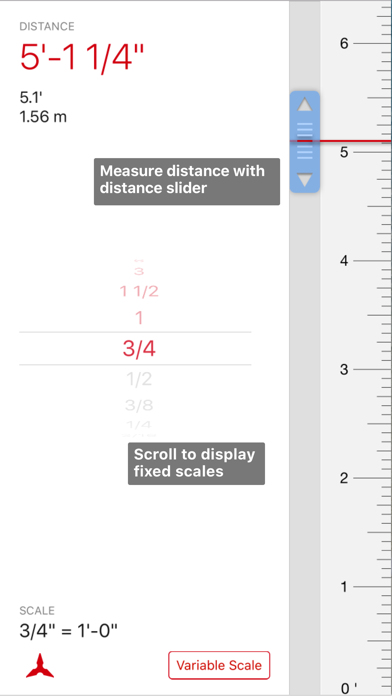
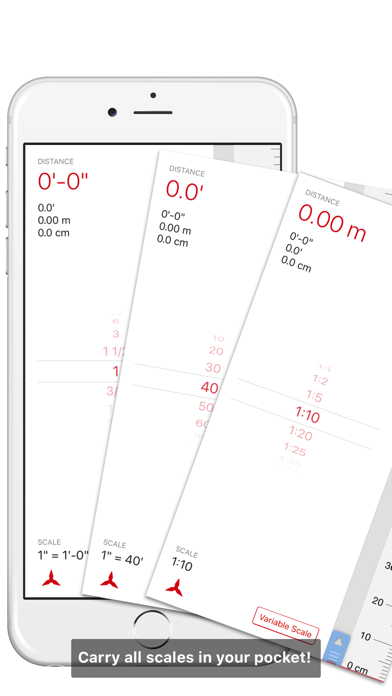
Description by Noerah Alvi Written by the developer, not by AppBrain. Click to read.
FIXED SCALES
If you know the scale of a drawing, place your device on the drawing, scroll to the scale of the printed drawing and watch the chosen scale slide in.
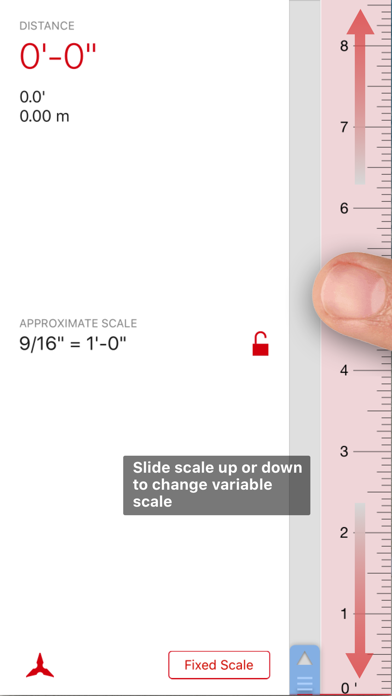
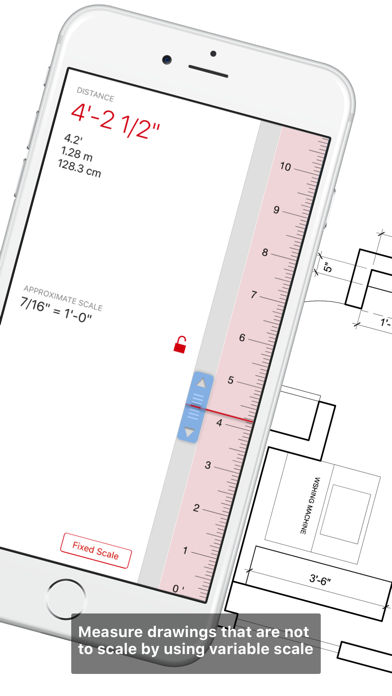
VARIABLE SCALES
If the scale of a drawing is unknown, slide your finger on the variable scale and match the scale of one known element, lock it and use it to measure all elements on that drawing.
MEASURING
Slide the measurement slider in fixed or variable scale modes, along the scale to see the desired measurement displayed.
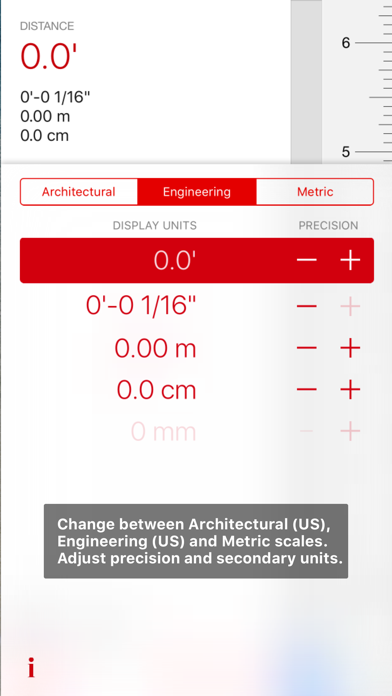
SECONDARY UNITS
Choose secondary units to be displayed while measuring, to quickly convert between metric, decimal feet and feet and inches.
PRECISION
Control the precision of the measurement units.
—-—
Scala Free Version includes:
ARCHITECTURAL
Fixed Scales: Full Scale (12”=1’-0”), 6”=1’-0”, 3”=1’-0”, 1 1/2”=1’-0”, 1”=1’-0”, 3/4”=1’-0”
Variable Scale Range: Between full scale and 1/32”=1’-0”
ENGINEERING
Fixed Scales: 1”=10’, 1”=20’, 1”=30’, 1”=40’, 1”=50’ and 1”=60’
Variable Scale Range: Between 1”=10’ and 1”=300’
METRIC
Fixed Scales: 1:1, 1:2, 1:5, 1:10, 1:20, 1:25
Variable Scale Range: Between 1:1 and 1:1000
Scala Full Version includes all scales above plus the following:
ARCHITECTURAL
Fixed Scales: 1/2”=1’-0”, 3/8”=1’-0”, 1/4”=1’-0”, 3/16”=1’-0”, 1/8”=1’-0”, 3/32”=1’-0”, 1/16”=1’-0”, 1/32"=1'-0"
ENGINEERING
Fixed Scales: 1"=80', 1"=100', 1"=200', 1"=300'
METRIC
Fixed Scales: 1:30, 1:40, 1:50, 1:75, 1:100, 1:125, 1:200, 1:250, 1:300, 1:400, 1:500, 1:1000
—-—