
Scan it: Quick scanner
Scan it: Quick scanner is made and published by Filip Nemecek. AppBrain is an independent app data site and isn't affiliated with Filip Nemecek. The app name, icon, screenshots and description belong to Filip Nemecek and are shown as published on the App Store.
AppBrain's verdict
EstablishedLoved by users- Rating on App Store
- 4.88
- 137 ratings
- Last updated
- January 13, 2026
Users love it: 4.9 stars from 137 ratings.
Rankings
App Store top chartsApp Store Rankings for Scan it: Quick scanner
Competitors
Similar apps and more from Filip NemecekAlternatives to Scan it: Quick scanner







More from Filip Nemecek


Releases
Updates seen on the App Store- Version
- 4.0.1
- Launched
- April 2020
No changelog data
User feedback
Ratings and reviews on the App StoreComments on Scan it: Quick scanner for iOS
We don't have enough comments to show example comments. Please check back later.
Technology
Found in the app by AppBrain- Price
- Free
- App size
- 12.9 MB
- Content rating
- Everyone
Technologies used by Scan it: Quick scanner
About the app and developer
About Scan it: Quick scanner
Scan it: Quick scanner is a business app developed by Filip Nemecek.
User Ratings
Scan it: Quick scanner is rated 4.88 out of 5 stars. The rating is based on 140 ratings.
App Information
Scan it: Quick scanner is freely available from the App Store. The app size is 12.89 MB. The latest version available is 4.0.1. The last update was on January 13, 2026.
Technical Requirements
The app has a content rating of Everyone. The app has been available on the App Store since April 2020.
Developer information for Filip Nemecek
Address:
Store listing
By Filip Nemecek, from the App Store

Description by Filip Nemecek Written by the developer, not by AppBrain. Click to read.
*Free version offers 5 scans every month. Upgrade to Pro to remove the limit*
The app can export scanned documents as PDF and also does text recognition (OCR). You can easily access all text content or perhaps just the website address or phone number.
You scanned documents are automatically saved to iCloud Drive and available on all your Apple devices.
iPad version supports drag and drop so you can quickly drag scanned documents to other apps.
| Scan
Scan one or multiple pages and adjust the edges if needed before saving the final scan. The app automatically detects the edges of the document for better experience.
You can rotate the scanned document or apply Grayscale, Black & White or Photo filters. Just make sure to do these edits before confirming the scan.
| Export
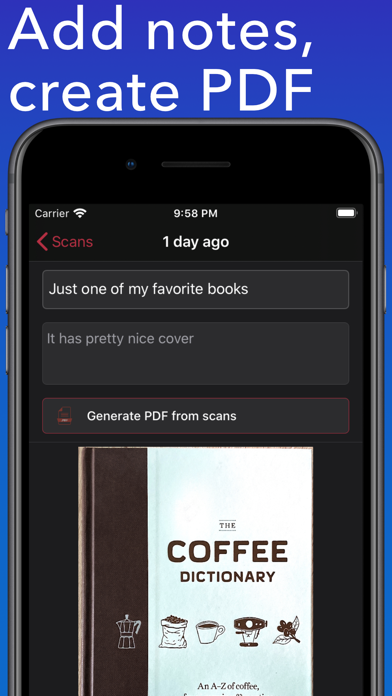
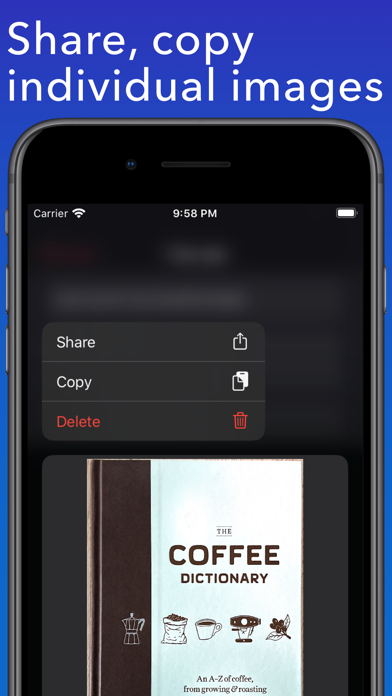
Easily share scanned documents as individual images or create PDF from all the pages in one scan.
| iCloud
All scanned documents are automatically uploaded to your iCloud Drive for easy access and backup. Just look for the "Scan it" folder. You can also customize this to export single PDF from multiple scans.
| Text Recognition
Scan it features OCR which means that scanned text will get recognized and you can quickly make use of it. For example if you scan business card you will get tappable links in results allowing you to make a call, send an email, open Safari or maps depending on the contents.
This recognized text can also be easily shared.
Examples where app can help:
* Scan business cards to quickly save contact information like an email or phone number
* Scan receipts to keep track of expenses
* Scan interesting book pages or other articles for later
* Scan and archive invoices and other important documents
* Paper notes, mindmaps and other important texts so you never lose it