

Scan to Spreadsheet
Scan to Spreadsheet is made and published by Berry Wing LLC. AppBrain is an independent app data site and isn't affiliated with Berry Wing LLC. The app name, icon, screenshots and description belong to Berry Wing LLC and are shown as published on the App Store.
AppBrain's verdict
Established- Rating on App Store
- 3.31
- 32 ratings
- Last updated
- October 25, 2021
It doesn't have enough ratings yet to judge what users think.
Rankings
App Store top chartsApp Store Rankings for Scan to Spreadsheet
Competitors
Similar apps and more from Berry Wing LLCAlternatives to Scan to Spreadsheet







More from Berry Wing LLC


Releases
Updates seen on the App Store- Version
- 6.0.10
- Launched
- November 2011
No changelog data
User feedback
Ratings and reviews on the App StoreComments on Scan to Spreadsheet for iOS
We don't have enough comments to show example comments. Please check back later.
Technology
Found in the app by AppBrain- Price
- Free
- App size
- 7.66 MB
- Content rating
- Everyone
Technologies used by Scan to Spreadsheet
About the app and developer
About Scan to Spreadsheet
Scan to Spreadsheet is a business app developed by Berry Wing LLC.
User Ratings
Scan to Spreadsheet is rated 3.31 out of 5 stars. The rating is based on 32 ratings.
App Information
Scan to Spreadsheet is freely available from the App Store. The app size is 7.66 MB. The latest version available is 6.0.10. The last update was on October 25, 2021.
Technical Requirements
The app has a content rating of Everyone. The app has been available on the App Store since November 2011.
Developer information for Berry Wing LLC
Address:
Frequently asked questions about Scan to Spreadsheet
Is Scan to Spreadsheet free?
Yes. Scan to Spreadsheet is free on the App Store.
Is Scan to Spreadsheet still available?
Yes. Scan to Spreadsheet is on the App Store, and the last update we saw was on October 25, 2021.
How large is Scan to Spreadsheet?
Scan to Spreadsheet is 7.66 MB.
Is Scan to Spreadsheet suitable for children?
App Store rates the content of Scan to Spreadsheet as suitable for everyone.
How do people rate Scan to Spreadsheet?
Scan to Spreadsheet scores 3.31 out of 5 stars, from 32 ratings on the App Store.
Who made Scan to Spreadsheet?
Scan to Spreadsheet was developed by Berry Wing LLC. It is listed in the business category on the App Store.
What are the best alternatives to Scan to Spreadsheet?
People looking at Scan to Spreadsheet also look at these business apps: Scan to Sheets - QR & Barcode, Barcode to Sheet, Scan-IT to Office, Scan to Excel, Barcode Scanner - Orca Scan.
Store listing
By Berry Wing LLC, from the App Store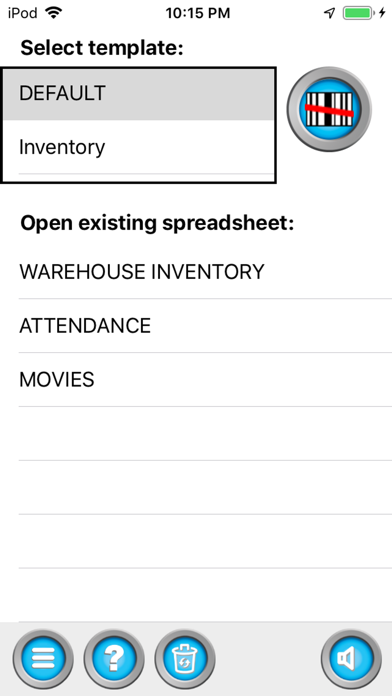
Description by Berry Wing LLC Written by the developer, not by AppBrain. Click to read.
1. Scan.
2. Email.
3. Inventory, Attendance, or any Spreadsheet Done!
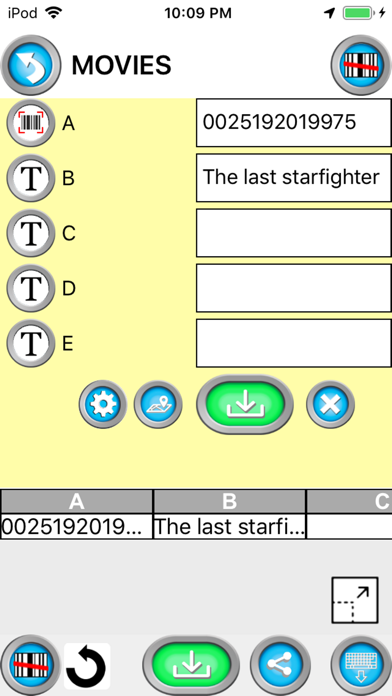
Create spreadsheets using the barcode scanner in your iPhone. Use this for inventory, cycle count, marketing event scanning, attendance, or other times where scanning to make a list is needed.
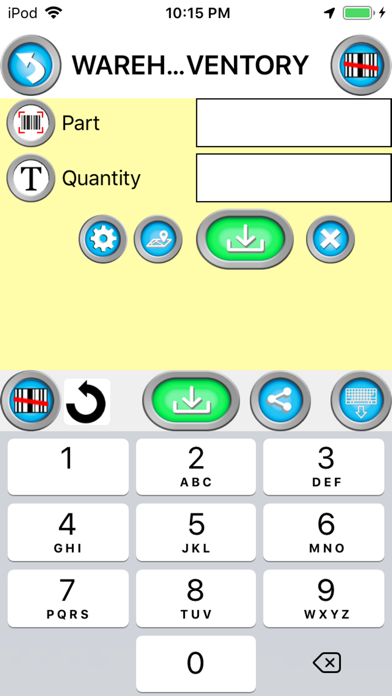
A great option for bring your own device (BYOD) barcode scanning and/or inventory.
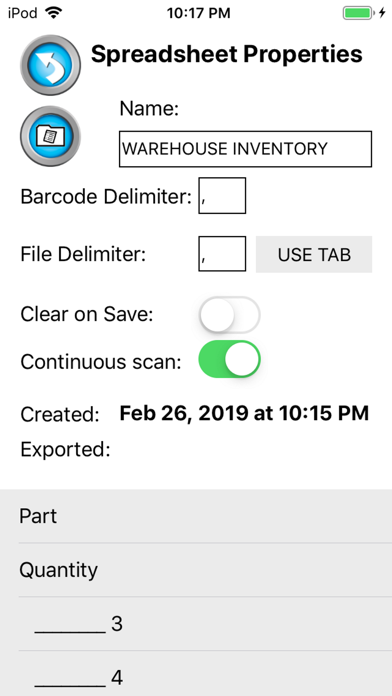
Email CSV or MS Excel XML formats from your phone, iPad, or iPod.
Share to Google Drive and open with Google Sheets
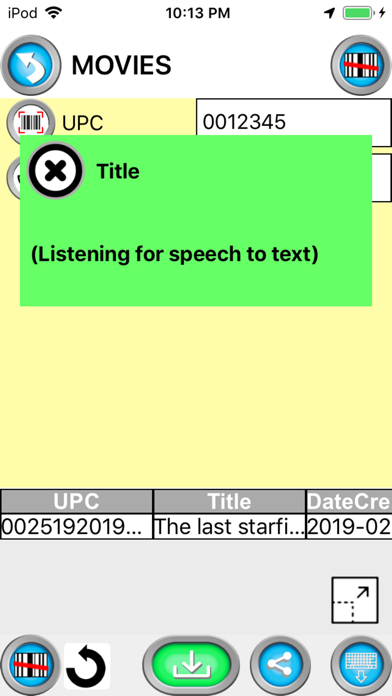
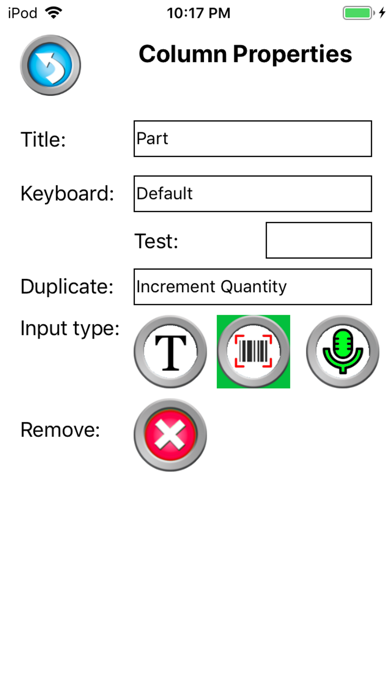
Use templates to customize column names for each spreadsheet column.
Records GPS coordinates of each scan.
Separates the barcode into different columns using the Parse / Delimiter feature. For example, create a barcode with information separated by a comma. When scanned, the information will go do different columns; like First Name, Last Name and Email.
The date and time is recorded for each scan.
Use our new validation feature to catch duplicate scan, limit scans to only values in a lookup table, or fill the spreadsheet with information from the lookup table when a matching scan is found.
Barcode symbology supported;
- QR Code
- Data Matrix
- EAN / UPC
- PDF417 (drivers license)
- Code 3 of 9
(*10 to 15 characters max)
- Code 128
(*20 characters max)
From our users;
I use the app for logging runner's times in long distance running. I record a start row, then scan each runner in when they cross the finish line and I have an instant time tally sheet.
We use Scan to Spreadsheet to log when students turn in homework assignments. Now we can quickly see who has not turned in and head off any problems that could affect their grades.
Our asset inventory is so easy now that we use Scan to Spreadsheet. Great Job!!!