Download Android Apps and Games
AppBrain
  • Apps
  • Apps being viewed right now Trending apps today Most popular apps All-time most downloaded apps Top rated apps
  • Intelligence ▾
    Intelligence overview → Track any Android app or your whole market
    Track & analyze
    Keyword Tracker & OptimizerTrack & improve Play rankings App Performance ReportOne-off PDF for any app StatisticsFree Android & Play market stats
    Promote your app
    Featured Apps App Links
  • Intelligence
  • Pricing
  • Dashboard
  • Sign up
  • Log in
Last updated on: 2026-07-13
App Store Apps > Education > ScanGrader
ScanGrader icon

ScanGrader

1.3
ZanidoSoftware Ltda.
0.00
0 reviews
Free

ScanGrader Screenshot 1 of 8
ScanGrader Screenshot 2 of 8
ScanGrader Screenshot 3 of 8
ScanGrader Screenshot 4 of 8
ScanGrader Screenshot 5 of 8
ScanGrader Screenshot 6 of 8
ScanGrader Screenshot 7 of 8
ScanGrader Screenshot 8 of 8
Download from the App Store

About ScanGrader

ScanGrader is an overall app developed by ZanidoSoftware Ltda..

How many times has ScanGrader been downloaded?

What is the rating of ScanGrader?

ScanGrader has no ratings yet.

Is ScanGrader free?

ScanGrader is free to download. The APK download size is 5.81 MB. The latest version available is 1.3. The last update was on May 6, 2025.

What are the requirements for ScanGrader?

The app has a content rating of Everyone. The app has been available on Google Play April 2024.

Description
ScanGrader is a complete solution for teachers to prepare and mark multiple choice tests using the device camera as a scanner.

MAIN FEATURES
-------------

ADVANCED IMAGE PROCESSING
ScanGrader has developed an image-processing algorithm that consistently delivers precise results.

COSTUMIZABLE ANSWER SHEETS
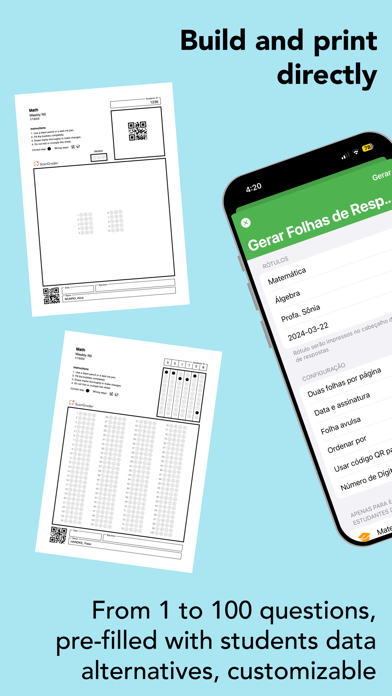
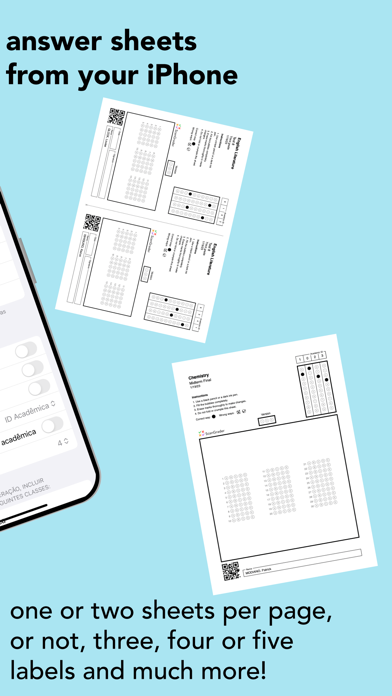
Build personalized answer sheets directly from your iPhone or iPad, from 1 to 100 questions, with one or two answer sheets per page (in this case, you need to cut the page in half to distribute to students). You can define up to four labels, which will be printed on the answer sheets (name of school, name of class, teacher's name, data, etc.). You can also choose whether the answer sheets should contain a field for the students' signatures.

VISUALIZE AND ANALYSE THE RESULT
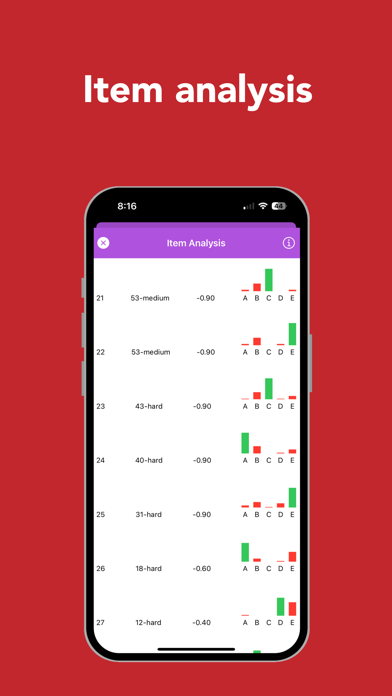
ScanGrader provides an Item Analysis tool, presenting, for each question, the difficulty level, the discriminant factor, and the frequency distribution of alternatives.

You can see the results grouped by class, test, or students. All results can be seen using any of the groups: they are only grouped differently. If a test is applied to only one class, there is no difference if you choose to see the results by class or test. But if a test is applied to more than one class, choosing the class grouping will show the results for students in that class, while choosing the test grouping will show the results for all classes in which the test was applied.

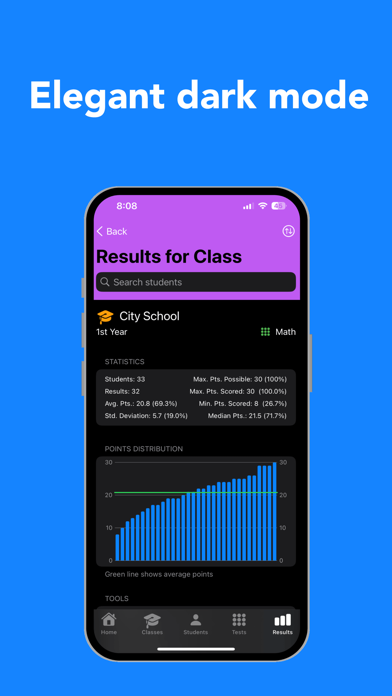
For class and test groupings, ScanGrader provides information and statistics about the grading: maximum points scored, minimum points scored, average points, standard deviation, median points, and others.

EXPORT THE RESULTS
You can export the results as a spreadsheet file in two formats:
1) Normal (ideal for importing the results of a test into your computer or on the school's server)
2) Complete (to use external tools for Item Analysis).

REPORTS
You can generate two types of reports as a PDF file:
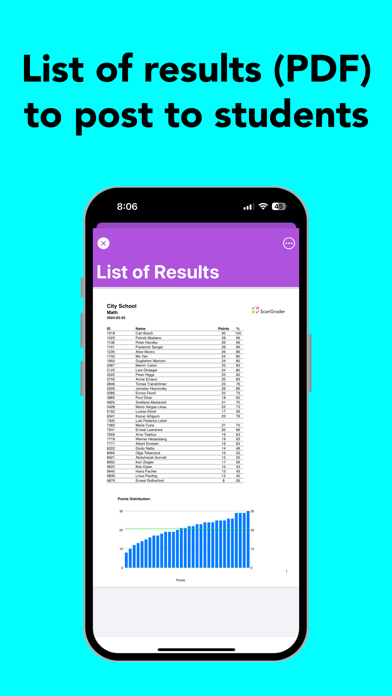
1) Simple (a list of the students and their respective scores to post to the students)
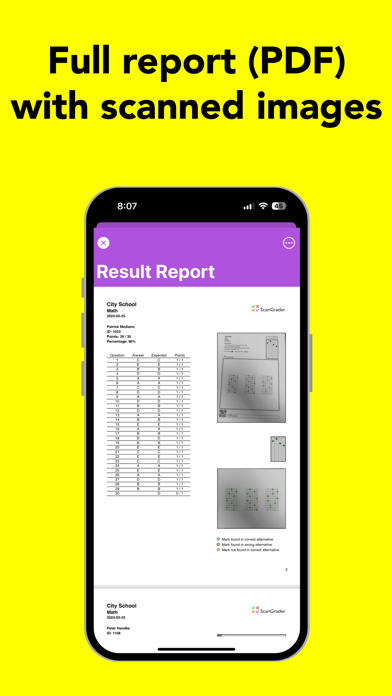
2) Complete (a page for each student, containing a text with the student's choices for each question, the student's score, an image of the scanned answer sheet, and an image showing the result of the grading)

TYPESET YOUT TEST
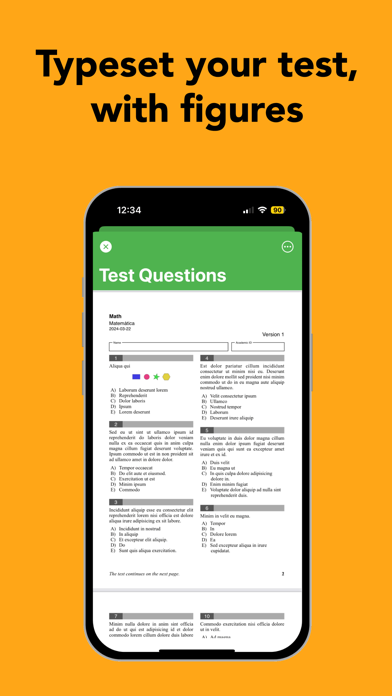
To streamline the test preparation, keep the test's questions in a spreadsheet file (see the format required inside the app). Then, use the Typeset Questions tool to produce an elegant and professional PDF file to distribute to the students. You can typeset your test in one or two columns, and each question can also have an image, if necessary. You can also choose to set the key automatically for the test, with information kept in the spreadsheet file.

SYNC BETWEEN DEVICES
Sync students, tests, classes and results between your iOS devices using iCloud.

SUBSCRIPTION
Each time you use ScanGrader to grade a student answer sheet, that is counted as one 'grading'. Users without a subscription have access to all functionalities, but with a limit of 50 'gradings' per month (non-cumulative). 

Users with an Annual Subscription (the only one available for ScanGrader) enjoy unlimited gradings throughout their subscription period.

PRIVACY POLICY: https://www.scangrader.com/app/privacy
TERMS OF USE: https://www.apple.com/legal/internet-services/itunes/dev/stdeula/
Show more Show less

More data about ScanGrader

Price Free to download
Rating No ratings
Ranking Not ranked
Version 1.3
App download size 5.81 MB
Suitable for Everyone

Alternative downloads for the ScanGrader app

Zouphy Insere Gabarito icon Zouphy Insere Gabarito
Zouphy Tecnologia
0.0
Free
More active
Multiprova Corretor icon Multiprova Corretor
Superintendencia de Informatica
0.0
Free
Dicionário Engenharia Civil icon Dicionário Engenharia Civil
F&E System Apps
0.0
$0.99
Higher rated
PaperScorer Scanner icon PaperScorer Scanner
FreePro, LLC
5.0
Free
1 ratings
Genial4 Educacional icon Genial4 Educacional
DARTIV EDUCATIONAL PLATFORM LTDA
0.0
Free
Simplifica icon Simplifica
Edições SM
0.0
Free
Higher rated
Bellavista School icon Bellavista School
Bellavista School
5.0
Free
1 ratings
Higher rated
Newark Valley CSD, NY icon Newark Valley CSD, NY
Newark Valley Central School District
1.0
Free
1 ratings

More from ZanidoSoftware Ltda.

ScanTrip icon ScanTrip
ZanidoSoftware Ltda.
0.0
Free

Changelog of ScanGrader

No changelog data

Developer information for ZanidoSoftware Ltda.

ZanidoSoftware Ltda.

Address:

Share ScanGrader

Comments on ScanGrader for iOS

We don't have enough comments to show example comments. Please check back later.

App Store Rankings for ScanGrader

This app is not ranked

Technologies used by ScanGrader

Zouphy Insere Gabarito icon Zouphy Insere Gabarito
Multiprova Corretor icon Multiprova Corretor
Dicionário Engenharia Civil icon Dicionário Engenharia Civil
PaperScorer Scanner icon PaperScorer Scanner
Genial4 Educacional icon Genial4 Educacional
Simplifica icon Simplifica
Bellavista School icon Bellavista School
Newark Valley CSD, NY icon Newark Valley CSD, NY

Back to top
AppBrain Intelligence premium content

Subscribe now to get full and unlimited access to AppBrain Intelligence. You'll have access to:

  • App Intelligence dashboard (performance timeline, competitor comparison, country rankings, insight cards)
  • Detailed ranking data per app
  • Full timeline per developer
  • Device market shares data per country
  • Unlimited keyword tracking
1 Month

$75/mo
(billed every month)

SAVE 0%
Subscribe
3 Months

$65/mo
($195 billed every 3 months)

SAVE 13%
Subscribe
1 Year

$57.50/mo
($690 billed every year)

SAVE 23%
Subscribe
Each subscription will automatically renew 3 days before the expiration date for the same time period. Subscriptions can be cancelled at any time before the renewal.

AppBrain is a directory focused on discovering great apps and games. We give statistics, rankings and search options that Google Play and the App Store don't have. All trademarks are owned by their respective owners. AppBrain doesn't offer APKs or binaries, and always lets users install the official version from Google Play or the App Store.

More apps

  • Top Android apps being viewed
  • Horror Joker Wallpaper
  • UC Browser-Safe, Fast, Private
  • Photoshop Express Photo Editor

Android Statistics

  • Android statistics
  • Google Play Developer stats
  • Trending Android Apps
  • Top popular Apps
  • Buy the best Android phone

About AppBrain

  • Contact
  • Privacy
  • Documentation
  • DMCA takedowns
  • Articles
  • Blog
  • Free webpage for your Android app
© 2010-2026 - AppBrain