

Scanner · Baro is made and published by Euiseok Kim. AppBrain is an independent app data site and isn't affiliated with Euiseok Kim. The app name, icon, screenshots and description belong to Euiseok Kim and are shown as published on the App Store.
AppBrain's verdict
- Last updated
- October 19, 2026
Rankings
App Store top chartsApp Store Rankings for Scanner · Baro
Competitors
Similar apps and more from Euiseok KimMore from Euiseok Kim


Releases
Updates seen on the App Store- Version
- 1.2.25
- Launched
- May 2026
No changelog data
User feedback
Ratings and reviews on the App StoreComments on Scanner · Baro for iOS
We don't have enough comments to show example comments. Please check back later.
Technology
Found in the app by AppBrain- Price
- Free
- App size
- 23.1 MB
- Content rating
- Everyone
Technologies used by Scanner · Baro
About the app and developer
About Scanner · Baro
Scanner · Baro is an utilities app developed by Euiseok Kim.
What is the rating of Scanner · Baro?
Scanner · Baro has no ratings yet.
Is Scanner · Baro free?
Scanner · Baro is free. The app size is 23.12 MB. The latest version available is 1.2.25. The last update was on October 19, 2026.
What are the requirements for Scanner · Baro?
The app has a content rating of Everyone. The app has been available on the App Store since May 2026.
Developer information for Euiseok Kim
Address:
Frequently asked questions about Scanner · Baro
Is Scanner · Baro free?
Yes. Scanner · Baro is free on the App Store.
Is Scanner · Baro still available?
Yes. Scanner · Baro is on the App Store, and the last update we saw was on October 19, 2026.
How large is Scanner · Baro?
Scanner · Baro is 23.12 MB.
Is Scanner · Baro suitable for children?
App Store rates the content of Scanner · Baro as suitable for everyone.
Who made Scanner · Baro?
Scanner · Baro was developed by Euiseok Kim. It is listed in the utilities category on the App Store.
Store listing
By Euiseok Kim, from the App Store


Description by Euiseok Kim Written by the developer, not by AppBrain. Click to read.
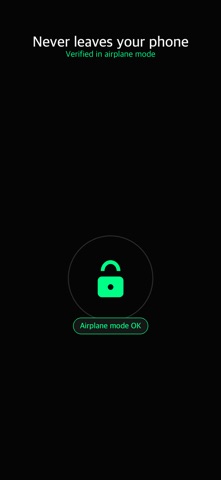
Point your camera, and paper becomes a clean PDF that is never uploaded to anyone. Don't believe it? Turn on airplane mode and watch Scanner keep working — because nothing is ever sent anywhere.
That's the difference from the other scanners: your IDs, contracts, medical forms and receipts stay private, because they physically never leave the device. No watermark on the output. No account to create. No ads. No subscription nag.
WHY BARO BEATS THE OTHER SCANNERS
• Nothing uploaded — works fully in airplane mode, verify it yourself.
• No watermark stamped on your PDF. Ever.
• No account, no sign-in, no email harvesting.
• No ads, no subscription, no surprise paywall.
WHAT IT DOES
• Scan anything — live edge detection and perspective correction capture a crisp, straightened page: receipts, contracts, IDs, notes, forms, mail.
• Import photos — already have the shot? Turn photos on your phone into the same clean PDF, without opening the camera.
• Multi-page PDFs — add as many pages as you need and save them as one clean PDF. Reorder, retake or remove a page with a single tap.
• Color, Grayscale or Black & White — pick the look that makes text sharpest and keeps files small.
• Local library — every scan lives only on this phone. Open, rename, share or delete. No cloud, no sync.
• Lock your documents — put Face ID, Touch ID or your passcode in front of your library. Off by default, and the check happens entirely on this phone: the app only ever gets a yes or a no.
• Share anywhere — send your PDF to Mail, Messages, Notes or any app in one tap, straight from the save confirmation.
PRIVACY YOU CAN VERIFY
Zero analytics. Zero telemetry. Zero third-party SDKs. No network code at all. Turn on airplane mode and scan — everything still works, because nothing is ever sent anywhere. The privacy label says "Data Not Collected," and you can prove it.
HONEST ABOUT WHAT IT IS
Scanner makes sharp image PDFs. It does not add a searchable OCR text layer yet, and there is no cloud backup or sync — both are intentionally absent, not coming "for a fee." Imported photos get the filters and the PDF, but not the edge detection and perspective correction — those happen at capture time, in the camera. We'd rather promise less and keep every promise.
MADE TO BE EASY
Every button is large and easy to hit. High-contrast AMOLED dark screen. Big, bold text. No double-taps, no hidden gestures — just Scan and Library.
MADE FOR
Anyone scanning an ID, a signed contract or a medical form who refuses to upload it. Receipts and expense reports. Student notes and handouts. Anyone who values privacy, simplicity and no watermarks.
NO SUBSCRIPTION
No subscriptions, no in-app purchases, no ads, no account. That's the whole deal.
Part of the Baro family — The tools you reach for first.