

Scanner • PDF Document Scanner
Scanner • PDF Document Scanner is made and published by Narendra Sorathiya. AppBrain is an independent app data site and isn't affiliated with Narendra Sorathiya. The app name, icon, screenshots and description belong to Narendra Sorathiya and are shown as published on the App Store.
AppBrain's verdict
- Rating on App Store
- 3.67
- 3 ratings
- Last updated
- January 26, 2026
It doesn't have enough ratings yet to judge what users think.
Rankings
App Store top chartsApp Store Rankings for Scanner • PDF Document Scanner
Competitors
Similar apps and more from Narendra SorathiyaMore from Narendra Sorathiya


Also available on Google Play

Releases
Updates seen on the App Store- Version
- 2.1
- Launched
- December 2024
No changelog data
User feedback
Ratings and reviews on the App StoreComments on Scanner • PDF Document Scanner for iOS
We don't have enough comments to show example comments. Please check back later.
Technology
Found in the app by AppBrain- Price
- Free
- App size
- 49.3 MB
- Content rating
- Everyone
Technologies used by Scanner • PDF Document Scanner
About the app and developer
About Scanner • PDF Document Scanner
Scanner • PDF Document Scanner is a productivity app developed by Narendra Sorathiya.
What is the rating of Scanner • PDF Document Scanner?
Scanner • PDF Document Scanner is rated 3.67 out of 5 stars, based on 3 ratings.
Is Scanner • PDF Document Scanner free?
Scanner • PDF Document Scanner is free. The app size is 49.33 MB. The latest version available is 2.1. The last update was on January 26, 2026.
What are the requirements for Scanner • PDF Document Scanner?
The app has a content rating of Everyone. The app has been available on the App Store since December 2024.
Developer information for Narendra Sorathiya
Address:
Store listing
By Narendra Sorathiya, from the App Store



Description by Narendra Sorathiya Written by the developer, not by AppBrain. Click to read.
Transform your iPhone into a powerful document scanner with ScanDo! Whether you need to scan, sign, edit, or share documents, this app is your all-in-one solution for seamless document management.
Key Features
‣ Automatic Document Scanning: Effortlessly scan documents using your iPhone camera with smart edge detection.
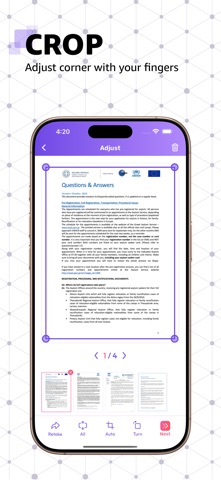
‣ Precise Cropping: Adjust scans with multi-corner cropping for accurate results.
‣ Color and Filter Adjustments: Enhance your scanned documents with customizable colors and filters.
‣ Digital Signature: Create, save, and apply your signature across all pages at once for a professional touch.
‣ Watermark Protection: Add personalized watermarks to every page to secure your documents.
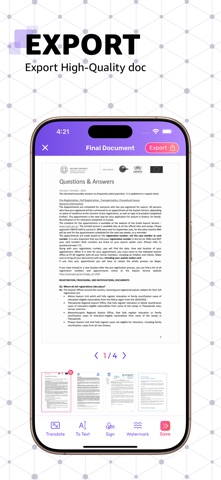
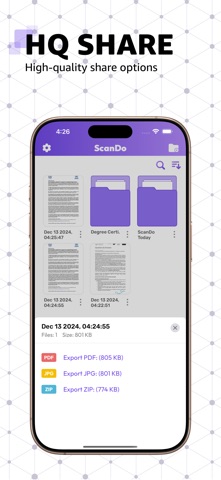
‣ Multiple Export Options: Export high-quality files in JPG, PDF, or ZIP formats to meet your needs.
‣ User-Friendly Interface: Intuitive and easy-to-use design for hassle-free navigation.
‣ Effortless Sharing: Share your scanned files in high quality directly from the app.
Why Choose ScanDo?
Whether you're managing business documents, personal files, or academic notes, ScanDo ensures you can handle your paperwork quickly, efficiently, and professionally.
Download ScanDo: Cam Scanner today and take your productivity to the next level!