

Scanner App: Cam Scannable
Scanner App: Cam Scannable is made and published by Gehong Nong. AppBrain is an independent app data site and isn't affiliated with Gehong Nong. The app name, icon, screenshots and description belong to Gehong Nong and are shown as published on the App Store.
AppBrain's verdict
Established- Rating on App Store
- 5.00
- 4 ratings
- Last updated
- October 6, 2026
It doesn't have enough ratings yet to judge what users think.
Rankings
App Store top chartsApp Store Rankings for Scanner App: Cam Scannable
Competitors
Similar apps and more from Gehong NongAlternatives to Scanner App: Cam Scannable





Releases
Updates seen on the App Store- Version
- 3.5
- Launched
- January 2018
No changelog data
User feedback
Ratings and reviews on the App StoreComments on Scanner App: Cam Scannable for iOS
We don't have enough comments to show example comments. Please check back later.
Technology
Found in the app by AppBrain- Price
- Free
- App size
- 117.7 MB
- Content rating
- Everyone
Technologies used by Scanner App: Cam Scannable
About the app and developer
About Scanner App: Cam Scannable
Scanner App: Cam Scannable is a productivity app developed by Gehong Nong.
User Ratings
Scanner App: Cam Scannable is rated 5.00 out of 5 stars. The rating is based on 4 ratings.
App Information
Scanner App: Cam Scannable is freely available from the App Store. The app size is 117.66 MB. The latest version available is 3.5. The last update was on October 6, 2026.
Technical Requirements
The app has a content rating of Everyone. The app has been available on the App Store since January 2018.
Developer information for Gehong Nong
Address:
Frequently asked questions about Scanner App: Cam Scannable
Is Scanner App: Cam Scannable free?
Yes. Scanner App: Cam Scannable is free on the App Store.
Is Scanner App: Cam Scannable still available?
Yes. Scanner App: Cam Scannable is on the App Store, and the last update we saw was on October 6, 2026.
How large is Scanner App: Cam Scannable?
Scanner App: Cam Scannable is 117.66 MB.
Is Scanner App: Cam Scannable suitable for children?
App Store rates the content of Scanner App: Cam Scannable as suitable for everyone.
How do people rate Scanner App: Cam Scannable?
Scanner App: Cam Scannable scores 5.00 out of 5 stars, from 4 ratings on the App Store.
Who made Scanner App: Cam Scannable?
Scanner App: Cam Scannable was developed by Gehong Nong. It is listed in the productivity category on the App Store.
What are the best alternatives to Scanner App: Cam Scannable?
People looking at Scanner App: Cam Scannable also look at these productivity apps: 极速扫描 - 全能图片转文字、pdf扫描仪, 图片转文字-拍照取字与PDF文字提取神器, Document Scanner:PDF&OCR Scan, 小米打印, OCR Scan-Scan Unlimted.
Store listing
By Gehong Nong, from the App Store


Description by Gehong Nong Written by the developer, not by AppBrain. Click to read.
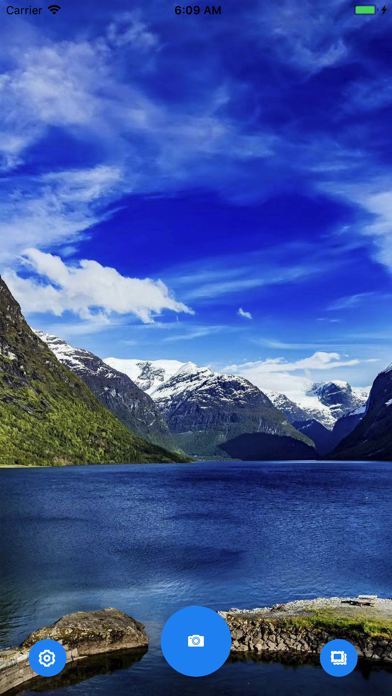
Turn your iPhone into a powerful, easy-to-use pdf scanner / document scanner. Quickly scan documents, receipts, notes, forms, and more, then save them as clear, high-quality digital files.
Download this mobile scanner to convert important documents and photos into PDF and JPEG files .
Simple, Fast, and Organized
• Scan Documents — Capture documents, papers, notes, receipts, and other important files with ease.
• Auto Detection & Cropping — Automatically detect document edges and crop your scans for a clean, professional look.
• High-Quality Scans — Enhance scanned documents for improved clarity and readability.
• Multiple Pages — Scan multiple pages and combine them into a single document.
• PDF Creation — Save your scans as convenient PDF documents.
• Easy Sharing — Share your scanned files wherever you need them.
• Stay Organized — Keep your digital documents together and accessible when you need them.
Whether you're scanning paperwork at home, receipts on the go, or documents for work or school, this pdf scanner app makes going paperless simple.
Scan smarter. Keep everything in one place.
No need for an Internet connection – all your scans are stored locally on your device.
FEATURES:
• SCAN TO PDF AND JPEG FILES :
Convert important documents to PDF files to help you stay organized.
• DIGITIZE YOUR ID / PASSPORT:
Scan anything: identity cards, passport, business documents, legal agreements, invoices, orders, receipts, articles, bills, credit notes, photos ...
• OCR / TEXT RECOGNITION :
Automatically extract text on PDF documents and edit it according to your needs. This PDF scanner app’s OCR (Optical Character Recognition) technology can quickly and accurately convert any document to text !
UNLIMITED ACCESS MEMBERSHIP SUBSCRIPTION
• You can subscribe to get unlimited access to all features of the PDF scanner app.
• You won’t be charged until your purchase is confirmed
• Your subscription will auto-renew 24 hours before its expiration date
• Manage or cancel your subscription anytime in your App Store settings
Terms of Use (EULA):
https://www.apple.com/legal/internet-services/itunes/dev/stdeula/
Privacy Policy:
http://www.f173.com/privacy-policy.html