

Scanner App:Document Scanner
Scanner App:Document Scanner is made and published by Kazi Nusrat Islam. AppBrain is an independent app data site and isn't affiliated with Kazi Nusrat Islam. The app name, icon, screenshots and description belong to Kazi Nusrat Islam and are shown as published on the App Store.
AppBrain's verdict
- Rating on App Store
- 5.00
- 7 ratings
- Last updated
- December 11, 2021
It doesn't have enough ratings yet to judge what users think.
Rankings
App Store top chartsApp Store Rankings for Scanner App:Document Scanner
Competitors
Similar apps and more from Kazi Nusrat IslamAlternatives to Scanner App:Document Scanner






More from Kazi Nusrat Islam







Releases
Updates seen on the App Store- Version
- 1.1.4
- Launched
- November 2021
No changelog data
User feedback
Ratings and reviews on the App StoreComments on Scanner App:Document Scanner for iOS
We don't have enough comments to show example comments. Please check back later.
Technology
Found in the app by AppBrain- Price
- Free
- App size
- 13.7 MB
- Content rating
- Everyone
Technologies used by Scanner App:Document Scanner
About the app and developer
About Scanner App:Document Scanner
Scanner App:Document Scanner is an utilities app developed by Kazi Nusrat Islam.
User Ratings
Scanner App:Document Scanner is rated 5.00 out of 5 stars. The rating is based on 7 ratings.
App Information
Scanner App:Document Scanner is freely available from the App Store. The app size is 13.71 MB. The latest version available is 1.1.4. The last update was on December 11, 2021.
Technical Requirements
The app has a content rating of Everyone. The app has been available on the App Store since November 2021.
Developer information for Kazi Nusrat Islam
Address:
Frequently asked questions about Scanner App:Document Scanner
Is Scanner App:Document Scanner free?
Yes. Scanner App:Document Scanner is free on the App Store.
Is Scanner App:Document Scanner still available?
Yes. Scanner App:Document Scanner is on the App Store, and the last update we saw was on December 11, 2021.
How large is Scanner App:Document Scanner?
Scanner App:Document Scanner is 13.71 MB.
Is Scanner App:Document Scanner suitable for children?
App Store rates the content of Scanner App:Document Scanner as suitable for everyone.
How do people rate Scanner App:Document Scanner?
Scanner App:Document Scanner scores 5.00 out of 5 stars, from 7 ratings on the App Store.
Who made Scanner App:Document Scanner?
Scanner App:Document Scanner was developed by Kazi Nusrat Islam. It is listed in the utilities category on the App Store.
What are the best alternatives to Scanner App:Document Scanner?
People looking at Scanner App:Document Scanner also look at these utilities apps: Shadow Vault, Image To Text Converter || PDF, Private Pics (try then buy), PhotoVault: Private Album, Gallery Photo Lock-Photo Vault.
Store listing
By Kazi Nusrat Islam, from the App Store



Description by Kazi Nusrat Islam Written by the developer, not by AppBrain. Click to read.
Document Scanner is one of the most simple and portable and useful for the Users.
Document Scanner is Using for Scan and Make Pdf easily there is option for user if he/she want's to different Option Pdf size like high, HD, Medium Pdf size. Document Scanner is also using for Text Recognition user just simply scan and make if Image to
Text. Document Scanner App scans printed or handwritten documents such as contracts, paper documents, books, receipts, business cards, etc with your iPhone or iPad easily. Document Scanner allows you to scan with your camera or import from existing photos. The scanner app also allows you to manage and generate PDF documents to be saved, emailed and shared.
No idea of how to make twisted scans looks normal like papers, especially when scanning books or folded receipts?
What if there is a way to get a digital version of your scans with far better quality?
Tiny Scanner is such a time-proved scanner machine that stays on your phone right in your pocket!
With a history of over 7 years and trusted by millions of users, Tiny Scanner is a perfect on-the-go scanning solution for contractors, small businesses and freelancers, etc.
Almost anything you expect to be scanned could be perfectly recognized by Tiny Scanner. For instance, documents, books, receipts, notes, photos, IDs, passports, whiteboards, posters, cards, letters, newspapers, screens, licenses, menus, certificates, music scores, etc.
DocScanner - PDF Scanner will turn your device into a powerful digital office and help you become more productive in your work and daily life. Download this scanner app for free to instantly scan, save, and share any document in PDF or JPG formats.
Go paperless with our fast PDF scanner – store all your documents in a neat mobile office right on your phone!
DOCUMENT SCANNER
This tiny yet powerful free scanner app is a must-have for students and anyone involved in a small business: accountants, realtors, managers, or lawyers. Scan anything you need, including receipts, contracts, paper notes, fax papers, books, and store you’re scans as multipage PDF or JPEG files.
VARIOUS SCANNING MODES
• ID-CARD & PASSPORT – a mode specifically designed for fast and convenient scanning of ID-documents.
• AREA – measure an object’s length and calculate the total room area.
Would you like to keep your entire office in your pocket and increase your productivity at work? Use scanner pro features to handle your paperwork with ease. Say goodbye to huge and ugly copy machines and get this ultra-fast scanner app for free now!
INNOVATIVE PDF SCANNER
– Scan documents and photos to PDF or JPEG
– Easily scan multiple pages into one document
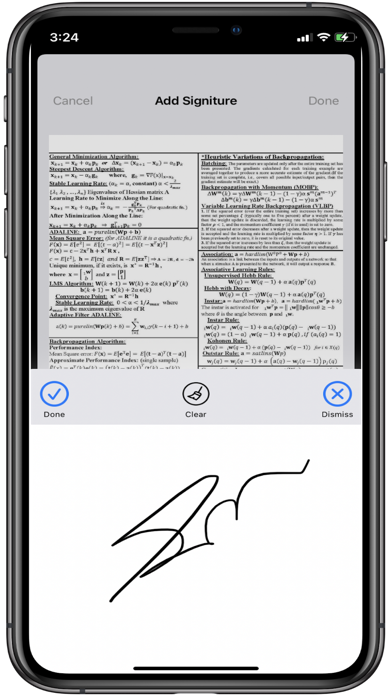
– Put your electronic signature on documents
HANDY DOCUMENT EDITOR & FILE MANAGER
– Edit scans using colour correction and noise removing features
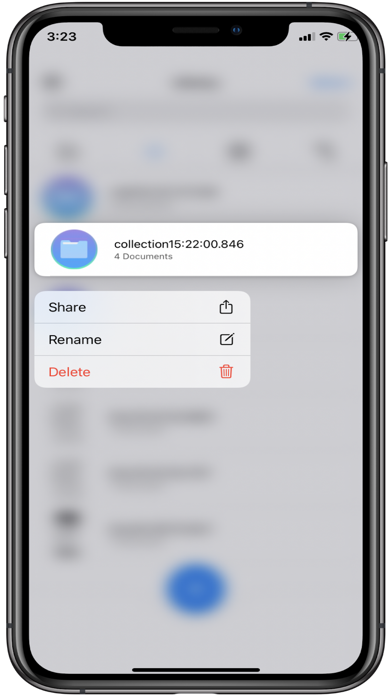
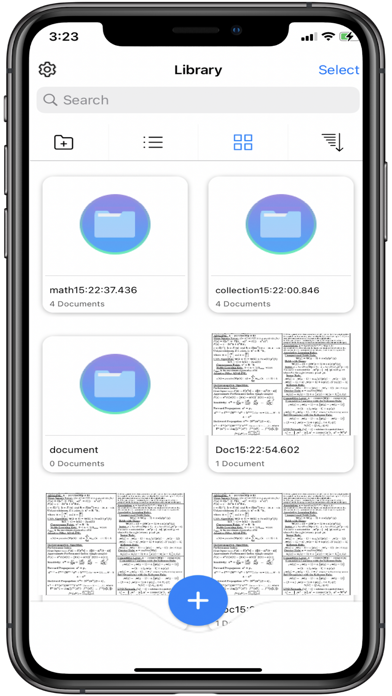
– Use file manager with folders and document editing features
– Protect your confidential scans by locking folders and files with PIN
EASY DOCUMENT SHARING
– Scan documents and share them in just a few taps
– Print contracts and invoices right from the scanning app
– Share and upload scanned documents to cloud services like Dropbox, Evernote, or Google Drive
With this secure free scanner app, any scanned or exported documents are stored locally on your iPhone, and neither we nor any third-party can access them.
# Subscription Details #
• Monthly and annual subscriptions are available.
• Payment will be charged to your iTunes account at confirmation of purchase.
• Your subscription will automatically renew unless auto-renew is disabled at least 24 hours before the end of the current subscription period.
• Automatic renewals will be charged at the same price you were originally charged for the subscription.
• Subscriptions can be managed by going to Account Settings on the App Store after purchase.
Privacy Policy: https://sites.google.com/view/document-iscanner/home
if you have any query: abdullah.cse11@gmail.com