

Scanner App - Scan PDF & OCR
Scanner App - Scan PDF & OCR is made and published by Mital Malaviya. AppBrain is an independent app data site and isn't affiliated with Mital Malaviya. The app name, icon, screenshots and description belong to Mital Malaviya and are shown as published on the App Store.
AppBrain's verdict
Well rated- Rating on App Store
- 4.44
- 108 ratings
- Last updated
- May 28, 2026
Users rate it well: 4.4 stars from 108 ratings.
Rankings
App Store top chartsApp Store Rankings for Scanner App - Scan PDF & OCR
Competitors
Similar apps and more from Mital MalaviyaMore from Mital Malaviya


Releases
Updates seen on the App Store- Version
- 1.7
- Launched
- March 2026
No changelog data
User feedback
Ratings and reviews on the App StoreComments on Scanner App - Scan PDF & OCR for iOS
We don't have enough comments to show example comments. Please check back later.
Technology
Found in the app by AppBrain- Price
- Free
- App size
- 47.8 MB
- Content rating
- Everyone
Technologies used by Scanner App - Scan PDF & OCR
About the app and developer
About Scanner App - Scan PDF & OCR
Scanner App - Scan PDF & OCR is a productivity app developed by Mital Malaviya.
User Ratings
Scanner App - Scan PDF & OCR is rated 4.44 out of 5 stars. The rating is based on 110 ratings.
App Information
Scanner App - Scan PDF & OCR is freely available from the App Store. The app size is 47.76 MB. The latest version available is 1.7. The last update was on May 28, 2026.
Technical Requirements
The app has a content rating of Everyone. The app has been available on the App Store since March 2026.
Developer information for Mital Malaviya
Address:
Store listing
By Mital Malaviya, from the App Store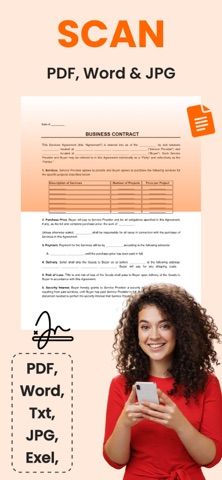




Description by Mital Malaviya Written by the developer, not by AppBrain. Click to read.
The app is designed to make document scanning simple and convenient, helping you organize and share your files whenever you need them.
Features
Document Scanning
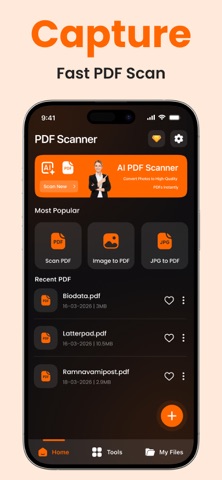
Capture documents using your device camera and convert them into PDF files.
Smart Edge Detection
Automatically detects document edges and adjusts scans for better clarity.
PDF Creation & Export
Create PDF documents and easily share or export them when needed.
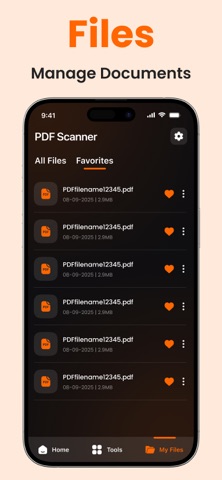
Document Management
Save and organize scanned documents so they can be accessed later.
Fast Processing
Process scanned documents quickly for smooth and efficient use.
Use Cases
This application can be useful for:
• Students scanning notes
• Professionals organizing documents
• Small businesses managing paperwork
• Everyday document scanning needs
Premium Subscription
The application offers optional auto-renewable subscriptions that provide additional features, including:
• Unlimited document scans
• Access to advanced PDF tools
• Faster processing
• High-quality export
• Ad-free experience
Payment will be charged to your Apple ID account at confirmation of purchase.
Subscriptions automatically renew unless auto-renew is turned off at least 24 hours before the end of the current period.
Users can manage or cancel subscriptions through their Apple ID account settings after purchase.
Easy to Use
Open the camera, scan a document, and save it as a PDF. Documents can then be stored, organized, or shared as needed.
privacy policy : https://doczeno.blogspot.com/2026/03/privacy-policy.html
terms and conditions: https://doczeno.blogspot.com/2026/03/terms-and-conditions.html
eula: https://doczeno.blogspot.com/2026/03/eula.html