

Scientific Calc
Scientific Calc is made and published by Hannes Sverrisson. AppBrain is an independent app data site and isn't affiliated with Hannes Sverrisson. The app name, icon, screenshots and description belong to Hannes Sverrisson and are shown as published on the App Store.
AppBrain's verdict
Established- Rating on App Store
- 3.67
- 3 ratings
- Last updated
- June 11, 2026
It doesn't have enough ratings yet to judge what users think.
Rankings
App Store top chartsApp Store Rankings for Scientific Calc
Competitors
Similar apps and more from Hannes SverrissonAlternatives to Scientific Calc







More from Hannes Sverrisson


Releases
Updates seen on the App Store- Version
- 5.7
- Launched
- August 2011
No changelog data
User feedback
Ratings and reviews on the App StoreComments on Scientific Calc for iOS
We don't have enough comments to show example comments. Please check back later.
Technology
Found in the app by AppBrain- Price
- $1.99
- App size
- 15.4 MB
- Content rating
- Everyone
Technologies used by Scientific Calc
About the app and developer
About Scientific Calc
Scientific Calc is an utilities app developed by Hannes Sverrisson.
User Ratings
Scientific Calc is rated 3.67 out of 5 stars. The rating is based on 3 ratings.
App Information
Scientific Calc costs $1.99. The app size is 15.43 MB. The latest version available is 5.7. The last update was on June 11, 2026.
Technical Requirements
The app has a content rating of Everyone. The app has been available on the App Store since August 2011.
Developer information for Hannes Sverrisson
Address:
Store listing
By Hannes Sverrisson, from the App Store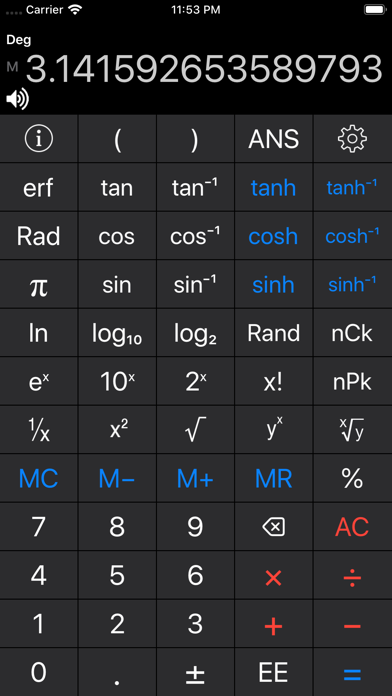
Description by Hannes Sverrisson Written by the developer, not by AppBrain. Click to read.
Easy to access the scientific functions by swiping between exponents, logs and sinus functions so all buttons are large and uncluttereds, this allows you to work faster and more reliable (no rotation or "2nd" function keys needed). All the functions are visible on the iPad, but more are revealed by rotating to landscape. Balloon help for easy functionality.
Features:
- Correct with a backspace key if you enter a wrong digit without having to redo.
- Parantheses and correct calculation priority.
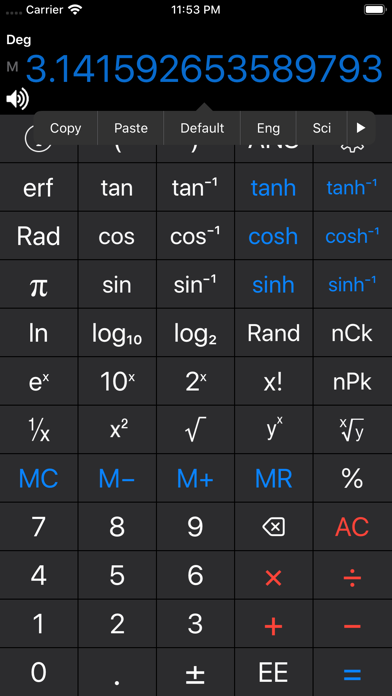
- Copy and Paste numbers to other Apps, by tapping on the display.
- Change number display to Fixed, Scientific, etc., by tapping on the display.
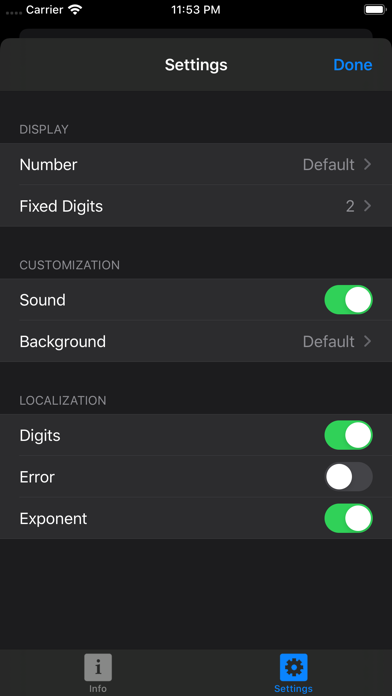
- Customize you background and fixed digits.
- An audible sound confirms if you have pressed a button, which can be easily disabled by touching the speaker.
- Previous calculation is repeated when the equal sign is pressed.
- Memory is saved between uses.
- Degrees and Radians can be switched by pressing the symbol on the screen or a button.
- A visible and audible error when trying to divide by zero or take the square root of a negative number.
- Numbers are shown in local format, depending on your Region Formats, i.e. comma used in Europe.
- Calculations are done in extended accuracy so that the square root of 2 repeated a few times, followed by a square will result in 2, not 1.999999999999983.