
Scope for AsReader
Scope for AsReader is made and published by Asterisk Corporation. AppBrain is an independent app data site and isn't affiliated with Asterisk Corporation. The app name, icon, screenshots and description belong to Asterisk Corporation and are shown as published on the App Store.
AppBrain's verdict
- Last updated
- June 17, 2021
Rankings
App Store top chartsApp Store Rankings for Scope for AsReader
Competitors
Similar apps and more from Asterisk CorporationAlternatives to Scope for AsReader



More from Asterisk Corporation


Releases
Updates seen on the App Store- Version
- 1.1.1
- Launched
- February 2014
No changelog data
User feedback
Ratings and reviews on the App StoreComments on Scope for AsReader for iOS
We don't have enough comments to show example comments. Please check back later.
Technology
Found in the app by AppBrain- Price
- Free
- App size
- 1.90 MB
- Content rating
- Everyone
Technologies used by Scope for AsReader
About the app and developer
About Scope for AsReader
Scope for AsReader is a business app developed by Asterisk Corporation.
User Ratings
The app has no ratings yet.
App Information
Scope for AsReader is freely available from the App Store. The app size is 1.90 MB. The latest version available is 1.1.1. The last update was on June 17, 2021.
Technical Requirements
The app has a content rating of Everyone. The app has been available on the App Store since February 2014.
Developer information for Asterisk Corporation
Address:
Store listing
By Asterisk Corporation, from the App Store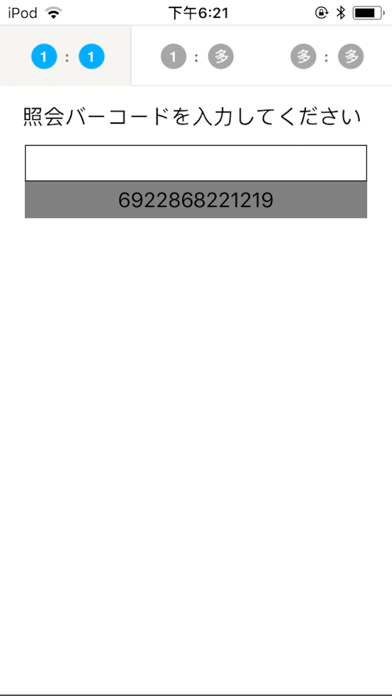
Description by Asterisk Corporation Written by the developer, not by AppBrain. Click to read.
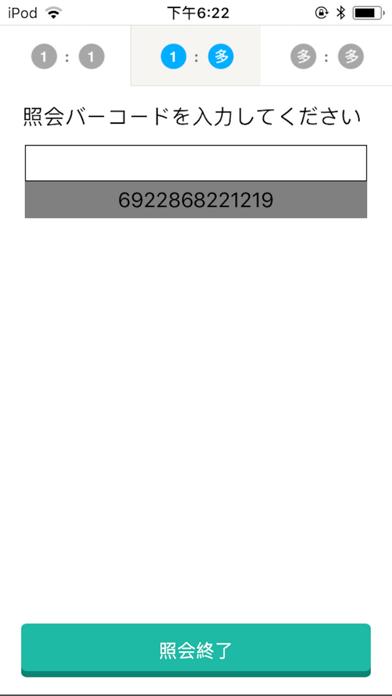
There is three modes:
1."One to one" mode
2."One to many" mode
3."Many to many" mode
1."One to one" mode:
Used to check the correspondence of a picking direction to an actual product.
Read a direction barcode, then read an actual product barcode.
If these do not match, the an error indictation will be on the display
and it can prevent a shipping error.
2."One to many" mode:
Used to check and prevent mingling of different kinds of products.
Read a direction barcode first, then read inspecting barcodes.
If a scanned inspecting barcode doesn't corresponds to a direction barcode,
the an error indictation will be on the display.
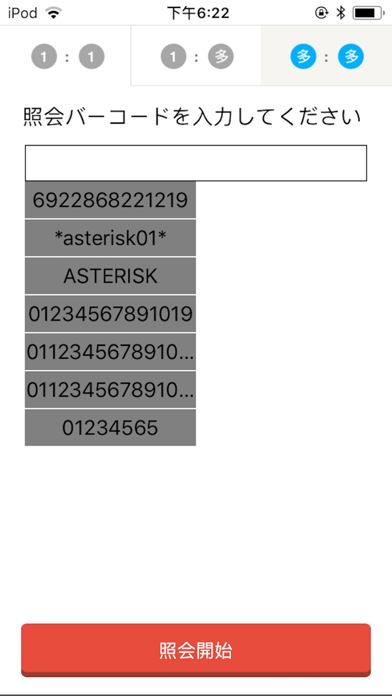
3."Many to many" mode:
Used to check correspondence of several picking directions to several actual products.
Read a list of direction barcodes first.
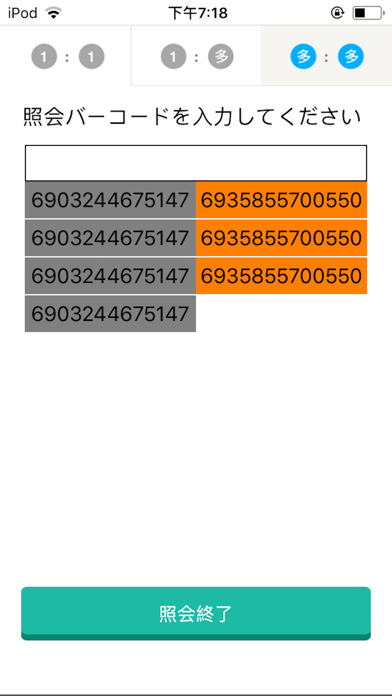
Then, read a set of inspecting product barcodes.
If the scanned barcode doesn't exist in the list,
the an error indictation will be on the display.
To use this software, buying a barcode reader, which has HID interface.
Basically it doesn't matter which maker's barcode reader, but
for more information, please contact Asterisk Inc.