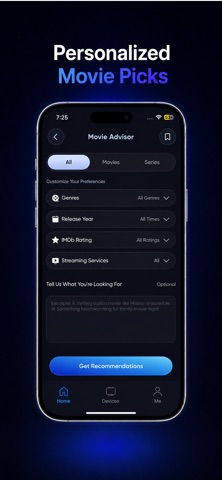
Screen Mirroring | TV Cast is made and published by
Calify-AI.
AppBrain is an independent app data site and isn't affiliated with Calify-AI.
The app name, icon, screenshots and description belong to Calify-AI and are shown as
published on the App Store.
About Screen Mirroring | TV Cast
Screen Mirroring | TV Cast is an utilities app developed by Calify-AI.
User Ratings
Screen Mirroring | TV Cast is rated 4.02 out of 5 stars. The rating is based on 150 ratings.
App Information
Screen Mirroring | TV Cast is freely available from the App Store. The app size is 102.24 MB. The latest version available is 1.2.8. The last update was on October 10, 2026.
Technical Requirements
The app has a content rating of Everyone. The app has been available on the App Store since February 2026.
Description by Calify-AI(from the App Store)
Want your phone on the big screen (TV or Chromecast) without getting stuck on “Connecting”? This app keeps it simple so you can start sharing fast-whether you’re showing something quickly, casting a video, or using your TV as a bigger screen at home. People use it in different ways:
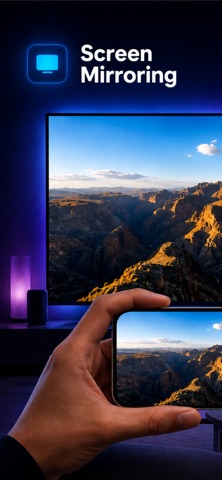
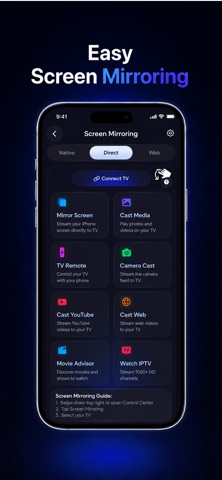
Screen mirroring to show apps, browsing, documents, or demos
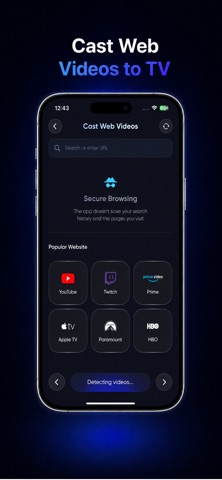
Media casting to play photos and videos on the TV
Simple remote controls so you can control playback from your phone once content is on the TV
How it works
Put your phone and TV/Chromecast on the same Wi-Fi network.
Open the app and wait a moment for devices to appear.
Tap your TV/Chromecast and choose what you want to share.
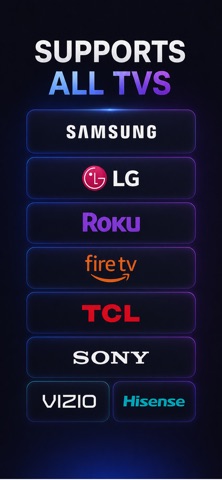
After the connection is set, switching between screen mirroring and media casting is quick. The app can remember your TV so the next connection feels faster (unless you change networks). Screen mirroring Sharing something on a phone gets awkward when more than one person is watching. Mirror to your TV to show a quick video, a document, or an app screen. Great for school, meetings, and those “everyone look at this” moments at home. Cast photos and videos Casting is ideal when you only want to play specific media on the TV. Choose a photo or video from your phone and send just that content to the big screen-perfect for saved clips, camera roll videos, and photo sharing. Your phone stays in your hand as the controller (play/pause/seek). Easy setup for everyday use No complicated setup-just connect on the same Wi-Fi and start in a few taps. After the first time, your TV is easier to find and reconnect. Chromecast and Smart TV support Use Chromecast for a simple “play this on the big screen” experience, and mirror your screen on many Smart TVs for apps, browsing, and quick demos. Same goal either way: make sharing easy without turning setup into a project. Flexible sharing for different situations Use live mirroring when you want to show what is on your screen. Use media casting when you just want to watch something. Switching between these modes is simple and quick. Built for home, work, and learning Show content to your family, display something in a meeting, or use the TV as a larger screen while studying. One app for your big screen moments Download today and stop crowding around a small screen. Cast to TV or Chromecast, share your favorite content, and enjoy a more comfortable way to watch and present.
Premium Subscription Offer Get full app access with Premium for seamless convenience.
Annual Premium: $39.99/year (United States)
Weekly Premium: $9/week
The subscription fee will be billed to your Apple ID account upon confirmation of purchase. Subscription Details
Payment will be charged to the Apple ID account at confirmation of purchase.
Subscription automatically renews each year unless auto-renew is turned off at least 24 hours before the end of the current subscription period.
Your account will be charged for renewal within 24 hours prior to the end of the current period, at the original subscription rate.
Manage your subscription and turn off auto-renewal by going to Account Settings after purchase.
Any unused portion of a free trial period, if offered, will be forfeited when you purchase a Premium subscription.
To restore a purchase on a new device or regain Premium, tap “Restore Purchase” in the app settings.
For support or inquiries, contact us at support@calify-ai.com. Please review our Privacy Policy and Terms of Service for more information:
Terms of Service: https://www.calify-ai.com/Terms-of-Use-TV-Cast
Prices may vary based on your region and are subject to change without notice. Local taxes may apply.
Disclaimer: This app is not affiliated with or endorsed by any TV manufacturer or brand. It is independently designed to enhance the screen mirroring and casting experience across compatible devices.
AppBrain offers valuable information about your app and those of your competitors. Join AppBrain for free and claim this app to view more ranking data, view history etc.
Each subscription will automatically renew 3 days before the expiration date for
the same time period. Subscriptions can be cancelled at any time before the renewal.