

Screen Mirroring: Smart TV App
Screen Mirroring: Smart TV App is made and published by Emilio Hausner. AppBrain is an independent app data site and isn't affiliated with Emilio Hausner. The app name, icon, screenshots and description belong to Emilio Hausner and are shown as published on the App Store.
AppBrain's verdict
Loved by users- Rating on App Store
- 4.60
- 184 ratings
- Last updated
- July 4, 2024
Users love it: 4.6 stars from 184 ratings.
Rankings
App Store top chartsApp Store Rankings for Screen Mirroring: Smart TV App
Competitors
Similar apps and more from Emilio HausnerAlternatives to Screen Mirroring: Smart TV App




More from Emilio Hausner





Releases
Updates seen on the App Store- Version
- 1.2.2
- Launched
- January 2024
No changelog data
User feedback
Ratings and reviews on the App StoreComments on Screen Mirroring: Smart TV App for iOS
We don't have enough comments to show example comments. Please check back later.
Technology
Found in the app by AppBrain- Price
- Free
- App size
- 22.5 MB
- Content rating
- High
Technologies used by Screen Mirroring: Smart TV App
About the app and developer
About Screen Mirroring: Smart TV App
Screen Mirroring: Smart TV App is an utilities app developed by Emilio Hausner.
What is the rating of Screen Mirroring: Smart TV App?
Screen Mirroring: Smart TV App is rated 4.60 out of 5 stars, based on 180 ratings.
Is Screen Mirroring: Smart TV App free?
Screen Mirroring: Smart TV App is free. The app size is 22.50 MB. The latest version available is 1.2.2. The last update was on July 4, 2024.
What are the requirements for Screen Mirroring: Smart TV App?
The app has a content rating of High Maturity. The app has been available on the App Store since January 2024.
Developer information for Emilio Hausner
Address:
Store listing
By Emilio Hausner, from the App Store


Description by Emilio Hausner Written by the developer, not by AppBrain. Click to read.
How to Use It:
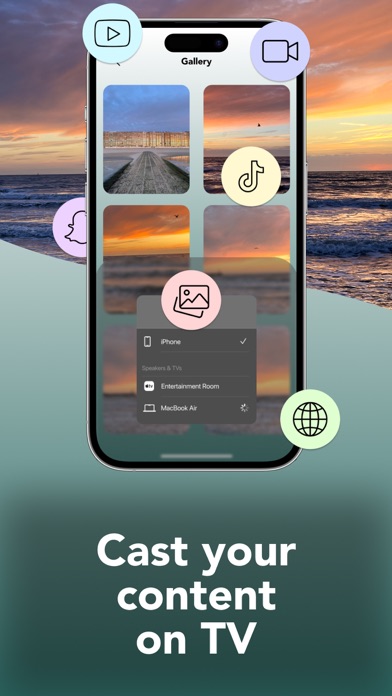
To start mirroring your phone’s screen to your TV, ensure both devices are connected to the same Wi-Fi network. Open the app, connect to your TV, and select the "Screen Mirroring""button. Follow the on-screen instructions to begin mirroring without any delay. The app offers a premium version that unlocks all features.
Features:
- No need to install any app on your TV
- Wirelessly mirror any application or game (for viewing) from your iPhone/iPad to your TV over your Wi-Fi network
- Stream or cast photos, videos, and music from your iPhone/iPad to your TV
- Cast any web videos to your TV
- No cables, additional hardware, or other equipment required
Information about the subscription:
Payments for subscriptions are charged through your iTunes account upon purchase confirmation, and subscriptions renew automatically unless auto-renew is turned off at least 24 hours before the end of the current period. Manage your subscriptions easily, and note that any unused portion of a free trial will be forfeited when you subscribe to the publication, where applicable.
Privacy Policy: https://docs.google.com/document/d/1iI35uS4gkDYHtW_D9i22-AdKHy0WpRU5z61aDKoUfQY/edit?usp=sharing
Terms of Use: https://docs.google.com/document/d/1bnafsDeHQqA7cQcVbPYsjO8PrzL7rvwzbJ-Ey1yVsGI/edit?usp=sharing
Terms of Service: https://docs.google.com/document/d/1Kfn2gsyHXKp0S80caZHhbhNRiqL8oLIdI9Dy74ZBknQ/edit?usp=sharing
Privacy Policy: https://docs.google.com/document/d/1xFI9N4aMMzeMZDjiKIfqKZVwZMmjQzUwez6ZZXsJX50/edit?usp=sharing
EULA: https://docs.google.com/document/d/1SkZXKMAsWi9c91g_fw9SyLzwu8OvK0dmiQc3Xd6yjDY/edit?usp=sharing